GAPS - User Guide
Measurement
Pair Selection
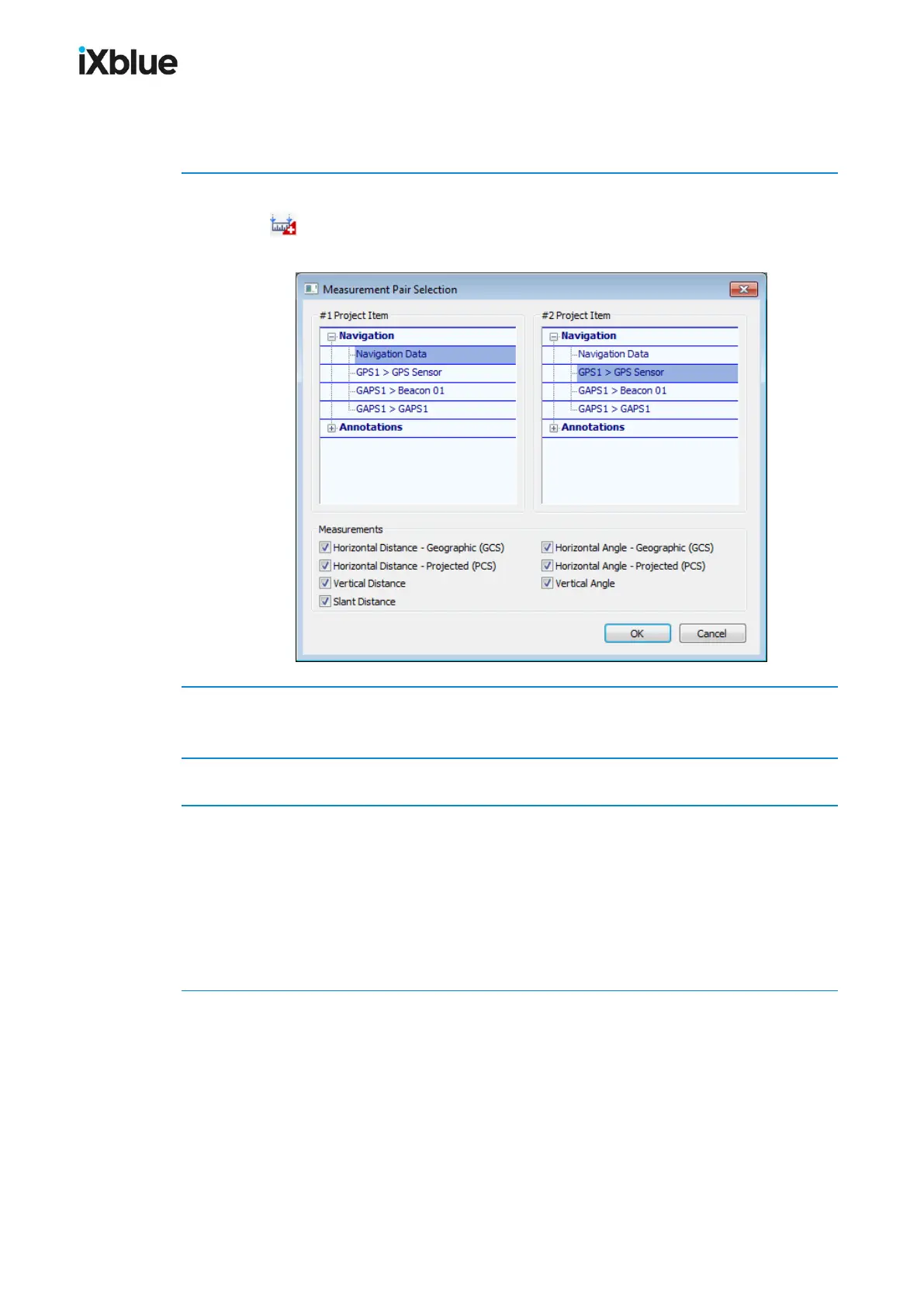
The following procedure details how to make measurements with the pair selection window.
1. Select the menu Navigation > Add Measurement… or click on the measurement toolbar
button .
The Measurement Pair Selection window opens.
2. Select a Navigation or Annotation item in the #1 Project Item list and another Navigation
or Annotation item in the #2 Project Item list.
3. Select which measurement(s) you want to monitor in the Measurements frame.
4. Click on OK to validate your choice.
The Measurement window opens if it was not opened yet. The measurement you configured
appears now in this window with the actual measurement value(s) on the right hand side. A
solid line is drawn on the geographic display between the two selected objects. The values
are updated in real time mode. The configured measurement appears also now in the Project
view under New Project > Measurements. It is possible to edit the measurement from both
places.
124 MU-GAPS-AN-005-H - November 2019



 To Next Page