GAPS - User Guide
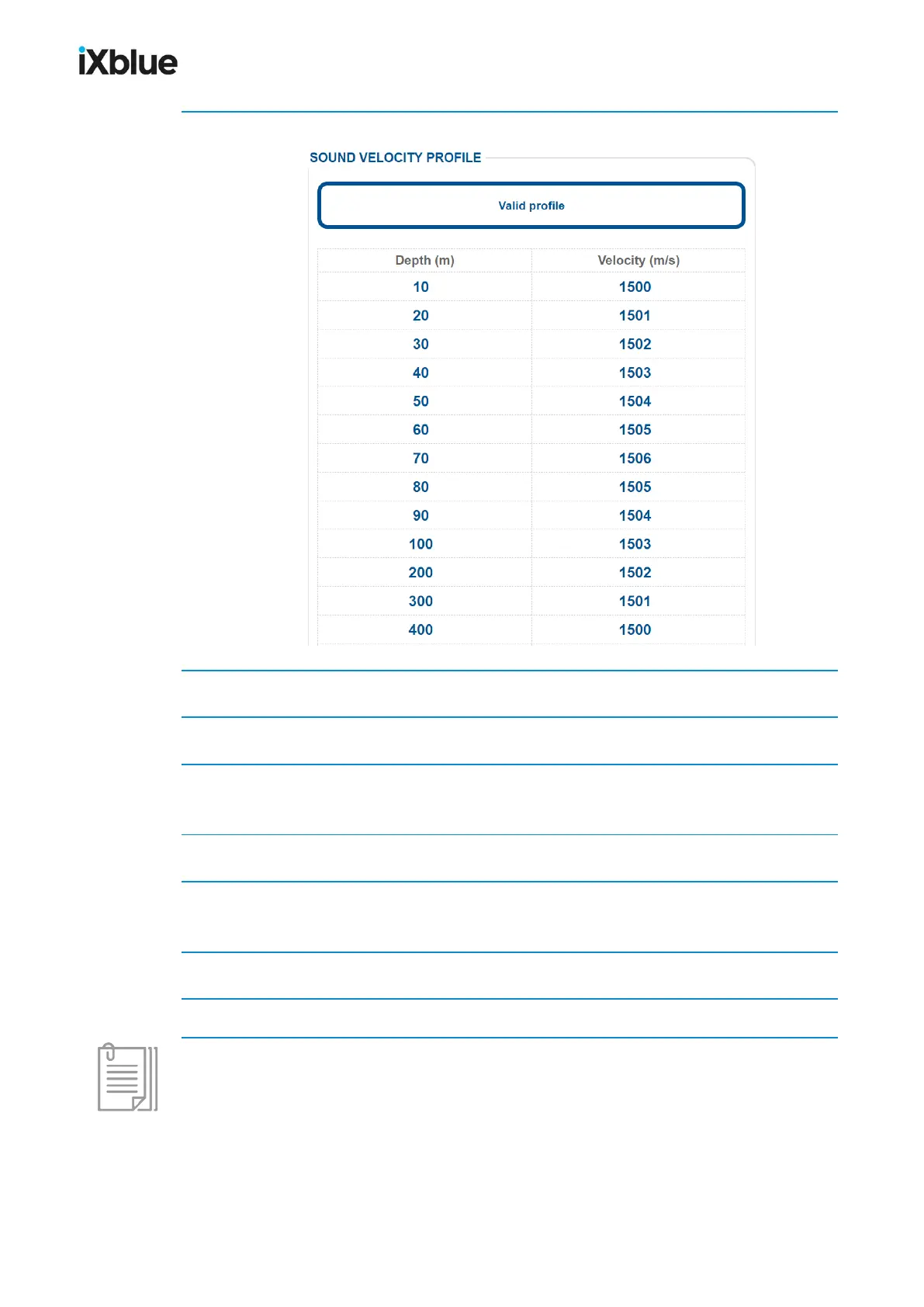
1. Select SETUP > SOUND VELOCITY PROFILE.
2. Click on the first line of the Depth (m) column.
3. Enter the valid depth value (between 0 and 10,000m).
4. Click on [Tab].
The velocity corresponding to the depth value entered is highlighted.
5. Enter the new velocity value (between 1,375 and 1,900 m) matching the entered depth.
6. Click on [Tab].
The depth value of the following line is highlighted.
7. Go back to step 3 until you have entered all the depth and velocity data from your profile.
8. Click on OK to validate your choices and to send this data to the system.
One value which is outside validity appears in red. It will be impossible for you to validate the
speed profile before having replaced these values with valid data.
82 MU-GAPS-AN-005-H - November 2019



 To Next Page