GAPS - User Guide
4. In Reply, select Code and Turn Around Time from the scrolling lists.
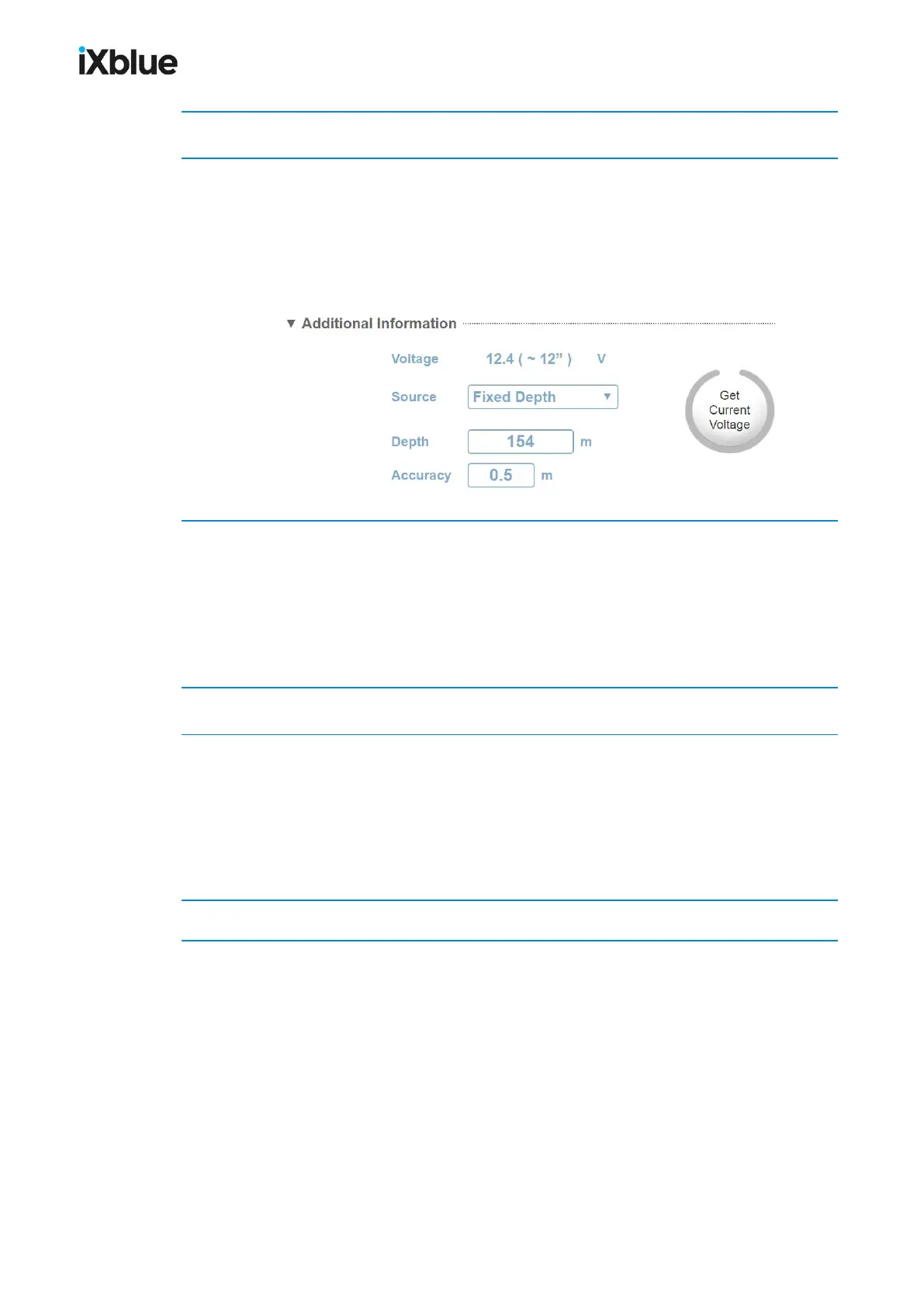
5. In Additional Information, select Source from the scrolling list.
● If you select External Pressure, enter a pressure Accuracy.
● If you select Fixed Depth, enter a Depth with the associated Accuracy.
In case of ZTA transponder configuration a button Get Current Voltage appears grayed. This
button is accessible while the system is in tracking mode. A click on the Get Current Voltage
sends a signal to the transponder which returns the current available voltage.
6. In Dynamic Positioning, set the Mode to L/USBL if you use the current transponder to
compute the position of the USBL antenna.
Enter manually the Latitude, Longitude, Depth and Accuraciesof the transponder or click on
Get Current Position to get the transponder USBL position.
If no reference has been set yet, select Use as reference transponder to set the current
transponder as reference. The antenna position is computed with the reference transponder.
7. In Filtering, select the Type of filter from the scrolling list.
8. In Other,
● Enter an 8-characterLabel
● Select a Repetition Factor in the scrolling list
● Set the Position Management to Sent by Telemetry if you wish to send to the
transponder its own USBL position so the transponder can possibly transmit its position
to other device.
9. Click on OK to validate your choices and to send the data into the system.
90 MU-GAPS-AN-005-H - November 2019



 To Next Page