NET Series
Software Operation
LEIGHTRONIX, INC. Firmware Ver. 1.00.42/Software Ver. 1.0.2.6 Page 105
2010-07-09
Table 21, Editable Switch Event Fields
FIELD DESCRIPTION
Lock Box At the top is a checkbox for locking or unlocking the event. A locked
event’s time is fixed and can be edited. Checking this box causes the
“Time” field below to become enabled.
Comment Allows up to 31 characters to be typed.
Time If the event is locked, the event “Time” can be modified. This is the
scheduled “On-Air“ time of the event.
Length Defaults to the value in the switch item, but it can be changed to any
desired event duration.
Fallback
input field
Enter the input to be taken to the output at the end of the event.
SCHEDULING A RECORDING EVENT
RECORDING WITHOUT A SWITCH
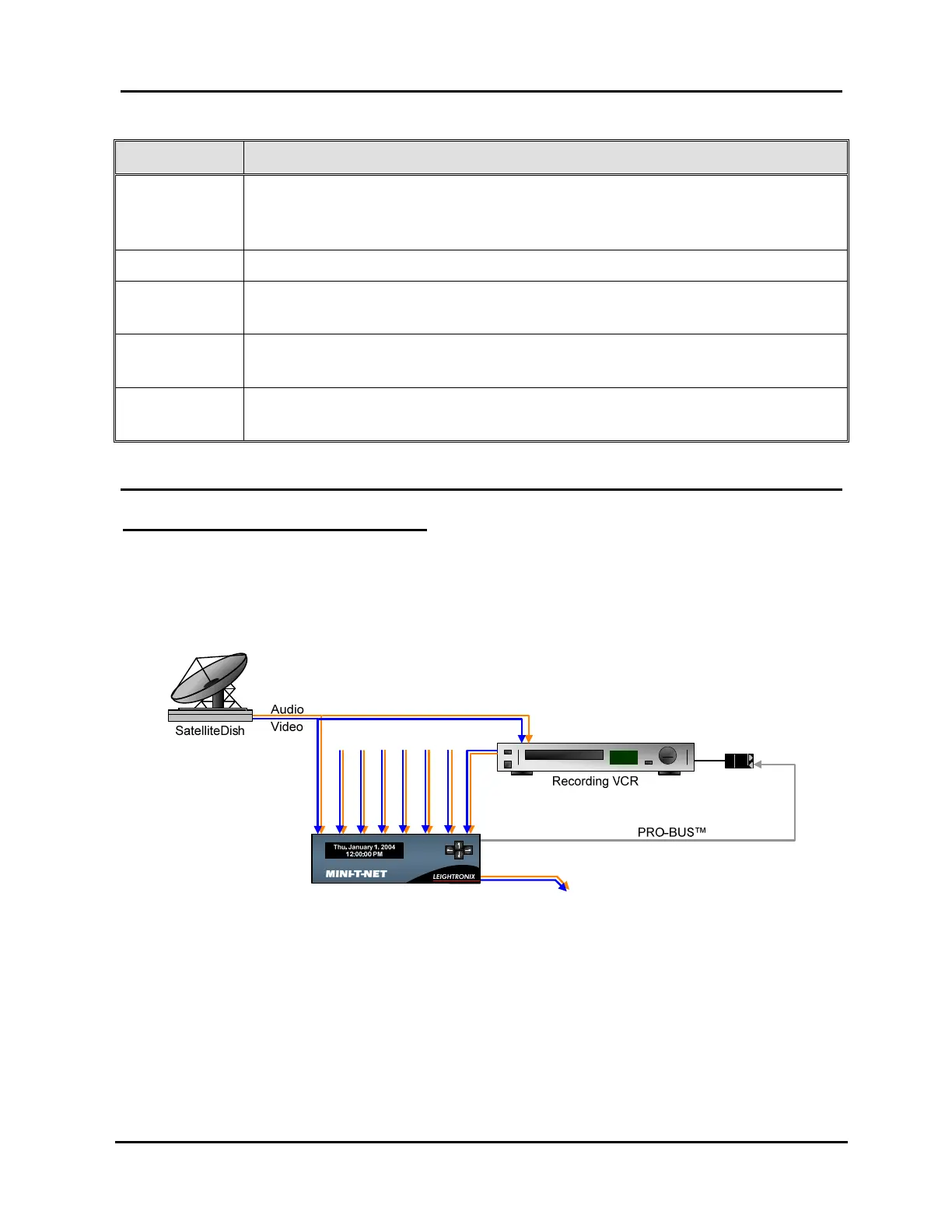
Refer to Illustration 70, Example of Typical Setup for Recording Signal Feed without
Switch, throughout the following steps. While Illustration 70 shows a MINI-T-NET
system, the setup is similar for the NET-164 and NET-EC.
Illustration 70, Example of Typical Setup for Recording Signal Feed without Switch
PRO-
BUS
1. Select the WinNET-LT tab.
2. Schedule the device action by dragging desired recording device icon onto playlist.
In the “Event Properties” window that appears, perform the following steps:
a. Change “Output” field to one of the following options:
If you only wish to record, select “<None>.”
If you wish to record while a signal is transmitting on-air, select the on-air
output on the MINI-T-NET/NET-164 or the NET-EC’s switcher.



 To Next Page