NET Series
Software Operation
Page 106 Firmware Ver. 1.00.42/Software Ver. 1.0.2.6 LEIGHTRONIX, INC.
2010-07-09
NET-164 and NET-EC only—if you wish to record and display video on a
monitor, select the monitor output on the NET-164 or the NET-EC’s
switcher.
b. Select day/date of event.
c. Select time of event.
d. Set length of event.
e. Set preroll, if desired.
f. Select “Record” in “Command” field.
RECORDING WITH A SWITCH
NOTE: The following steps only apply to the NET-164 and NET-EC.
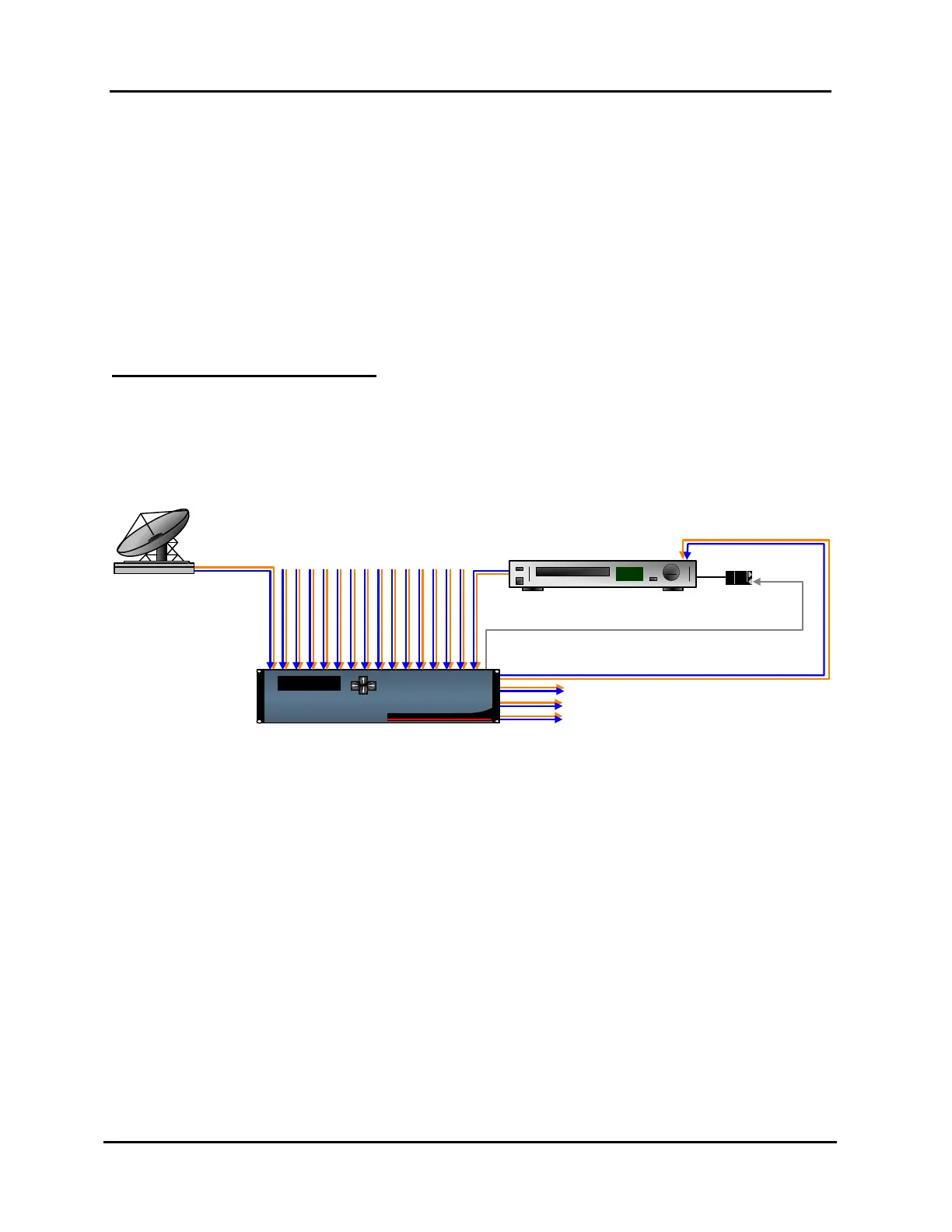
Refer to Illustration 71, Example of Typical Setup for Recording Signal Feed with
Switch, throughout the following steps.
Illustration 71, Example of Typical Setup for Recording Signal Feed with Switch
PRO-BUS™
SatelliteDish
Recording VCR
PRO-
BUS
Audio
Video
Thu, January 1, 2004
12:00:00 PM
NET-164
LEIGHTRONIX
1. Select the WinNET-LT tab.
2. Schedule a device action by dragging desired recording device icon onto playlist.
In the “Event Properties” window that appears, perform the following steps:
a. Change “Output” field to one of the following options:
If you only wish to record, select “<None>.”
If you wish to record while a signal is transmitting on-air, select the on-air
output on the NET-164 or the NET-EC’s switcher.
NET-164 and NET-EC only—if you wish to record and display video on a
monitor, select the monitor output on the NET-164 or the NET-EC’s
switcher.
b. Select day/date of event.
c. Select time of event.
d. Set length of event.



 To Next Page