NET Series
Front Panel Operation
Page 130 Firmware Ver. 1.00.42/Software Ver. 1.0.2.6 LEIGHTRONIX, INC.
2010-07-09
DISABLING/RE-ENABLING SCHEDULE
The schedule control function allows the NET Series Controller’s active schedule to be
disabled (suspended) or re-enabled (activated) from the Controller’s front panel.
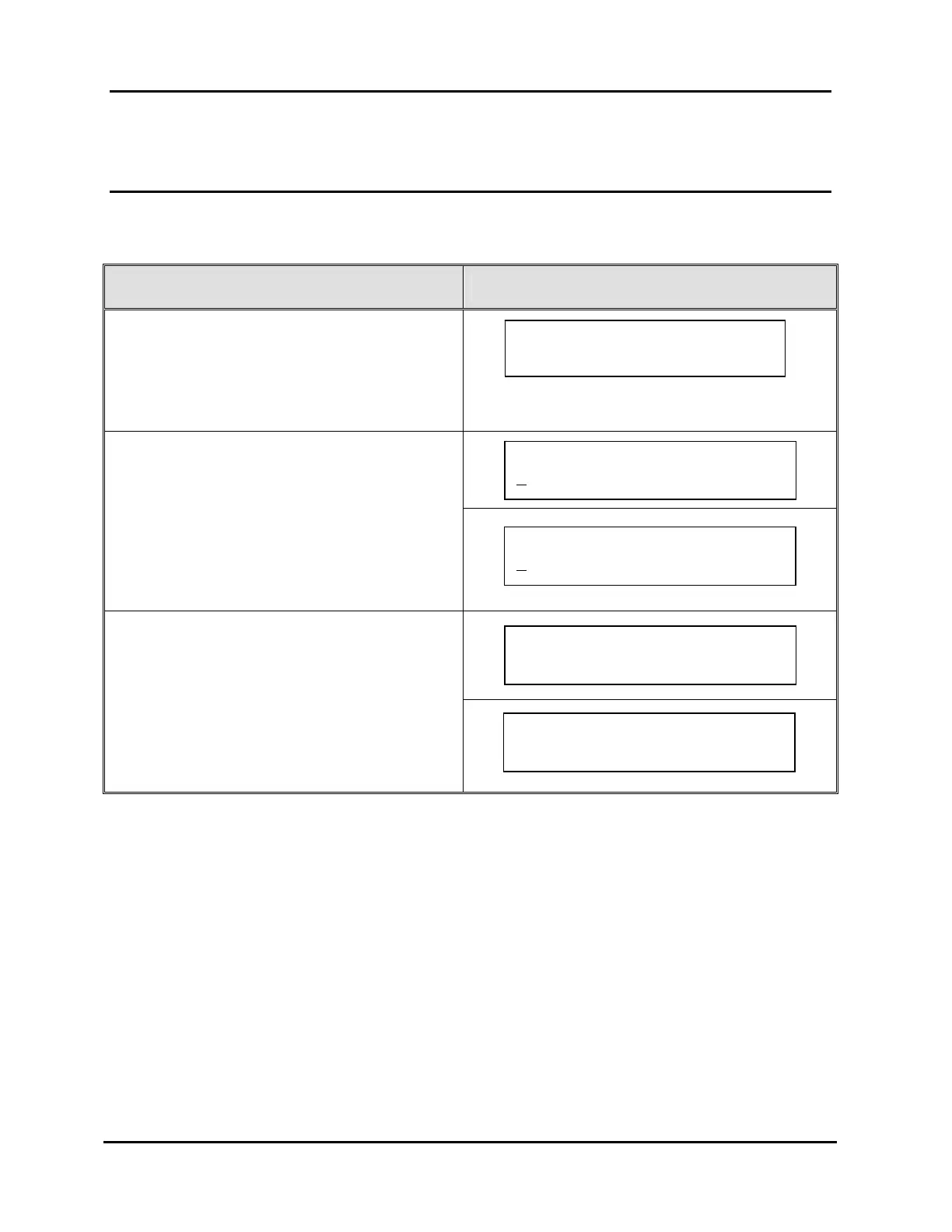
FORCE EVENT STEPS CORRESPONDING SCREEN DISPLAYS
1. From the “MAIN MENU” screen, press “↑” or
“↓” to proceed to “Schedule Enable/Disable.”
2. Press “→” to select “Schedule
Enable/Disable.”
3. Press “↑” or “↓” to toggle between “Enable”
and “Disable.”
4. Press “→” to enter next screen.
5. Either press “→” again to save your changes
or “←” to abort changes.
Press ~ confirm
Schedule enable.
Schedule Enable/Disable
E
nable Event Schedule ~
MAIN MENU Use `/ˆ
Schedule Enable/Disable ~
Press ~ confirm
Schedule disable.
Schedule Enable/Disable
D
isable Event Schedule ~



 To Next Page