NET Series
Software Installation and Configuration
LEIGHTRONIX, INC. Firmware Ver. 1.00.42/Software Ver. 1.0.2.6 Page 61
2010-07-09
CONFIGURING USER-DEFINED PLAYLIST FIELD NAMES
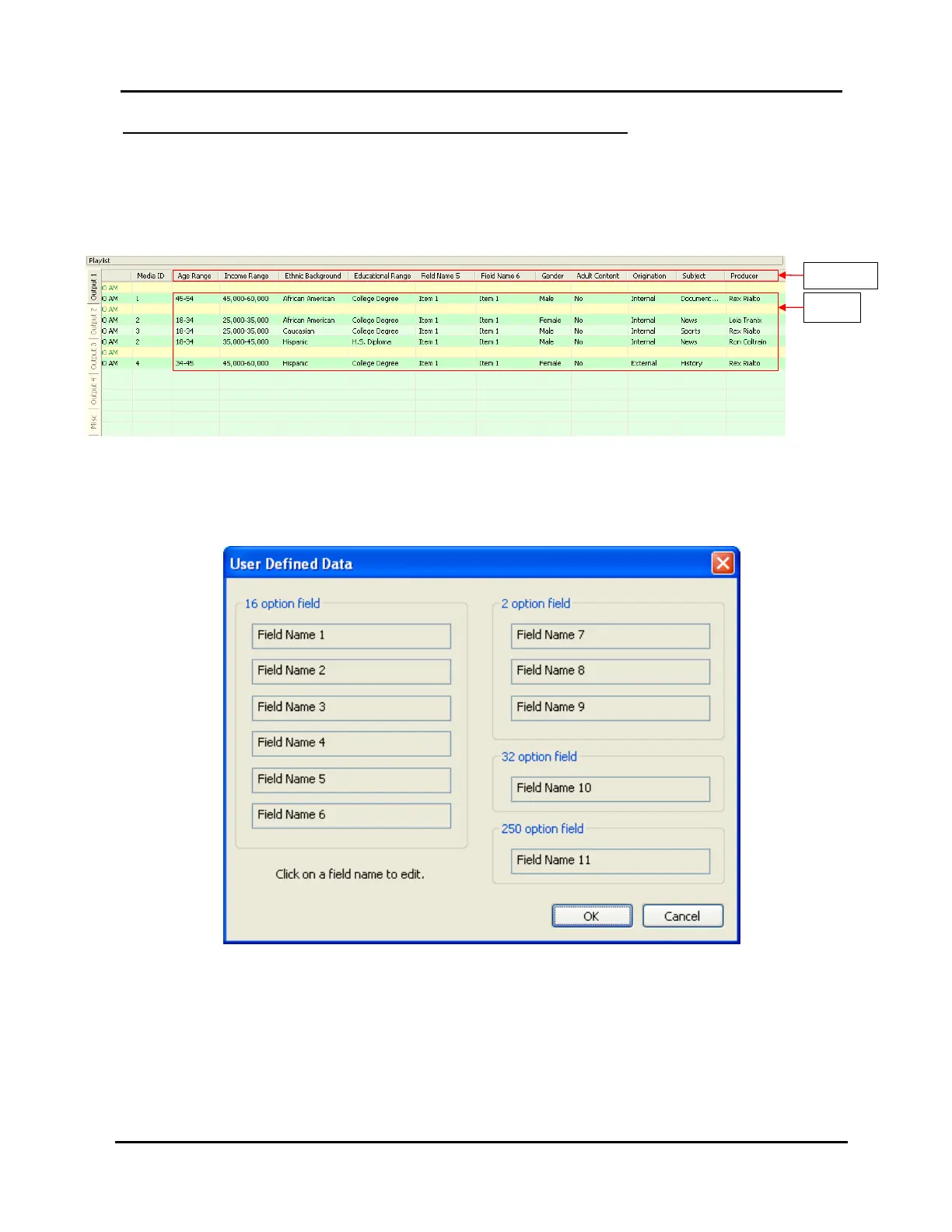
Assign names to the “Field Name” event columns in the playlist and the “Item” fields
listed under each column as follows (see Illustration 35 for an example of a playlist
with user-defined fields):
Illustration 35, Example of Playlist with User Defined Fields
1. Click “User defined data” under the “Tools” menu to open the window shown in
Illustration 36.
Illustration 36, “User Defined Data” Window
2. Click on the field name number to which you would like to assign a new name.
User-Defined
Column Headers
User-Defined
Field Items



 To Next Page