NET Series
Software Installation and Configuration
LEIGHTRONIX, INC. Firmware Ver. 1.00.42/Software Ver. 1.0.2.6 Page 63
2010-07-09
SETTING WINNET VIEWING AND COMMUNICATION OPTIONS
In the “Tools” menu, choose “Options” to open the “Configuration” window. Perform
the following tasks from the five “Configuration” window tabs. Click “OK” on the
bottom of the “Configuration” window to save any changes you have made or “Cancel”
to discard them.
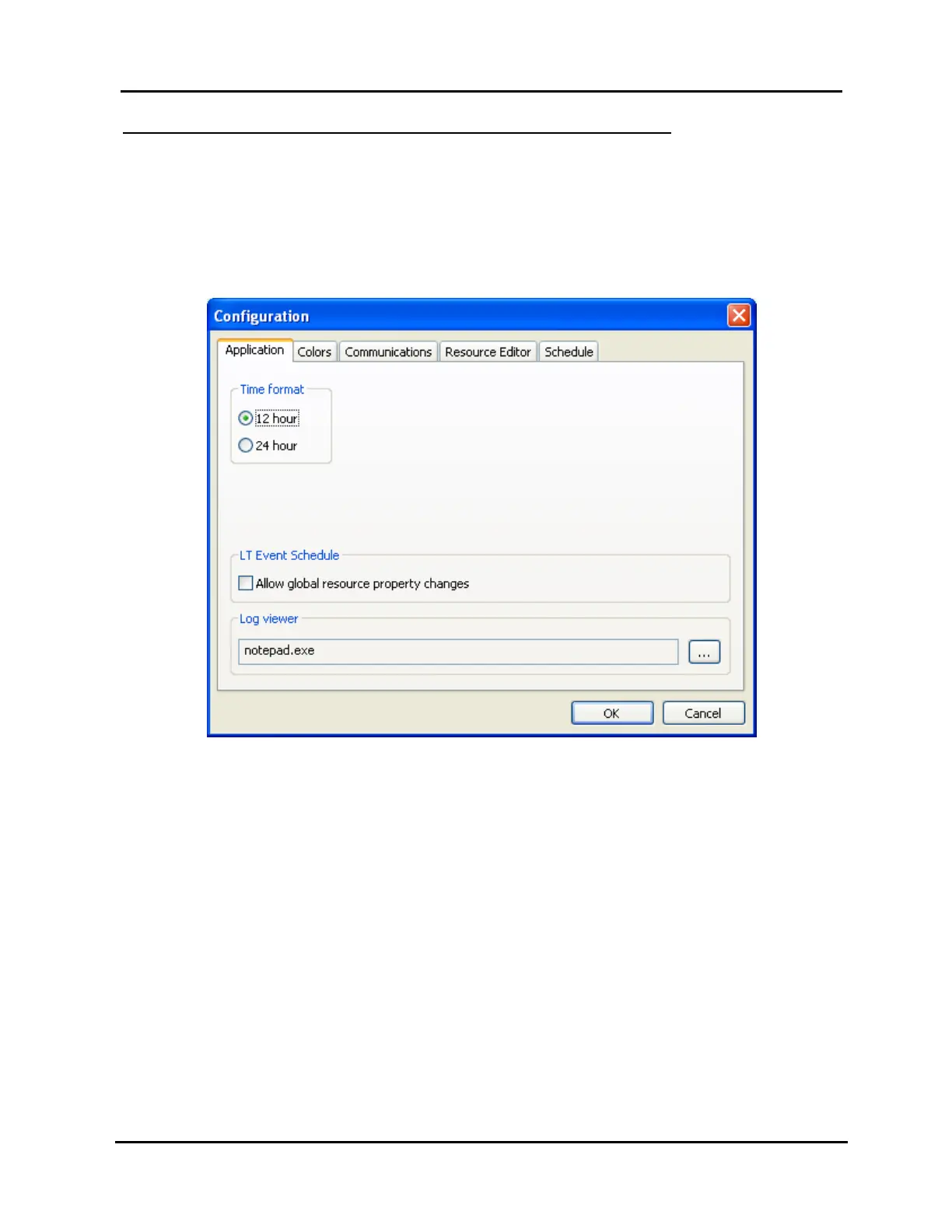
“Application” tab (see Illustration 38, “Application” Tab Window)
Illustration 38, “Application” Tab Window
Under “Time format,” select either the 12 hour (AM/PM) format or 24 hour
(military) format.
NOTE: This does NOT change the time format on the front of your NET
Series Controller.
Under “LT Event Schedule,” check “Allow global resource property changes”
to permit the editing of resource properties (device, library, and switch items)
that have only been added to a “WinNET-LT” tab playlist. Checking the item
will give you the option to merge those changes into the playlist.
Under “Log Viewer,” click the button to the right of the log viewer field to
select a software program for viewing your Controller’s log file.



 To Next Page