NET Series
Software Operation
Page 84 Firmware Ver. 1.00.42/Software Ver. 1.0.2.6 LEIGHTRONIX, INC.
2010-07-09
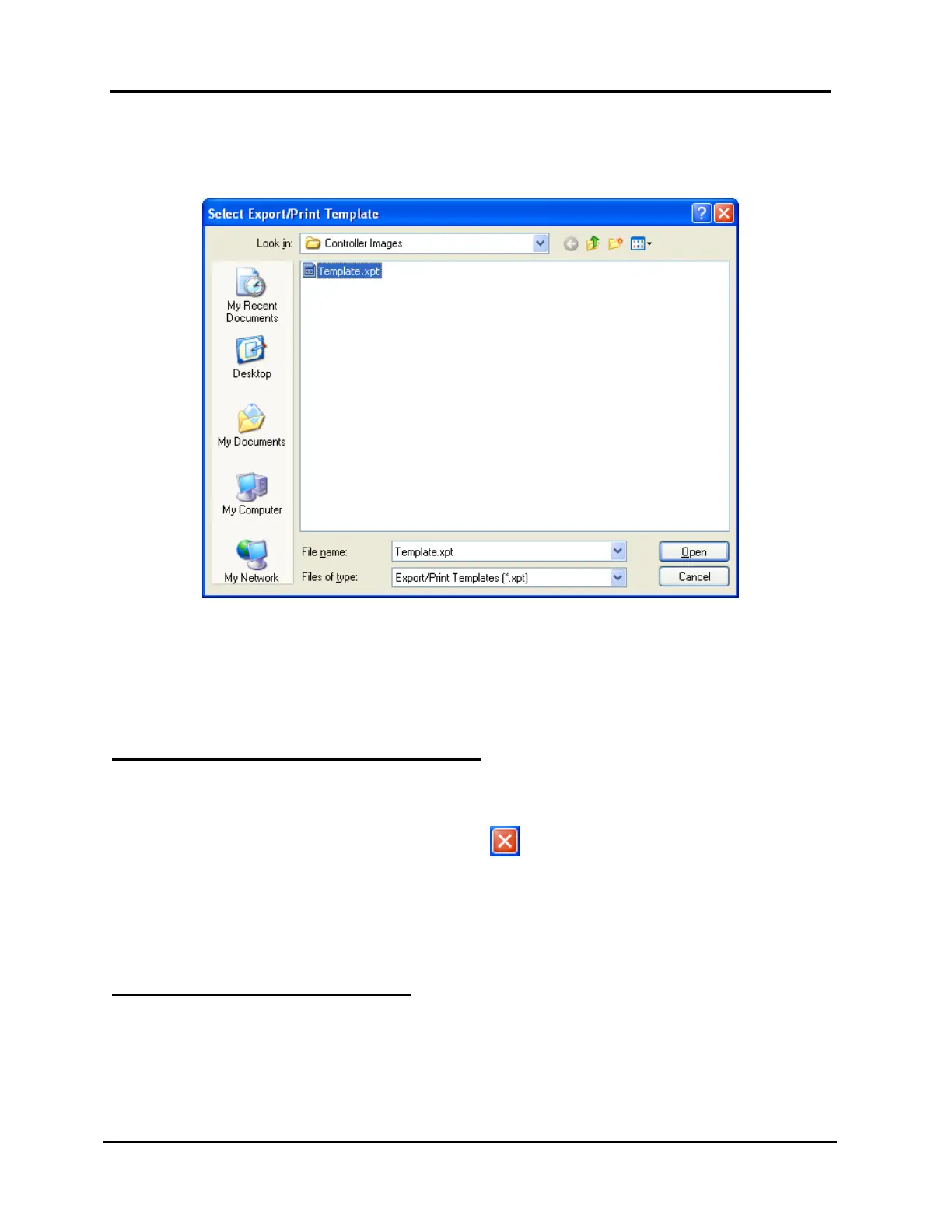
d. Click “Save” to open the template selection window shown in Illustration 55,
“Select Export/Print Template” Window.
Illustration 55, “Select Export/Print Template” Window
3. Choose the desired template from the “File name” list in the “Select Export/Print
Template” Window (see Illustration 55) and click “Open” or double click the
template file to create the export playlist file. The file can then be opened in your
favorite database program and manipulated and printed as desired. Click “Cancel”
to abort the export.
LOGGING OUT OF AND EXITING WINNET
To log out and prevent someone from connecting with your rights, you must exit
WinNET.
1. Select “Exit” in the “File” menu or click the in the upper right corner of the main
window to log out and close WinNET.
2. If a Controller image has not been saved, a box appears asking if you want to
discard changes. Click “Yes” to close WinNET, or “No” to abort the exit so you can
save.
LOADING CONTROLLER IMAGES
NOTE: The “Control Panel” window cannot be accessed until an Controller image is
loaded in WinNET.
An image contains the Controller type and playlist along with the control,
device, library, and switch properties. If all three Controllers are shown in the



 To Next Page