NET Series
Software Installation and Configuration
LEIGHTRONIX, INC. Firmware Ver. 1.00.42/Software Ver. 1.0.2.6 Page 57
2010-07-09
CREATING TEMPLATES FOR EXPORTING OR PRINTING PLAYLISTS
Playlist templates allow you to determine what playlist information will be exported or
printed. Playlists can be exported into comma delimited or Microsoft Excel
®
formats
and then printed (see “Exporting Playlists,” on page 83) or printed directly from
WinNET (see “Printing Playlists,” on page 81).
1. Create a template per the following steps.
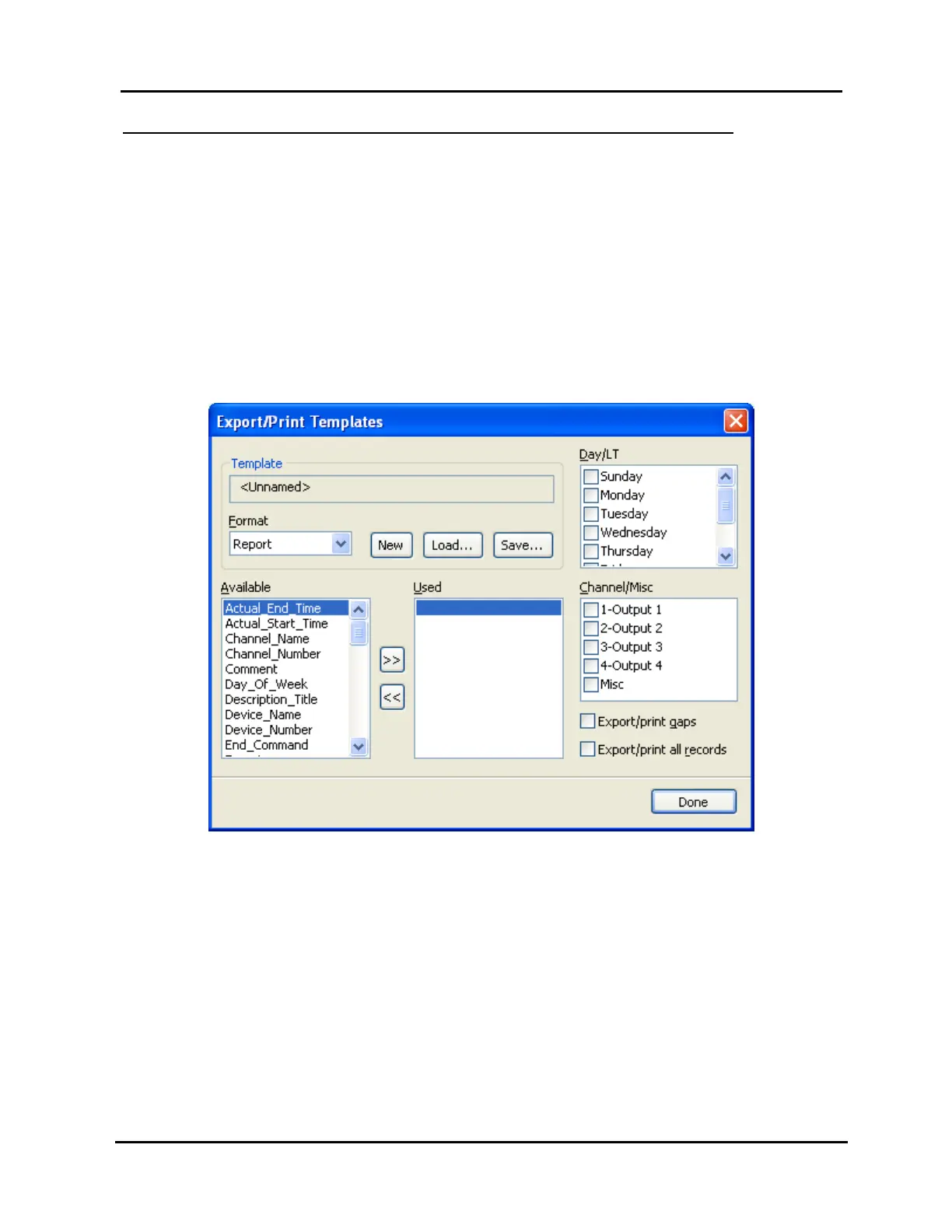
a. Click “Export/Print templates” in the “Tools” menu to open the dialog box shown
in Illustration 31.
NOTE: This option is only enabled if a Controller image has been loaded
(see “Loading Controller Images,” on page 84).
Illustration 31, “Export/Print Templates” Window
b. Select template display items as follows:
The “Format” field is intended for future use and may only be set
to “Report.”
NOTES:
Click “New” to clear all settings.
Determine which event panes are included:
1. Check the boxes in “Day/LT” section to select the desired days (or LT).



 To Next Page