NET Series
Software Operation
Page 120 Firmware Ver. 1.00.42/Software Ver. 1.0.2.6 LEIGHTRONIX, INC.
2010-07-09
RETRIEVING LOG FILES
Each Net Series Controller keeps track of all actions it performs in an internal log.
Under the “File” menu, choose “Get log” or click the main toolbar icon
to download
the internal log into a local file and view all actions your Controller has performed in a
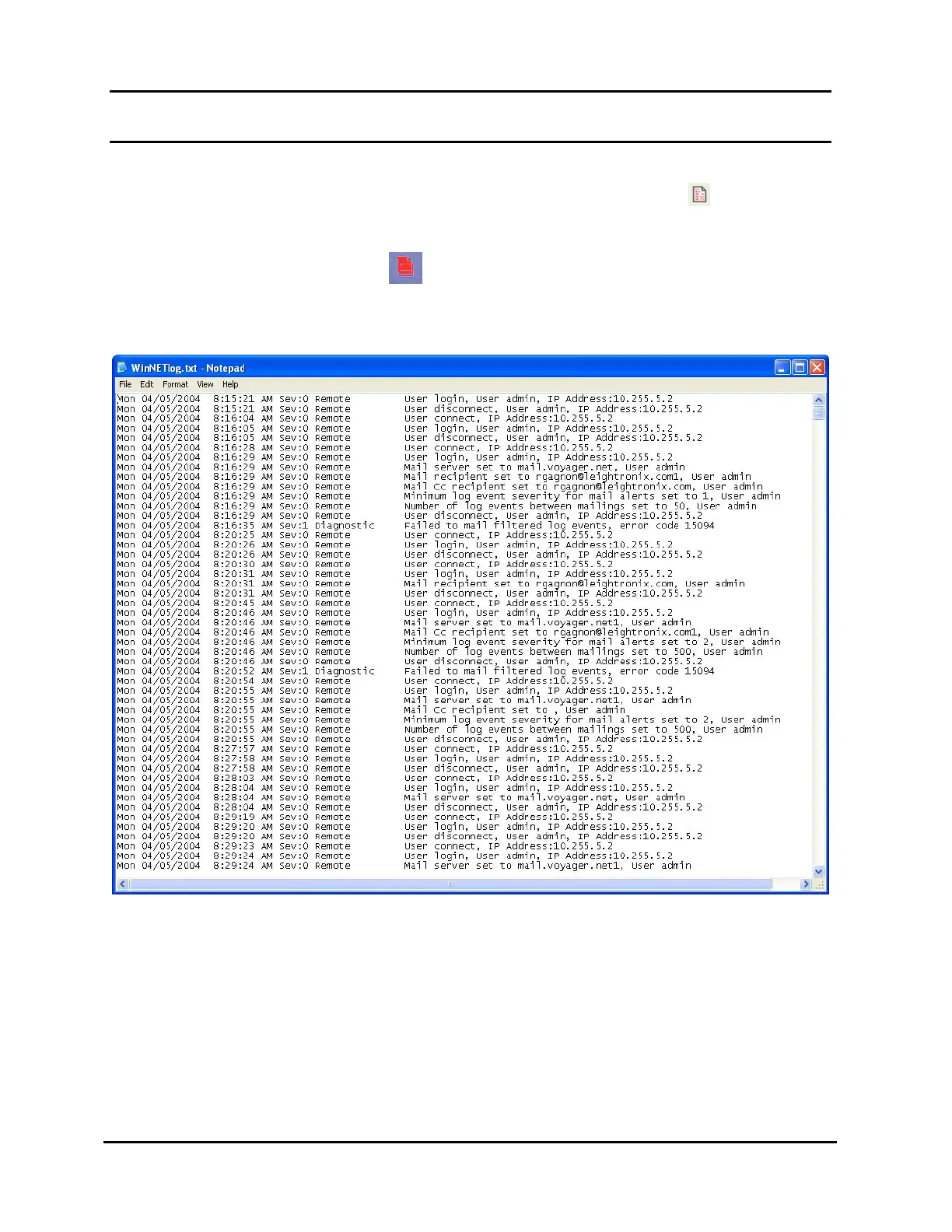
text editor of your choosing (see Illustration 88, WinNET Log File Opened in Notepad).
This will also turn off the log LED that appears on the NET Series front panel and
in the WinNET control panel when a severity 1 or 2 event action is logged.
Illustration 88, WinNET Log File Opened in Notepad
NOTE: The default viewer is Notepad, but the viewer can be changed from the
“Tools,” “Options” menu item (for more details, see “Setting WinNET
Viewing and Communication Options,” beginning on page 63).
Each action performed through or by the Controller is recorded in the log file as a
separate line containing the following information about the event action:
Day
Date
Time



 To Next Page