NET Series
Software Operation
Page 108 Firmware Ver. 1.00.42/Software Ver. 1.0.2.6 LEIGHTRONIX, INC.
2010-07-09
c. Select time of event.
d. Set length of event.
e. Set preroll, if desired.
f. Select “Record” in “Command” field.
3. Schedule a playback device action by dragging icon of playback device hardwired
to recording device onto playlist. In the “Event Properties” window that appears,
perform the following:
a. Change “Output” to “<None>.”
b. Select day/date of event.
c. Select time of event.
d. Set length of event.
e. Set preroll, if desired.
f. Select “Play” in “Command” field.
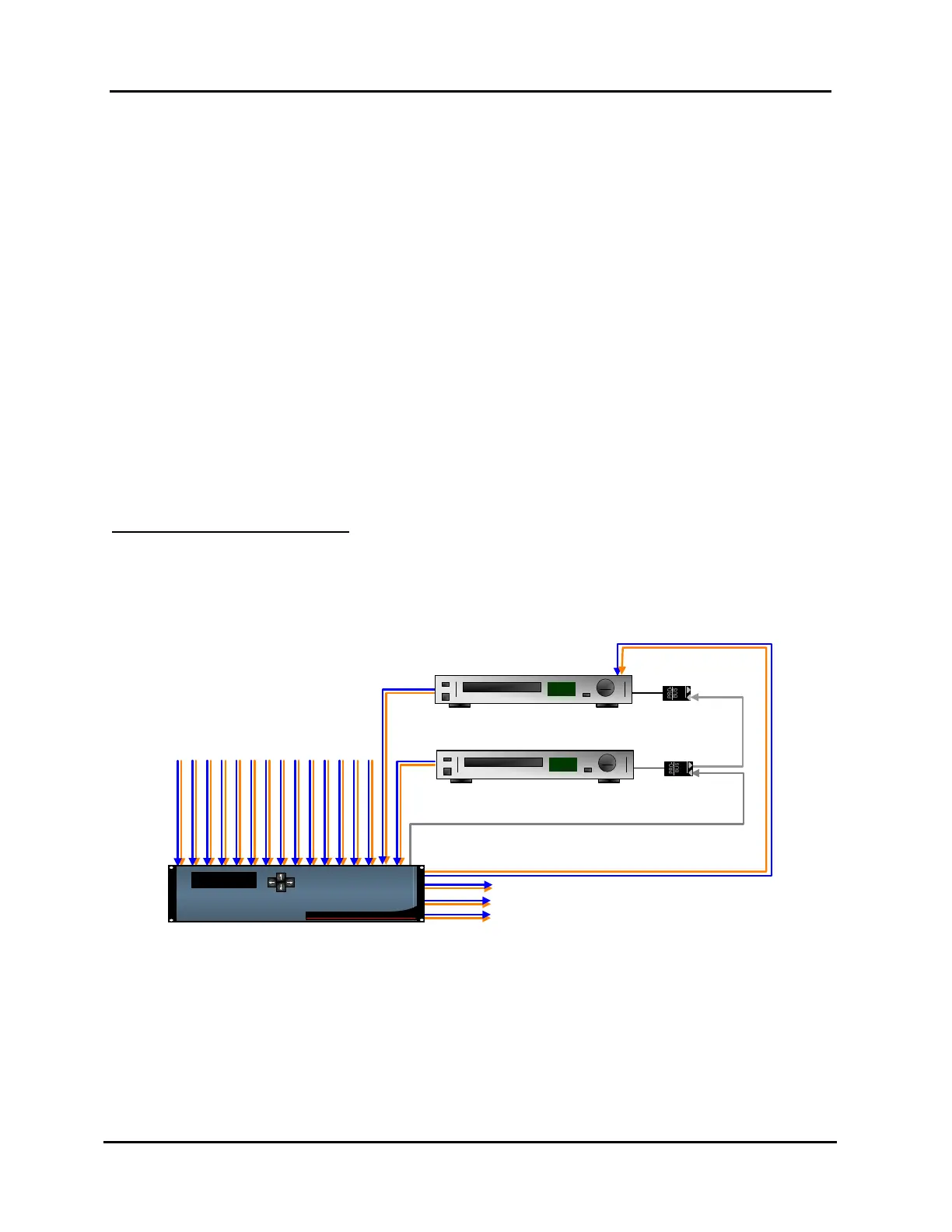
DUBBING WITH A SWITCH
NOTE: The following steps only apply to the NET-164 and NET-EC.
Refer to Illustration 73, throughout the following steps.
Illustration 73, Example of Typical Setup for Dubbing with a Switch
PRO-BUS™
Audio
Video
Recording VCR
VCR
Thu, January 1, 2004
12:00:00 PM
NET-164
LEIGHTRONIX
1. Select the WinNET-LT tab.
2. Schedule a recording device action by dragging desired recording device icon onto
playlist. In the “Event Properties” window that appears, perform the following:
a. Change “Output” field to one of the following options:
If you only wish to record, select “<None>.”



 To Next Page