NET Series
Software Operation
LEIGHTRONIX, INC. Firmware Ver. 1.00.42/Software Ver. 1.0.2.6 Page 119
2010-07-09
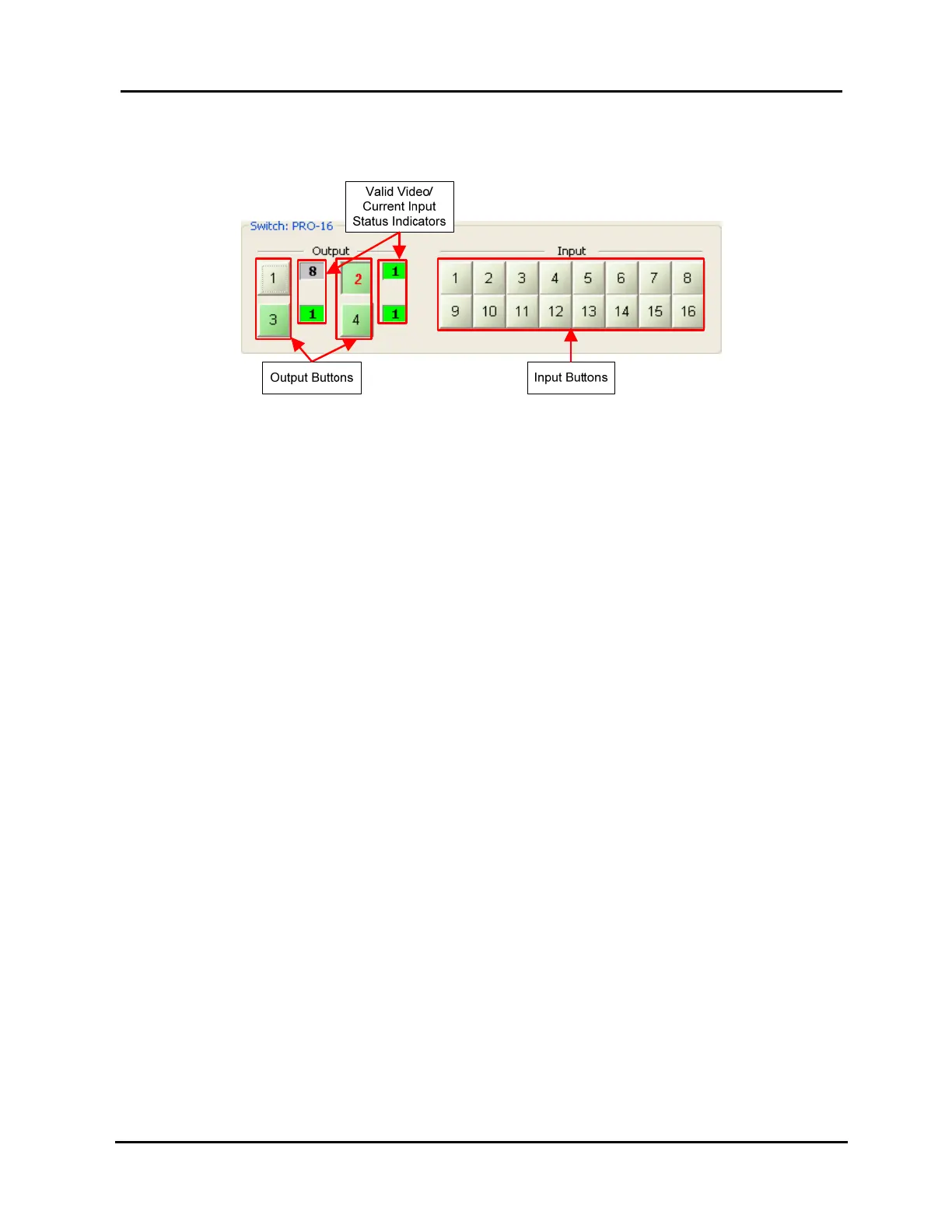
PRO-16 (see Illustration 87)
Illustration 87, NET-EC: PRO-16 Forced Switch Control
To take a switch:
1. Click the output button(s) to select the desired output(s) (as shown on output
2 in Illustration 85, Illustration 86, and Illustration 87, the number turns red).
The output buttons toggle each time you click them.
For the NET-EC only: click the “ALL” button to select all outputs or “CLR” to
de-select all outputs (see Illustration 85, NET-EC: Third Party Switcher
Forced Switch Control).
2. Click the desired input button to take that input to the selected output(s).
To the right of each output button is a box showing the current input and valid video
status. Green means valid video present, while gray indicates no valid video.



 To Next Page