NET Series
Software Operation
Page 118 Firmware Ver. 1.00.42/Software Ver. 1.0.2.6 LEIGHTRONIX, INC.
2010-07-09
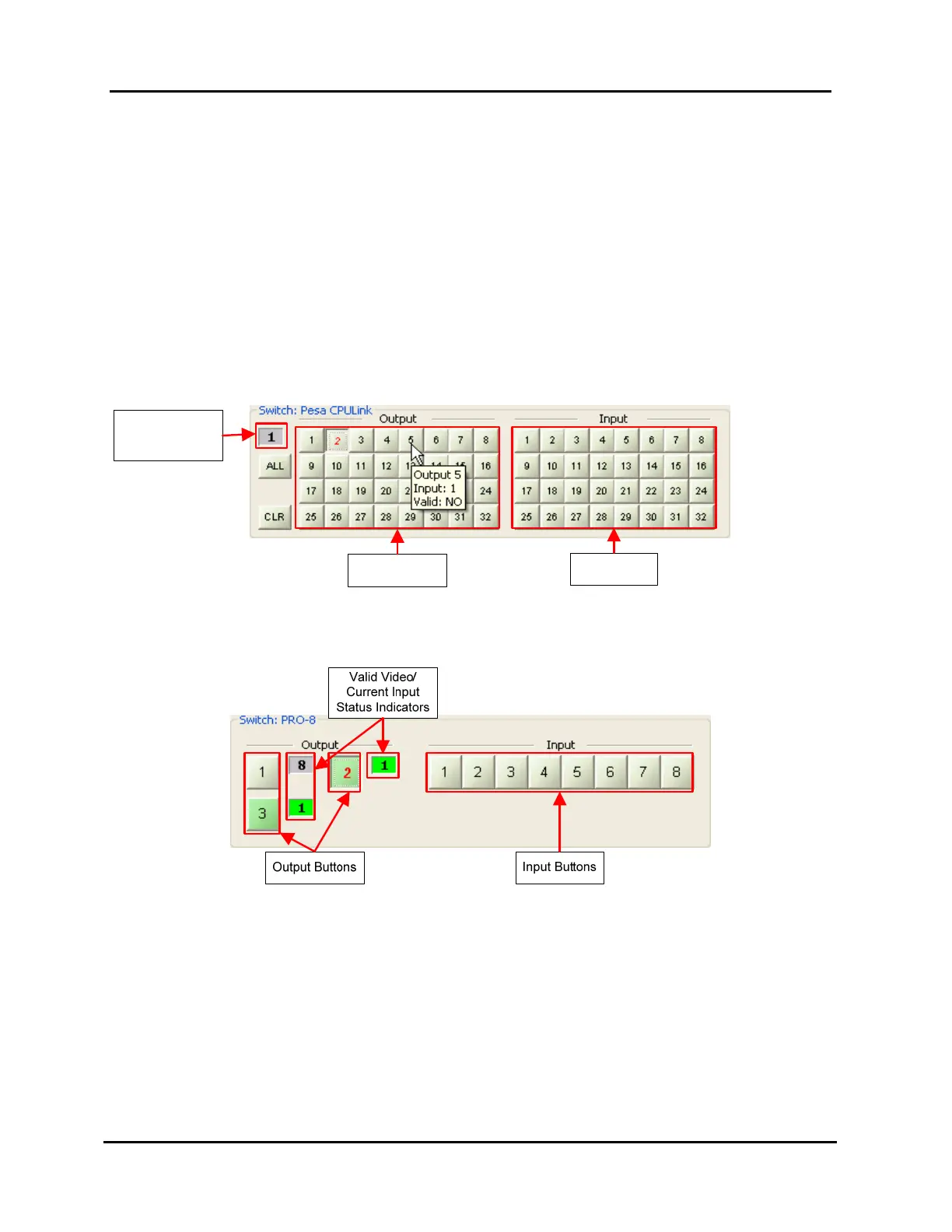
To the right of each output button is a box showing the current input and valid video
status. Green means valid video present, while gray indicates no valid video.
NET-EC
When the Controller is a NET-EC, the lower right switcher section in the control
panel window will be one of the three panels shown in Illustration 85, Illustration 86,
and Illustration 87.
Third party switchers (see Illustration 85): when the mouse pointer is placed
over an output button, a box appears in the upper left showing the current input
status of that output. This information also appears in a small flyover help box
below the pointer, as shown.
Illustration 85, NET-EC: Third Party Switcher Forced Switch Control
Valid Video/
Current Input
Status Indicator
Input Buttons
Output Buttons
PRO-8 (see Illustration 86)
Illustration 86, NET-EC: PRO-8 Forced Switch Control



 To Next Page