NET Series
Software Installation and Configuration
LEIGHTRONIX, INC. Firmware Ver. 1.00.42/Software Ver. 1.0.2.6 Page 55
2010-07-09
to set the time, adjusting the time to account for zones crossed. All these
items need to be correct for “Set Time” to be accurate.
To set the Controller time zone, select the desired time zone from the list
and click the “Set” button. The list contains the standard Windows time
zones for the United States.
Firmware Update
To perform a firmware update, refer to “Firmware/Software Updates,” on page
131.
Reboot
To reboot the default Controller, click the “Reboot” button.
CONFIGURING LOG AUTO EMAIL SETTINGS
Use the “Mail server” option to configure the auto email settings of your Controller’s log
as follows:
You need IP Configuration rights to modify mail server settings.
NOTES:
The auto email feature does not turn off the “Log” LED. You must
choose “Get Log” in the “File” menu to turn off the LED.
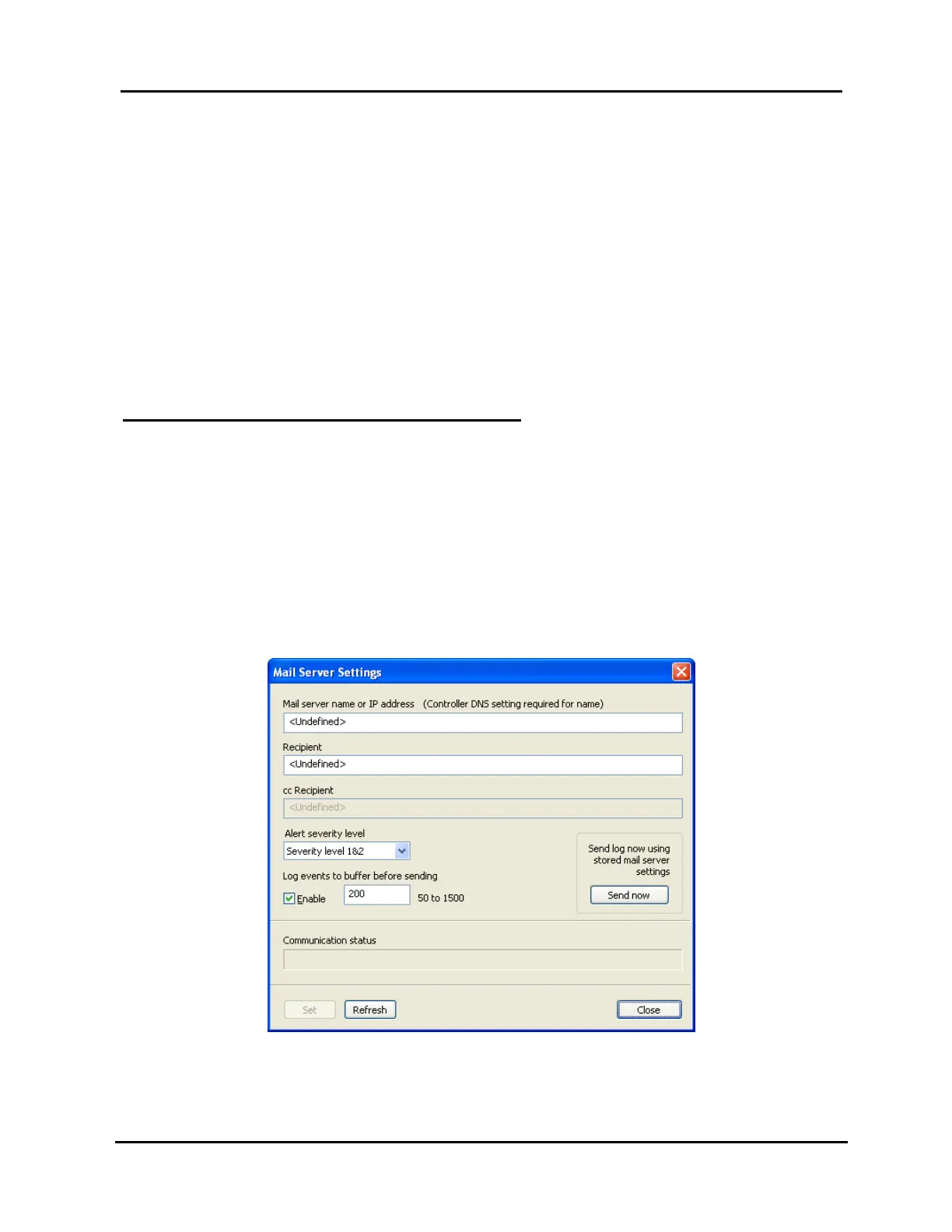
1. Click “Mail server” under the “Tools” menu to open the dialog box shown in
Illustration 30, “Mail Server Settings” window.
Illustration 30, “Mail Server Settings”



 To Next Page