NET Series
Controller Installation & Configuration
LEIGHTRONIX, INC. Firmware Ver. 1.00.42/Software Ver. 1.0.2.6 Page 25
2010-07-09
CONNECTING CONTROLLER DIRECTLY TO A PC VIA ETHERNET
1. If necessary, install and configure a 10/100BASE-T Ethernet Network Interface
Card (NIC) on the PC. Refer to the NIC documentation and technical support for
help in getting the NIC operational.
2. If your PC has a Windows 98 Operating System, set up TCP/IP networking on your
PC (refer to “Appendix A: TCP/IP Setup for Windows 98 OS,” on page 141 for
more details).
3. Obtain your PC’s TCP/IP networking IP address and subnet mask as follows:
a. Click on the Windows “Start” menu.
b. Open the “Run” dialog box and type in one of the following commands and then
click “OK” or press “Enter” on your keyboard to open the cmd.exe window:
If you have Windows 2000 or XP, type “cmd” into the data entry field.
If you have any version of Windows except 2000 or XP, type “command”
into the data entry field.
c. Type in “IPconfig” at the C:\ prompt of the cmd.exe window to reveal your PC’s
IP and subnet mask address.
4. Enter the following IP and subnet mask addresses into the front panel of your NET
Series Controller (see “Configuring Front Panel Settings,” on page 26):
IP address: one number above your PC’s IP address (for example, if your PC’s
IP address is 10.255.9.15, set your Controller’s IP address to 10.255.9.16)
Subnet mask: your PC’s subnet mask address
5. Using a cross-over RJ-45 Ethernet cable (not a standard cable), connect the
Controller to the PC’s network interface card (NIC).
6. Ensure your Controller and PC have been properly configured for Ethernet network
access (see “Confirming Ethernet Network Configuration,” on page 25).
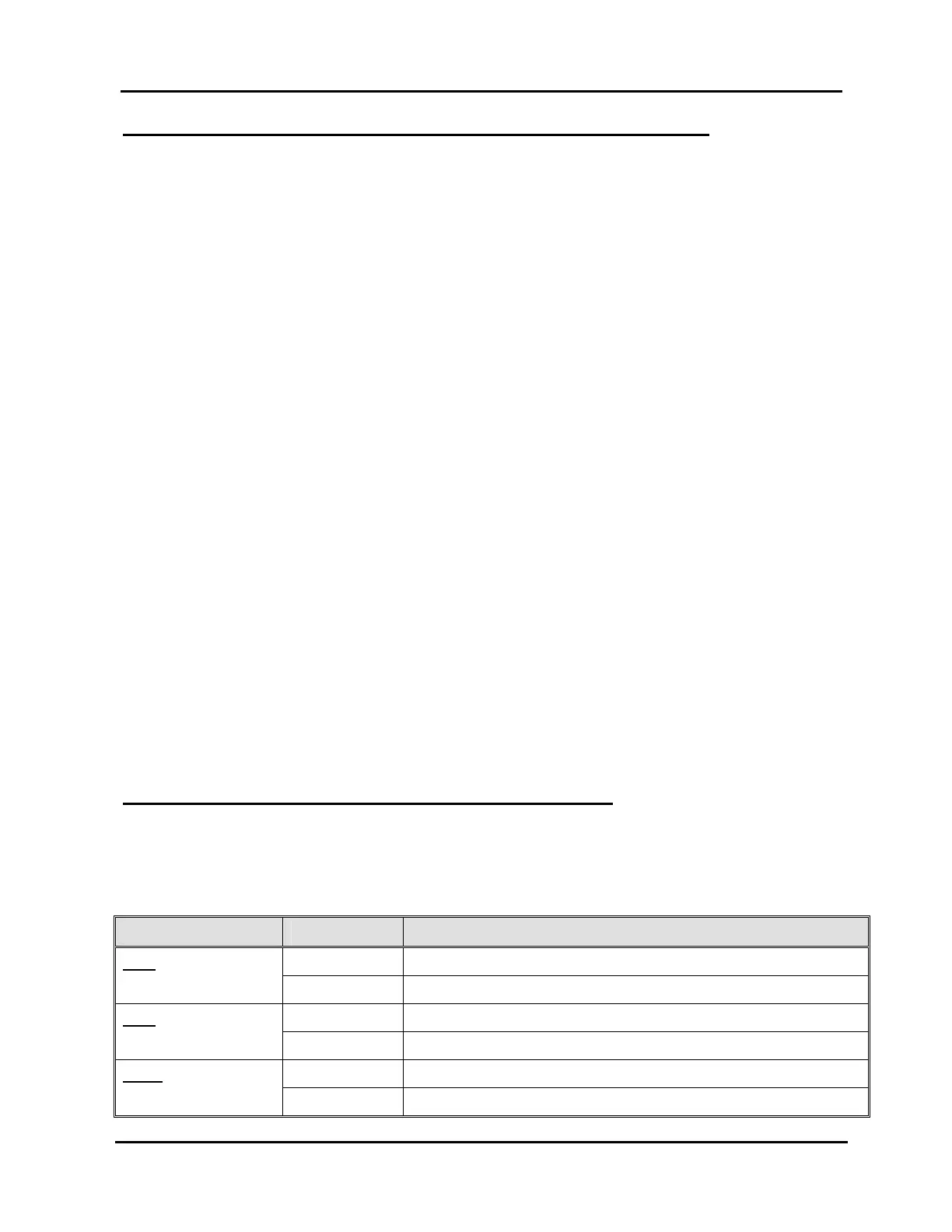
CONFIRMING ETHERNET NETWORK CONFIGURATION
Once your Controller and PC have been configured for Ethernet access, ensure the
Ethernet LEDs on the rear panel of your Controller are lit (see Table 1, Ethernet LED
Indicators and Descriptions).
Table 1, Ethernet LED Indicators and Descriptions
LED LABEL STATE DESCRIPTION
ON Ethernet LINK established.
LNK
OFF Ethernet LINK not established.
ON Controller is transmitting on the network.
ACT
OFF Controller is not transmitting on the network.
ON Ethernet connection speed is 100Mb/s.
100M
OFF Ethernet connection speed is 10Mb/s.



 To Next Page