NET Series
Troubleshooting
LEIGHTRONIX, INC. Firmware Ver. 1.00.42/Software Ver. 1.0.2.6 Page 137
2010-07-09
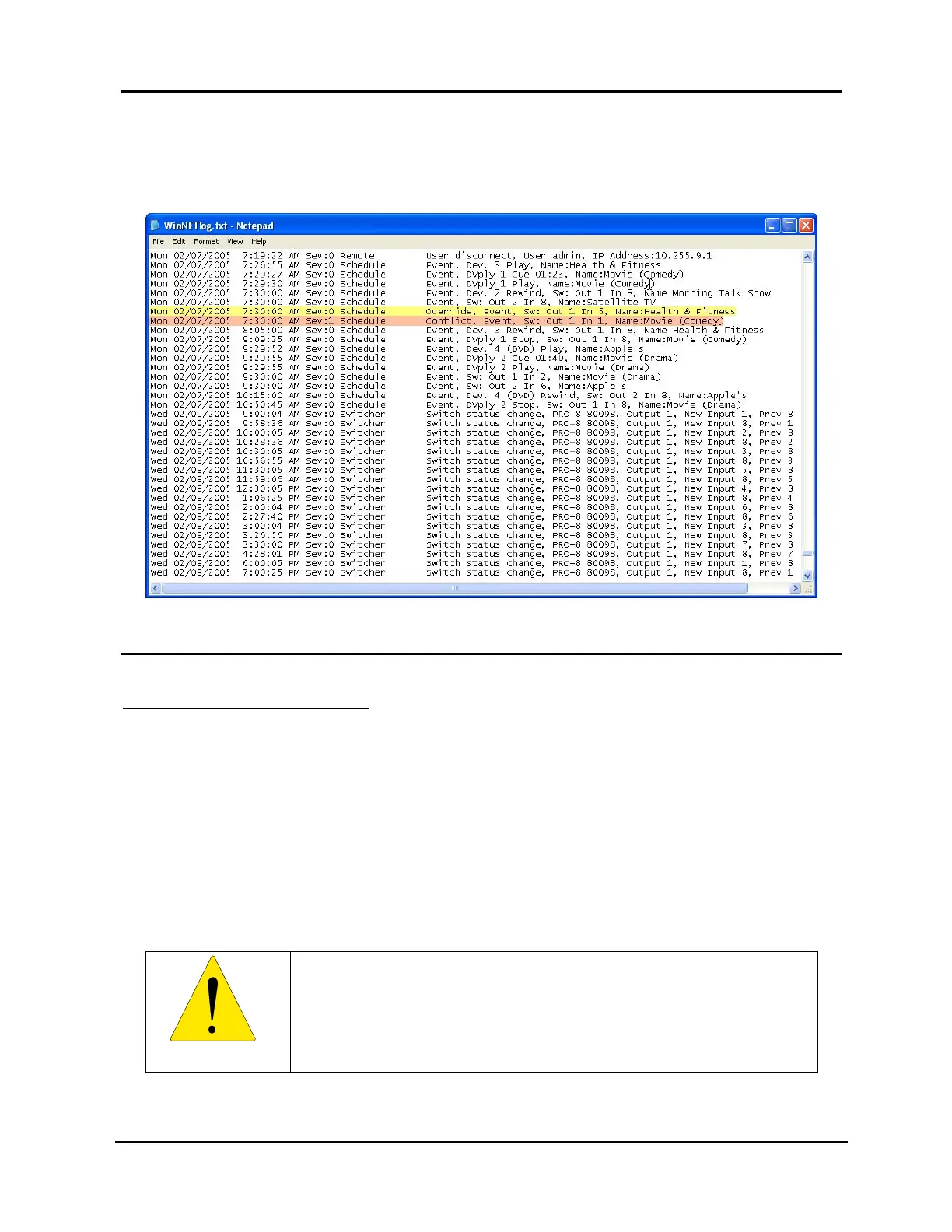
Illustration 107 shows where in the log file this is evident. The log entry highlighted in
orange is the conflicting event. That event will override the yellow log entry because it
happened last.
Illustration 107, WinNET Log File Event Conflict
TROUBLESHOOTING HARDWARE
REPLACING THE BATTERY
Each NET Series Controller contains a user-replaceable lithium battery. Since
removing the lid voids the NET Series warranty, the battery is guaranteed to last
through the warranty period. When replacing the battery, observe the following
guidelines:
1. Disconnect power from the NET Series Controller before removing the lid.
2. Ensure the replacement battery is of the same type as the original.
3. Note the polarity of the original battery and insert the new battery with the same
polarity. Do not install the lithium battery upside-down.
WARNING
Danger of explosion if battery is installed incorrectly.



 To Next Page