NET Series
Software Installation and Configuration
Page 50 Firmware Ver. 1.00.42/Software Ver. 1.0.2.6 LEIGHTRONIX, INC.
2010-07-09
SETTING DEFAULT CONTROLLER
The default Controller is used by WinNET for all remote connections, such as sending
and receiving images, control panel, Controller operations, and user account
configuration. You may choose to select a default controller or select a controller each
time a remote connection is performed.
Select a default Controller through one of the following options:
Check the “Default” box in the “Add New Location” (see Illustration 22) or “Edit
Location” (see Illustration 24) window.
Right click in the “Controller Locations” window (see Illustration 21) and select
“Toggle default.”
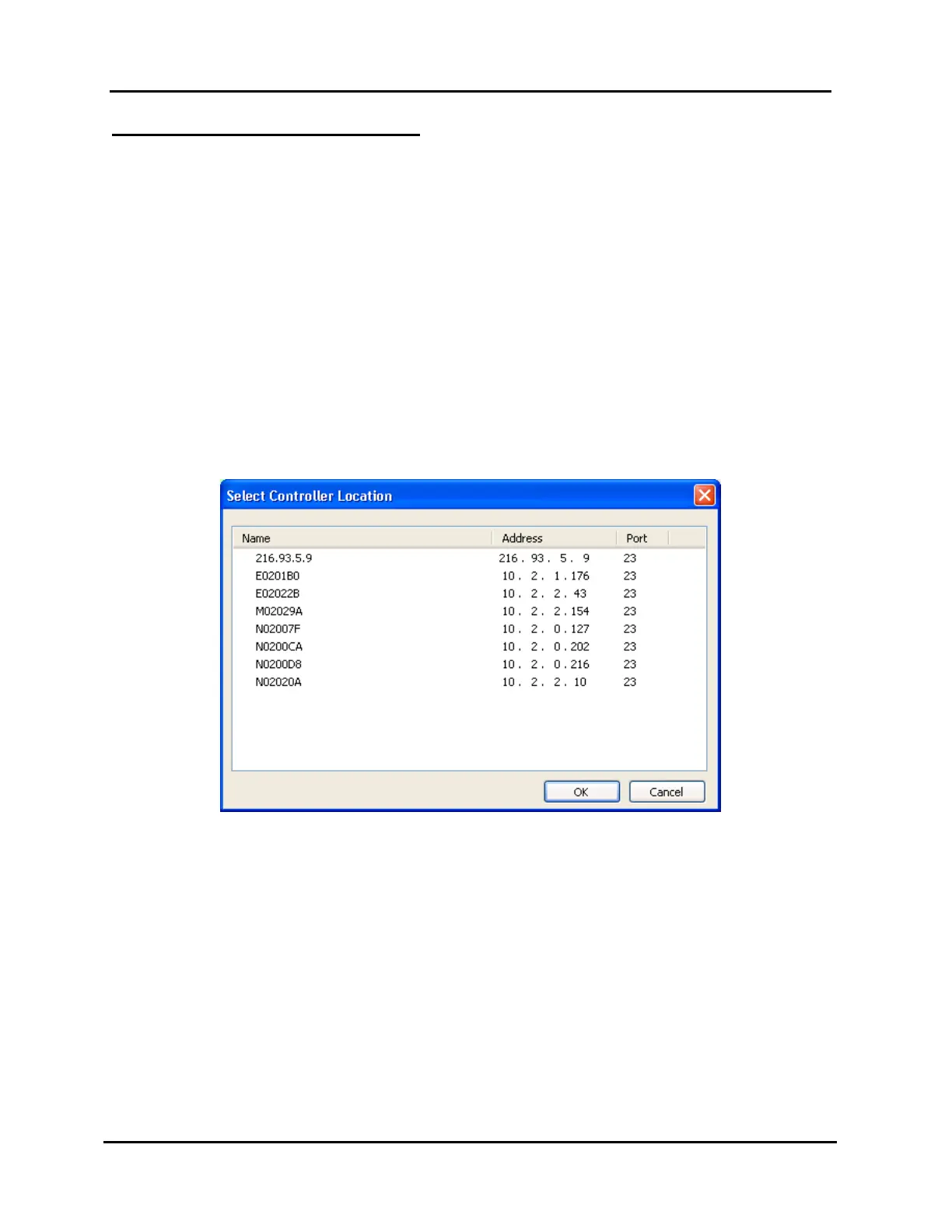
If you choose not to select a default Controller, the “Select Controller Location”
window shown in Illustration 26 appears every time a remote operation is
attempted.
Illustration 26, “Select Controller Location” Window
Select the Controller which you would like to perform the remote operation through
one of the following options:
Highlight the desired Controller in the locations database list and click “OK” to
make the change or “Cancel” to abort the operation.
Double click an Controller to choose it and begin the operation.



 To Next Page