NET Series
Troubleshooting
LEIGHTRONIX, INC. Firmware Ver. 1.00.42/Software Ver. 1.0.2.6 Page 135
2010-07-09
Remote: actions performed based on commands given by the user from the
WinNET control panel
Schedule: actions performed based on user-created schedule
Switcher: actions based on switcher events and functions
DVply: actions based on DVply functions
USING THE LOG FILE TO TROUBLESHOOT YOUR SCHEDULE
When troubleshooting an error or unexpected action, you will need the following three
important pieces of information:
The schedule that was running at the time of the error
Log file
A description of the error that includes “what happened,” “what was supposed
to happen,” and “when did it happen”
With these pieces of information, you should be able to identify most schedule
conflicts. The following is an example of how to use the log file to resolve a schedule
conflict.
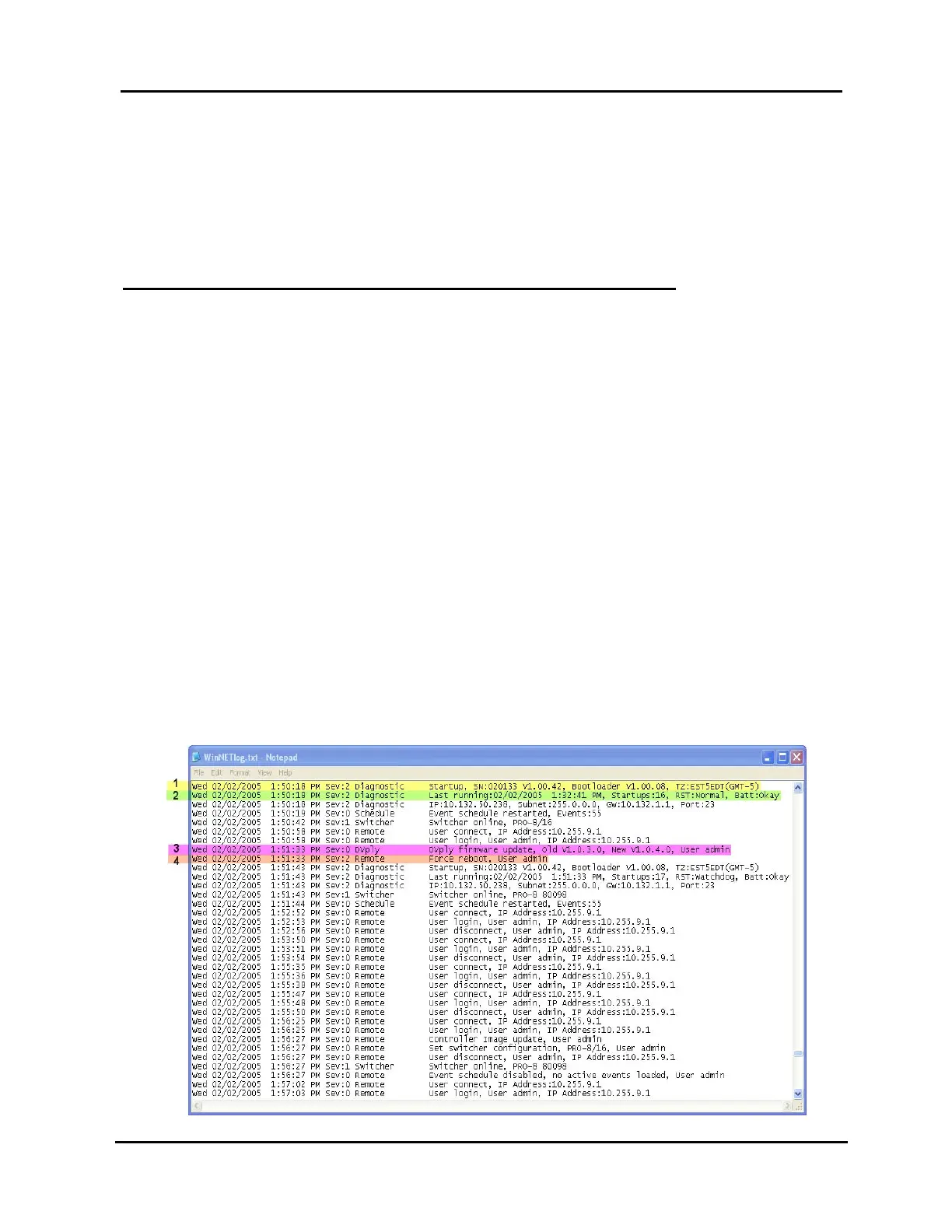
Reading from our example file shown in Illustration 104, WinNET Log File Example,
we can see a number of things. At 1:50:18 PM, the diagnostic process of the NET-EC
logged a Startup actiont
1
. Reading further down the log we can see the NET-EC was
last powered on at 1:32:41 PM
2
. If an event were scheduled to occur between these
times, we know it would not have happened because the NET-EC was powered down.
Likewise, at 1:51:33 PM
3
, we can see that the DVply process reported a firmware
update and a subsequent reboot was ordered by the “admin” user
4
. Events scheduled
during this boot period would not occur.
Illustration 104, WinNET Log File Example



 To Next Page