NET Series
Software Installation and Configuration
Page 62 Firmware Ver. 1.00.42/Software Ver. 1.0.2.6 LEIGHTRONIX, INC.
2010-07-09
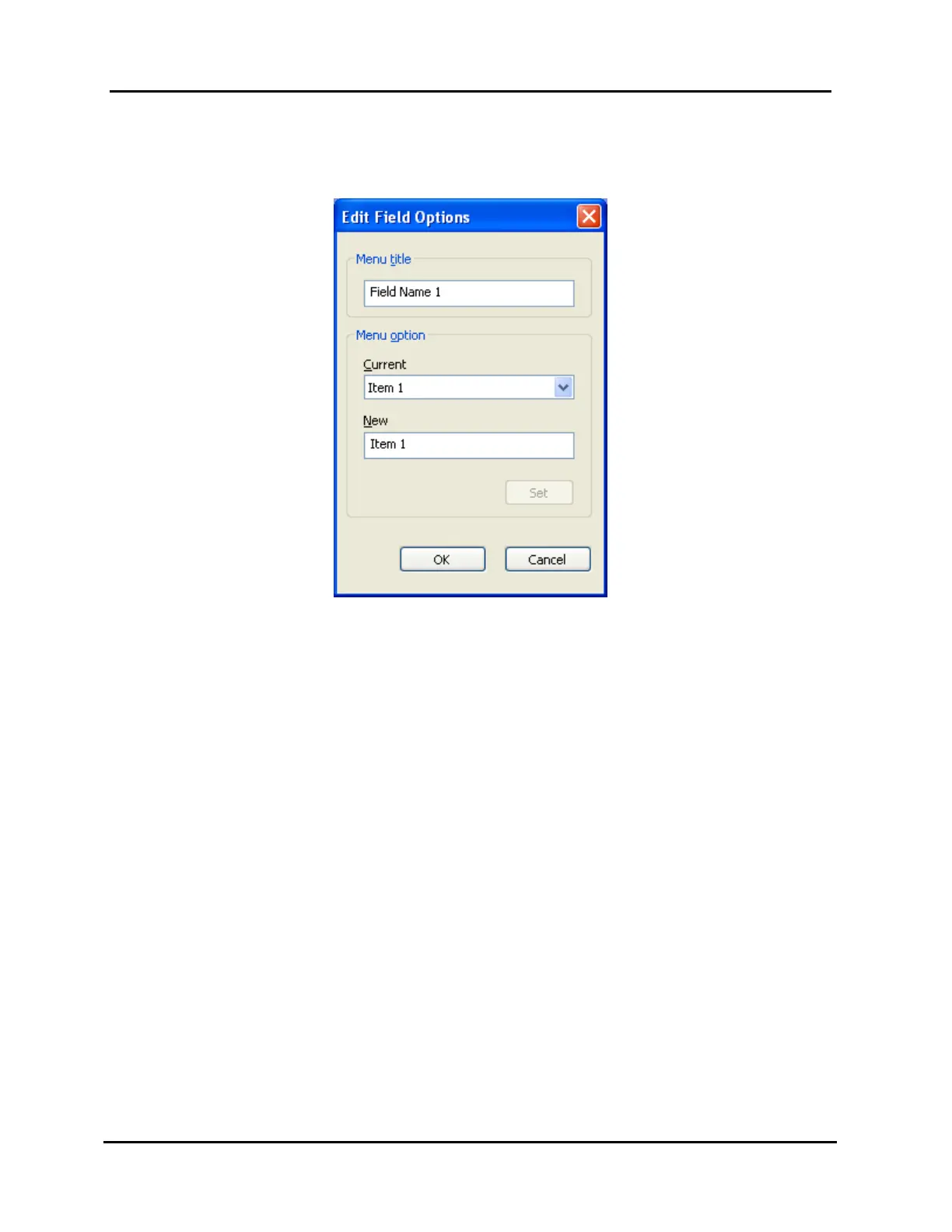
3. In the “Edit Field Options” window that appears (see Illustration 37), perform the
following:
Illustration 37, “Edit Field Options” Window
Edit playlist column headings as follows:
1. Type a new event column category heading in the “Menu Title” field.
2. Click “OK” if you only wanted to edit the column heading, “Cancel” to abort
change, or begin editing column field item name(s).
Edit each column’s field items as follows:
1. Under “Current,” use the drop down menu to select the item you would like
to edit.
2. Under “New,” type in the new item name.
3. Click “Set” to accept change or “Cancel” to abort.
4. Repeat steps until all of the desired item names have been edited.
4. Click “OK” to accept changes or “Cancel” to abort all editing changes made in the
“Edit Field Options” window.



 To Next Page