NET Series
Software Operation
LEIGHTRONIX, INC. Firmware Ver. 1.00.42/Software Ver. 1.0.2.6 Page 83
2010-07-09
EXPORTING PLAYLISTS INTO MICROSOFT EXCEL
®
OR A COMMA DELIMITED
FORMAT
Perform the following steps to export playlists into comma delimited or Microsoft
Excel
®
formats:
1. Create a template (see “Creating Templates for Exporting or Printing Playlists,” on
page 57).
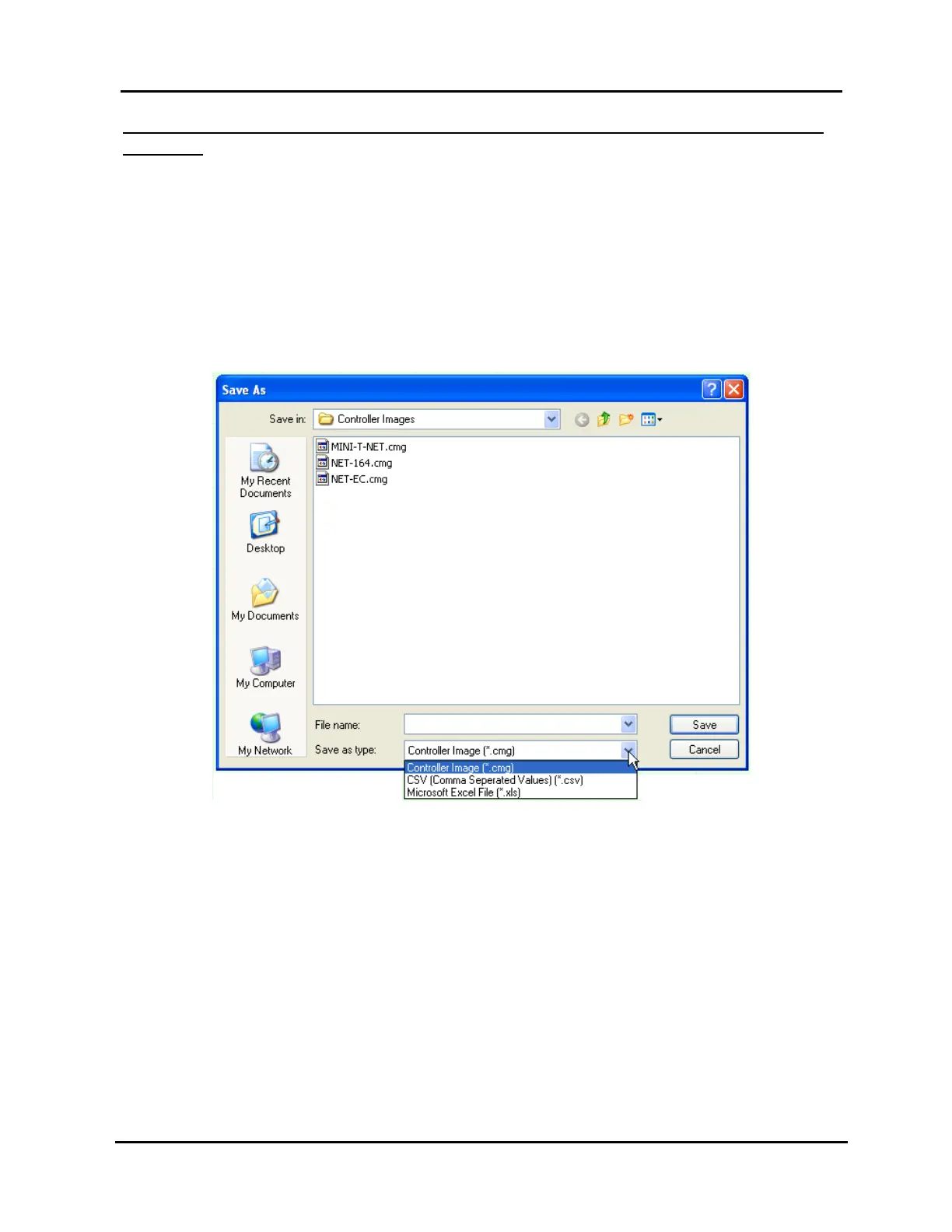
2. Select “Save as” in the “File” menu to open the window shown in Illustration 54,
which allows you to export the loaded playlist under a new name and a Microsoft
Excel
®
or comma delimited file format as follows:
Illustration 54, “Save As” Window
a. Select a folder in the “Save in” field. The default is “Controller Images.”
b. Type a name for the exported file in the “File name” field. If you leave the
extension off, WinNET puts it on for you.
NOTE: If you enter a name of a file that already exists, WinNET will ask you
if you want to overwrite it.
c. Select the export format (Comma Separated or Excel
®
) in the “Save as type”
field.



 To Next Page