NET Series
Software Installation and Configuration
LEIGHTRONIX, INC. Firmware Ver. 1.00.42/Software Ver. 1.0.2.6 Page 59
2010-07-09
CONFIGURING PAGE LAYOUTS FOR PLAYLISTS PRINTED FROM WINNET
The following steps allow you to determine the page layout of playlists printed directly
from WinNET. Refer to Illustration 33, Example Playlist, for an example of a playlist
configured through page setup.
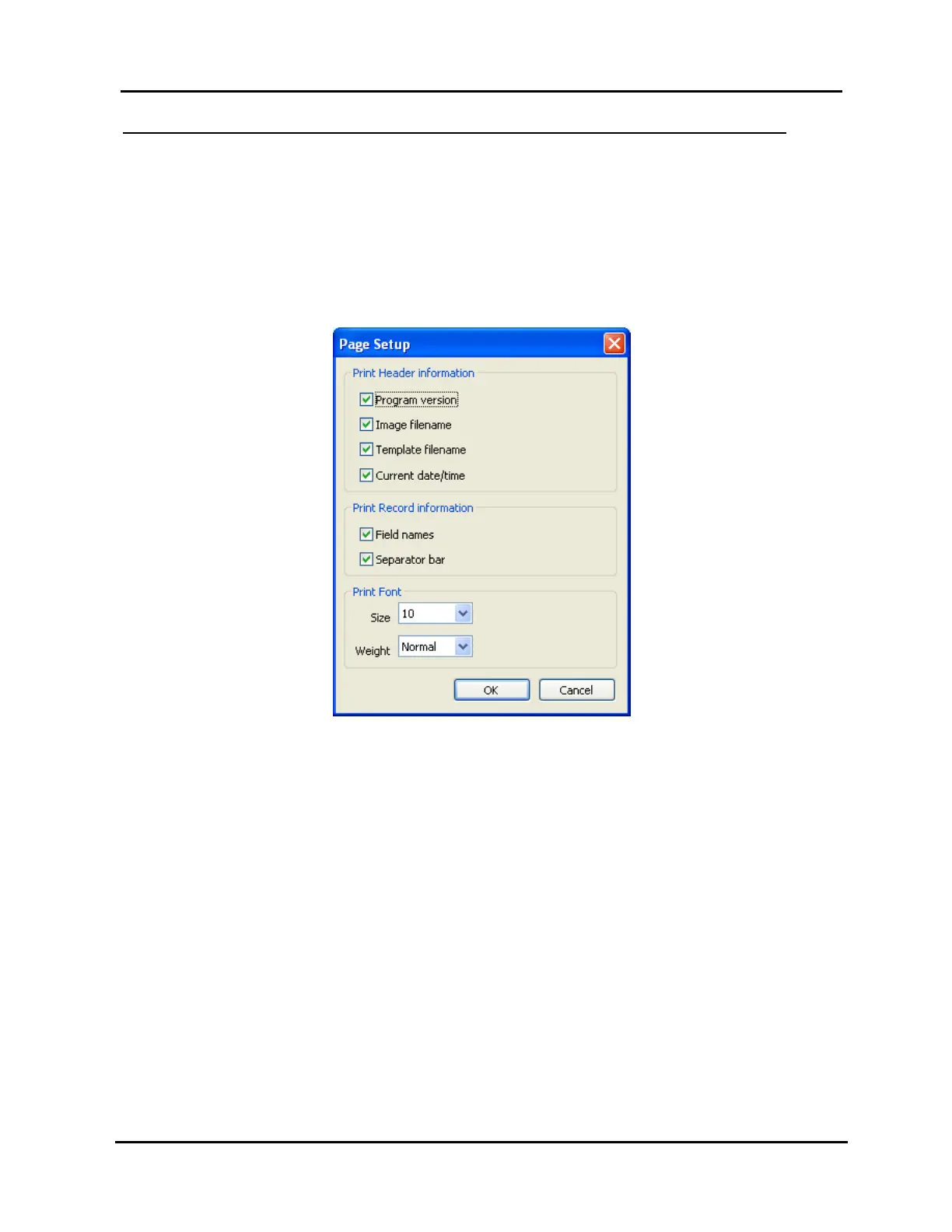
1. Select “Page Setup” in the “File” menu to open the box shown in Illustration 32,
“Page Setup” Window, and configure the playlist printout according to the following
options:
Illustration 32, “Page Setup” Window
“Print Header information” section: check the items you want to appear at the
top of the printout. “Program version” refers to the top two lines shown in
Illustration 33, Example Playlist.
Illustration 33, Example Playlist
WinNET Version 1.01.20 Page
Copyright © 2003-2004, LEIGHTRONIX, INC.
Image Filename: mini-t-net.cmg
Template Filename: mtn.xpt
Today is: Mon Feb 23 13:02:33 2004
Title/Description Day Of Week Lock Scheduled Time Length
-------------------------------- ----------- ---- -------------- --------
6:00:00 Gap Sunday 12:00:00 AM 06:00:00
Tape2 56min Sunday Yes 06:00:00 AM 00:56:00
0:04:00 Gap Sunday 06:56:00 AM 00:04:00
In5 1hr Sunday Yes 07:00:00 AM 01:00:00
Disc2 1hr Sunday No 08:00:00 AM 01:00:00
Tape1a 29min Sunday No 09:00:00 AM 00:29:00
0:01:00 Gap Sunday 09:29:00 AM 00:01:00
Tape1b 57min Sunday Yes 09:30:00 AM 00:57:00
1:33:00 Gap Sunday 10:27:00 AM 01:33:00
Tape3 2hr Sunday Yes 12:00:00 PM 02:00:00
In5 1hr Sunday No 02:00:00 PM 03:00:00



 To Next Page