NET Series
Software Installation and Configuration
Page 72 Firmware Ver. 1.00.42/Software Ver. 1.0.2.6 LEIGHTRONIX, INC.
2010-07-09
CREATING DEVICE RESOURCES
NOTE: A device is any source (input) controlled by a PRO-BUS interface or DVply.
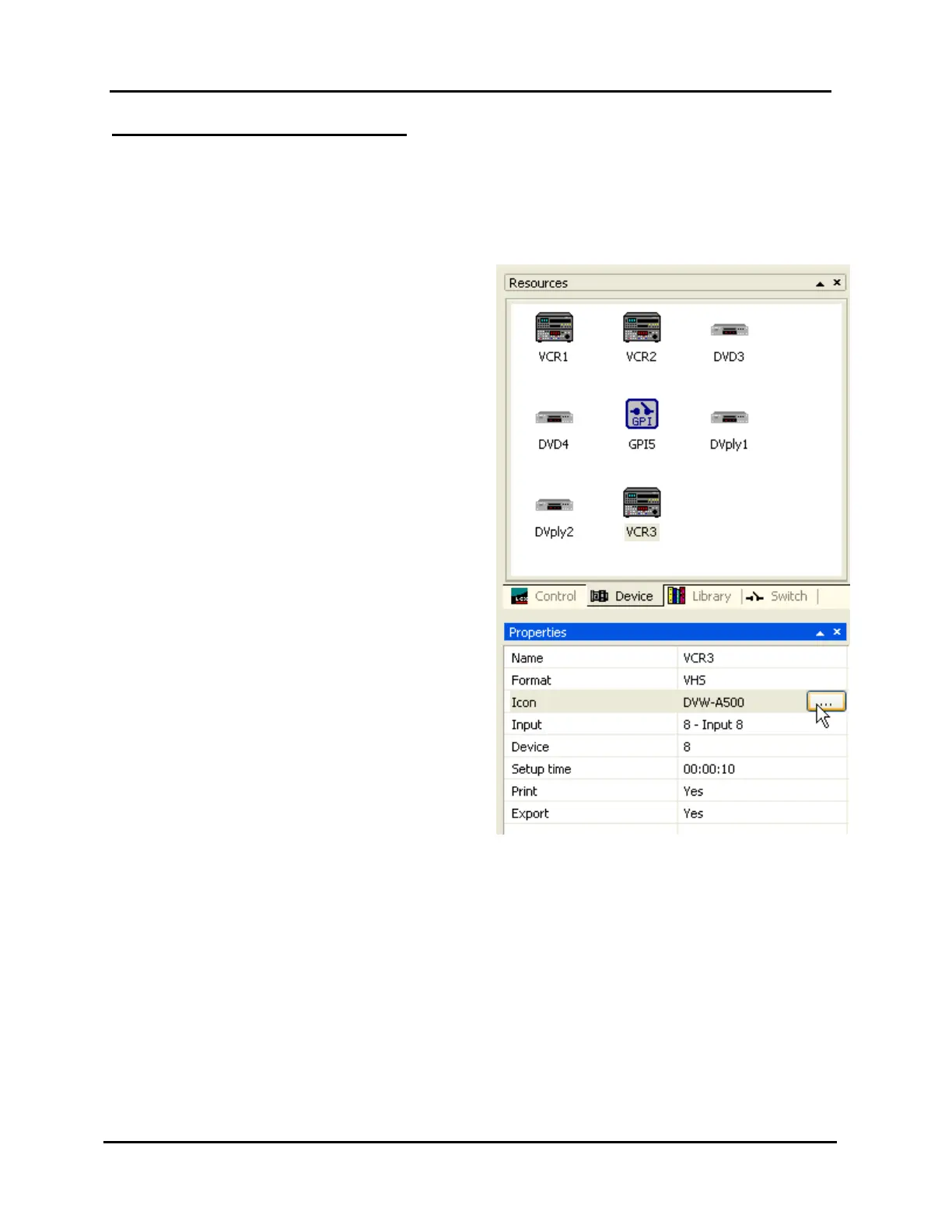
Enter the properties of your Controller’s PRO-BUS interface and DVply-controlled
devices according to the following steps (refer to Illustration 46, Device Properties
Window).
1. Click on the “Device” tab of the
“Resources” window.
2. Right-click in the “Device” window and
select “New” in the context menu (or
click in the “Resources” window and
press the “Insert” key) to insert an
undefined new device in the window.
3. Complete the following fields in the
device “Properties” window:
“Name”: enter a unique and
descriptive name, up to 31
characters.
“Format”: choose the device
format. Choices are:
¾”
8mm
Beta SP
DVD
General purpose interface (GPI)
NOTE: A GPI device will not
display the “Input” and “Setup
time” fields.
HI-8mm
S-VHS
VHS
DVply for NET-164 and NET-
EC
“Icon”: open the icon selection window by selecting the “Icon” field and clicking
the button that appears. Select an icon that reflects the piece of equipment
attached to Controller, then click “OK” or double click an icon. Click “Cancel” to
close the icon selection box without changing the icon.
“Input”: if the device is connected to a switcher input, choose the switcher input
number to which the device is connected. If the device is not connected to a
switcher input, select “<None>.” Assigning an input to a device removes the
input number from the input list, making it unavailable for other devices.
NOTE: The “Input” field appears after “Format” is selected.
Illustration 46, Device Properties Window



 To Next Page