NET Series
Software Installation and Configuration
Page 60 Firmware Ver. 1.00.42/Software Ver. 1.0.2.6 LEIGHTRONIX, INC.
2010-07-09
“Print Record information” section: check the items you want to appear above
the playlist data.
“Field names” shows the column headers.
“Separator bar” inserts a line of dashes.
“Print Font” section: choose the font size and weight (normal/bold).
2. Click “OK” to save your settings or “Cancel” to close the dialog box without saving.
CONFIGURING PRINTER AND PAPER SETTINGS FOR PLAYLISTS PRINTED
FROM WINNET
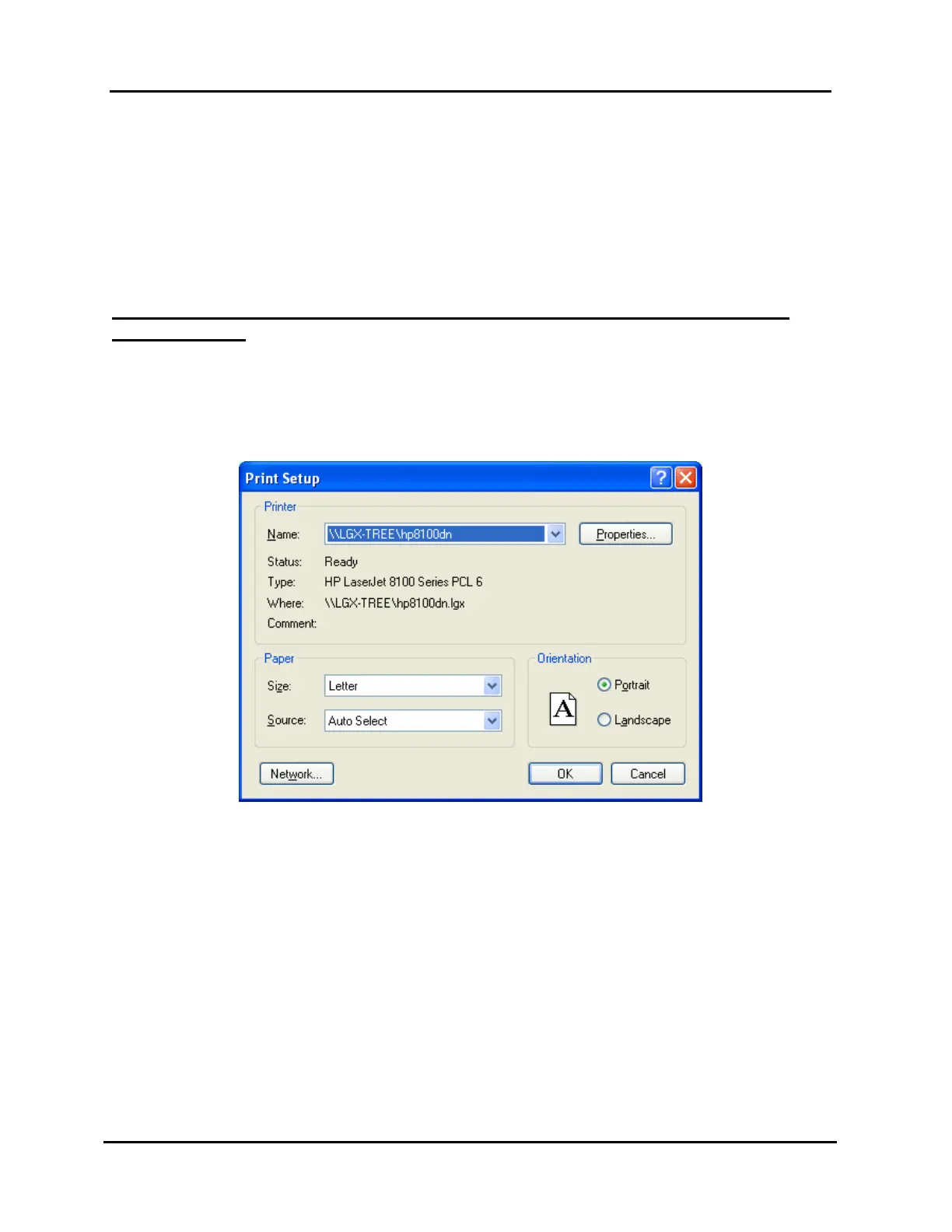
1. Selecting “Print Setup” in the “File” menu opens the box shown in Illustration 34,
“Print Setup” Window, which allows you to configure the printer and paper settings
as follows:
Illustration 34, “Print Setup” Window
“Printer” section: choose the desired printer from a list of your PC’s available
printers. When a printer is chosen, its status appears below the “Name” field.
“Properties” button”: click to open a dialog box specific to the printer, so that
detailed printer settings can be made.
“Paper” section: choose the size and source tray of the paper.
“Orientation” section: choose to print in portrait or landscape mode. If your
Printing template has many fields (columns) chosen, you may want to print in
“Landscape” mode to fit it all from left to right. Print in “Portrait” mode if you
don’t have many fields (columns) and want to fit more events on a page.
“Network” button: click to open a network printing dialog box so that you can
attach to and print to a network printer, if it is not already in the upper list.
2. Click “OK” to save your settings or “Cancel” to close the dialog box without saving.



 To Next Page