6A-22 POWER TRIM 90-13645--2 495
Failure to install spare tilt pin (or hardened bolts
and nuts) in hole shown could result in transom
bracket failure and possible injury.
CAUTION
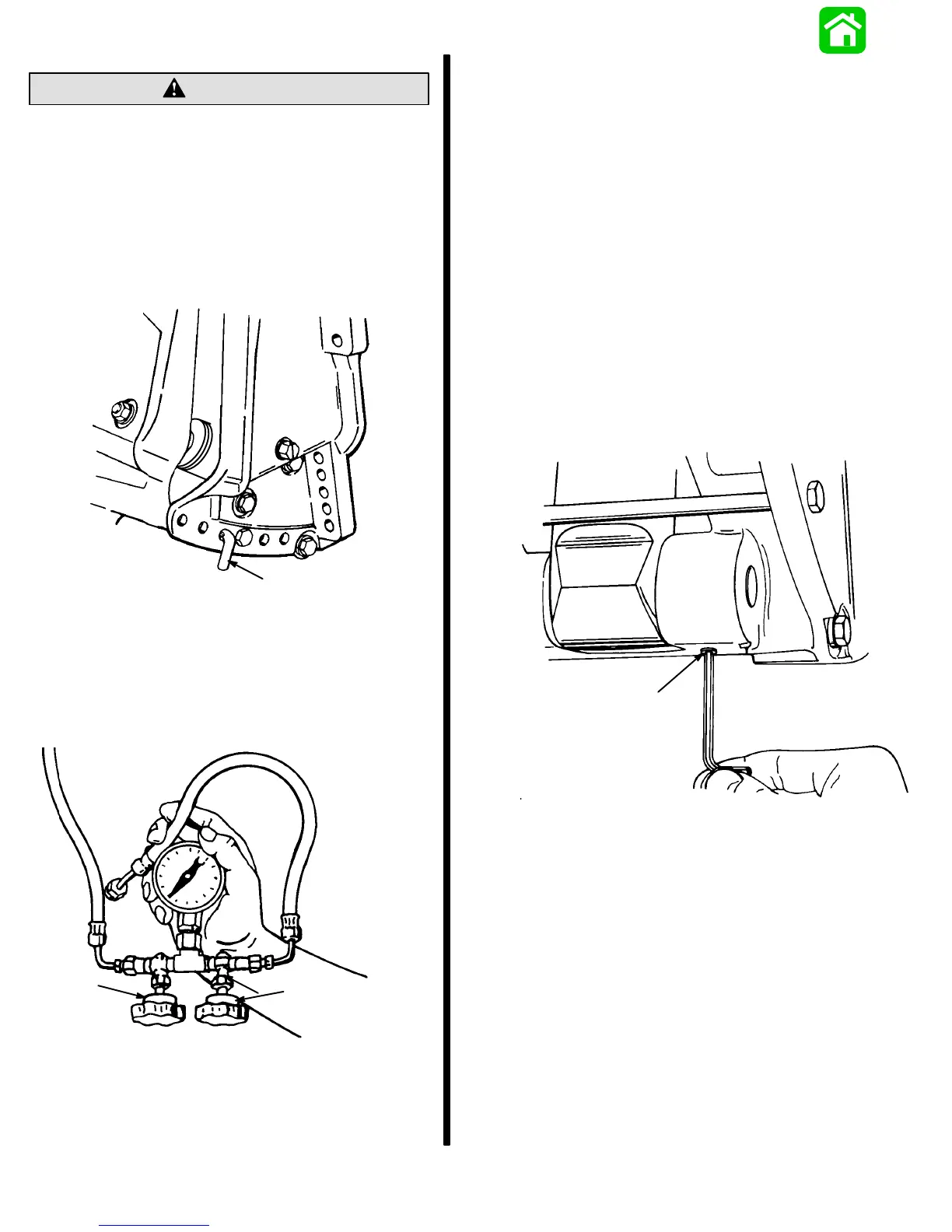
7. Move outboard “In” until hole in swivel bracket
“ear” aligns with the third tilt hole in transom brack-
et. Lock engine in trim range by installing a 3/8 in.
(9.5mm) diameter tilt pin or two 3/8 in. (9.5mm)
hardened bolts and nuts thru the transom brack-
ets and swivel bracket in the hole shown.
18456
a
a - Tilt Pin Hole
(Install Spare Tilt Pin or Hardened Bolts and Nuts)
8. Install “Fill” plug.
9. Close Manual Release Valve (clockwise).
10. Open valve (a) and close valve (b).
51374
a
b
a - Open Valve
b - Close Valve
11. Run trim “UP”. The minimum pressure should be
1300 P.S.I. (91 kg/cm
2
).
12. Run trim “DOWN” to release pressure and re-
move spare tilt pin or bolts and nuts.
13. Tilt outboard full “UP” and engage tilt lock lever.
14. Slowly remove “Fill” plug to bleed pressure.
15. Open Manual Release Valve 3 to 4 turns to bleed
any remaining pressure.
16. Remove test gauge hose and adapter, and install
allen plug.
NOTE:
If pressure is less than 1300 PSI (91 kg/cm2),
troubleshoot system per instructions on page 6A-6.
“DOWN” Pressure Check
1. Repeat steps 1 through 4 from preceding “UP”
pressure check, removing allen plug as shown.
51367
a
a - Allen Plug



 To Next Page