94
C
USTOMIZING YOUR PHONE DIALING
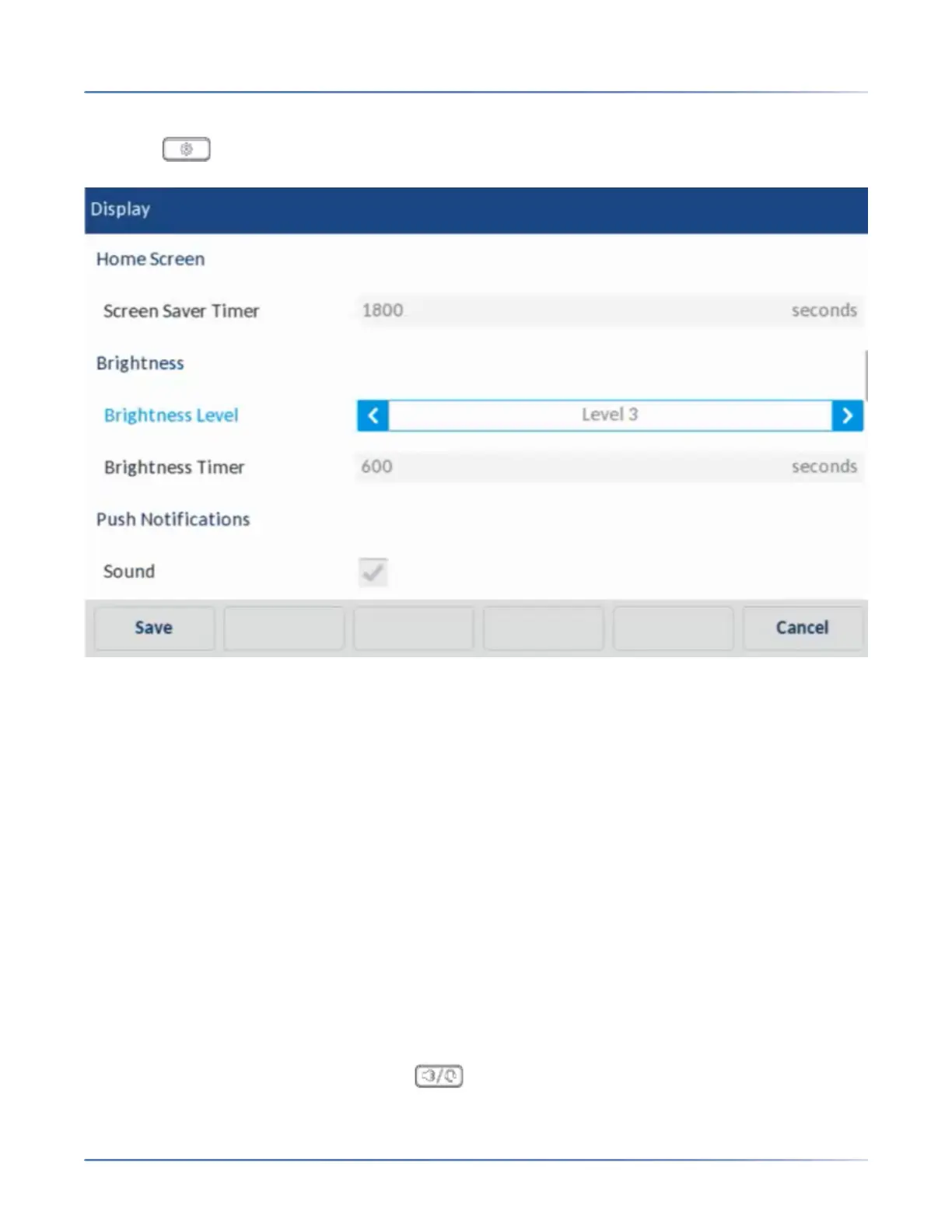
Setting the Brightness Level and Timer Using the IP Phone UI
1. Press on the phone to enter the Options List.
2. Press the Display icon.
3. Press the Brightness Level field.
4. Press the left and right arrow buttons in the Brightness Level field to increase or decrease the inten-
sity of brightness on the LCD.
5. Press the Brightness Timer field.
6. Enter a value, in seconds, using the on-screen keyboards. You can set the timer from 1 to 36000
seconds. Default is 600 (10 minutes).
7. Press theSave softkey to save your changes.
Dialing
Live Dialpad
The Live Dialpad option on the IP phone turns the live dialpad mode on or off. With the live dialpad
feature enabled, the 6940 IP phone automatically dials out and turns on handsfree mode as soon as a
dialpad key or softkey is pressed. With live dialpad disabled, if you dial a number while the phone is
on-hook, lifting the receiver or pressing the initiates a call to that number.
NOTE: Availability of this feature is dependent on your phone system or service provider.



 To Next Page