221
M
OBILELINK MOVING AUDIO FROM AN ACTIVE MOBILE CALL BETWEEN YOUR MOBILE PHONE AND MITEL 6940 IP PHONE
Moving audio from an active mobile call between your
mobile phone and Mitel 6940 IP phone
Switching mobile phone audio from your Mitel 6940 IP phone to your mobile phone and back again is
performed by a one-key-tap method.
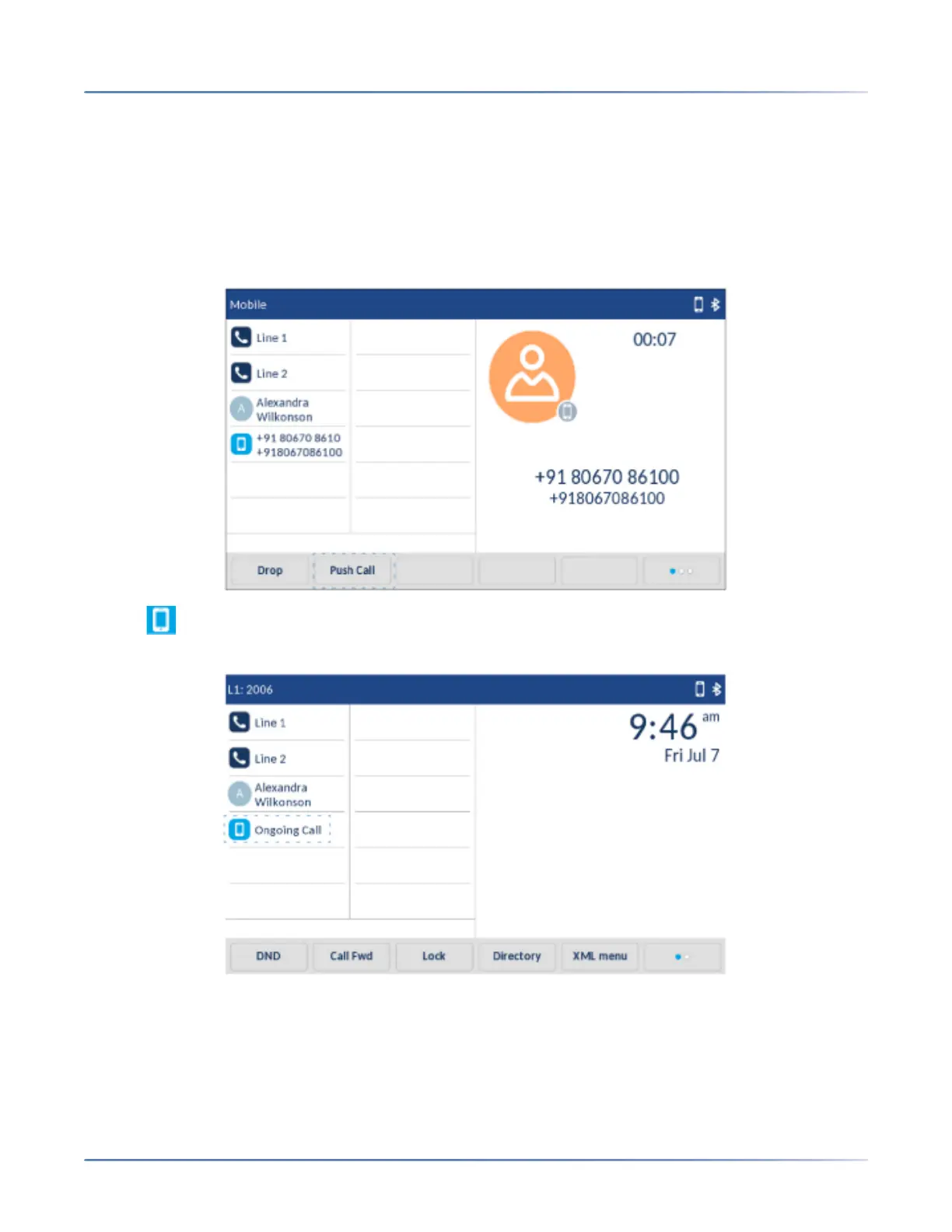
Tap the Push call softkey to push the mobile call audio from your Mitel 6940 IP Phone to your mobile
phone.
Tap the Mobile Line key to pull the mobile call audio from your mobile phone to the Mitel 6940 IP
Phone.
NOTE:
• You can push and pull mobile call audio from the Mitel IP Phone only.
• When an incoming call on a Bluetooth connected mobile is answered by either pressing the speaker
or mobile softkey on the SIP IP phone, the audio goes to the preferred device.For example, when the
audio mode is in speaker/headset mode and a Bluetooth mobile call is answered, by preferred mode



 To Next Page