256
M
ITEL INTEGRATED DECT HEADSET CHECKING THE BATTERY LEVEL AND FIRMWARE VERSION OF THE HEADSET
Checking the Battery Level and Firmware Version of the
Headset
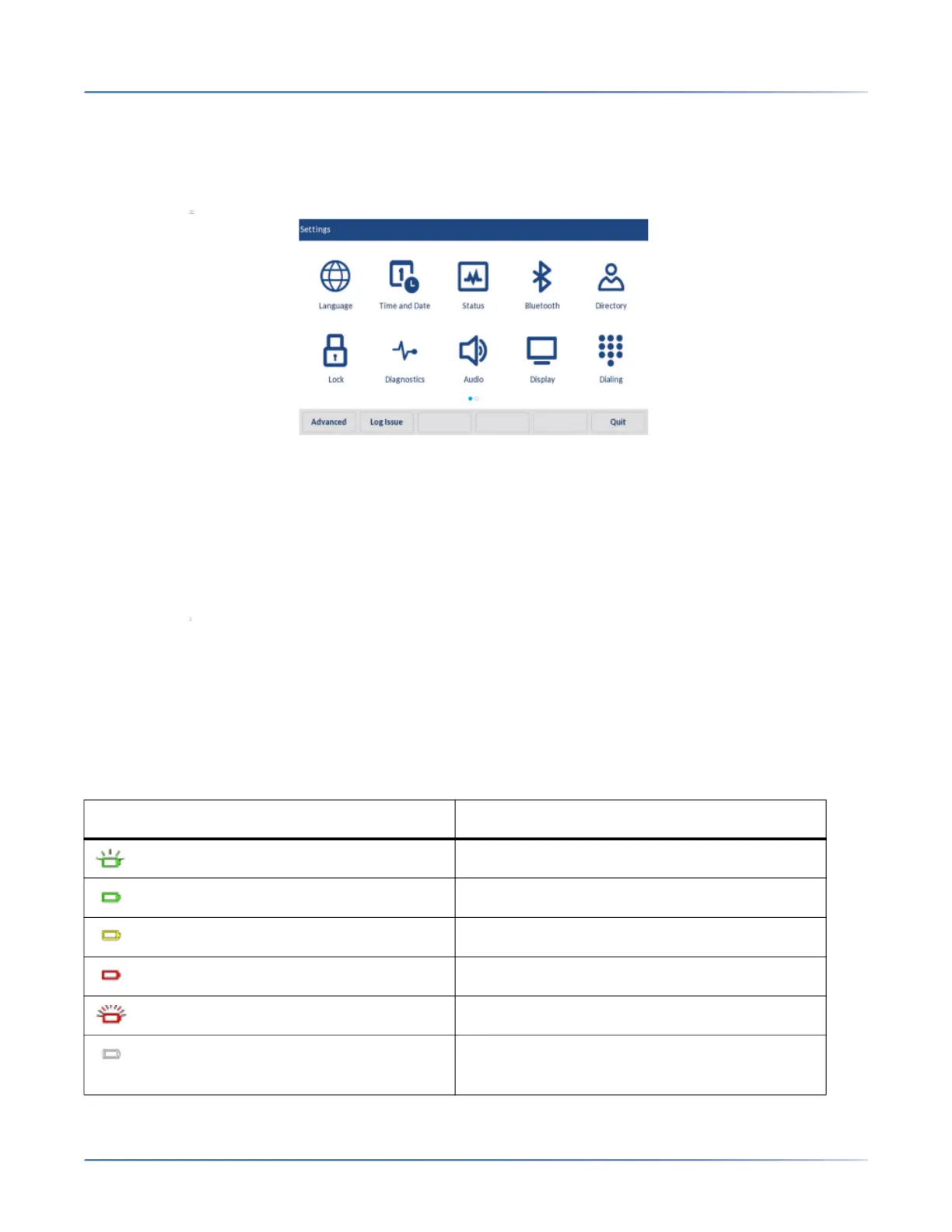
1. Press the (Settings) key to enter the Settings menu.
2. Tap the Status icon.
3. Tap the Accessory Info category. The firmware version and battery level info of the Integrated DECT
Headset is available on the screen.
Checking the Power/Bandwidth of the Headset
1. Press the (Settings) key to enter the Settings menu.
2. Tap the Audio icon.
3. Tap the Headset category. The Power/Bandwidth info of the Integrated DECT Headset is available
on the screen.
LED status
The Mitel Integrated DECT Headset base has three LEDs to indicate battery level, call status and events.
LED indicator Description
Battery charging (Green - slow flash)
Full battery (Green)
Medium battery (Yellow)
Low battery (Red)
Very low battery (Red - flashing)
Unknown battery status (White)



 To Next Page