120
C
ONFIGURING SOFTKEYS FLASH KEY
3. For menu and directory services, select a service to display the information for that customized
service. Message services display to the screen after pressing the respective key. For user input
services, follow the on-screen prompts.
4. To exit from the XML screen, press the XMLsoftkey again or press the button.
Flash Key
You can set a key to generate a flash event when it is pressed on the 6940. You do this by setting the key
to Flash. The IP phone generates flash events only when a call is connected and there is an active RTP
stream (for example, when the call is not on hold).
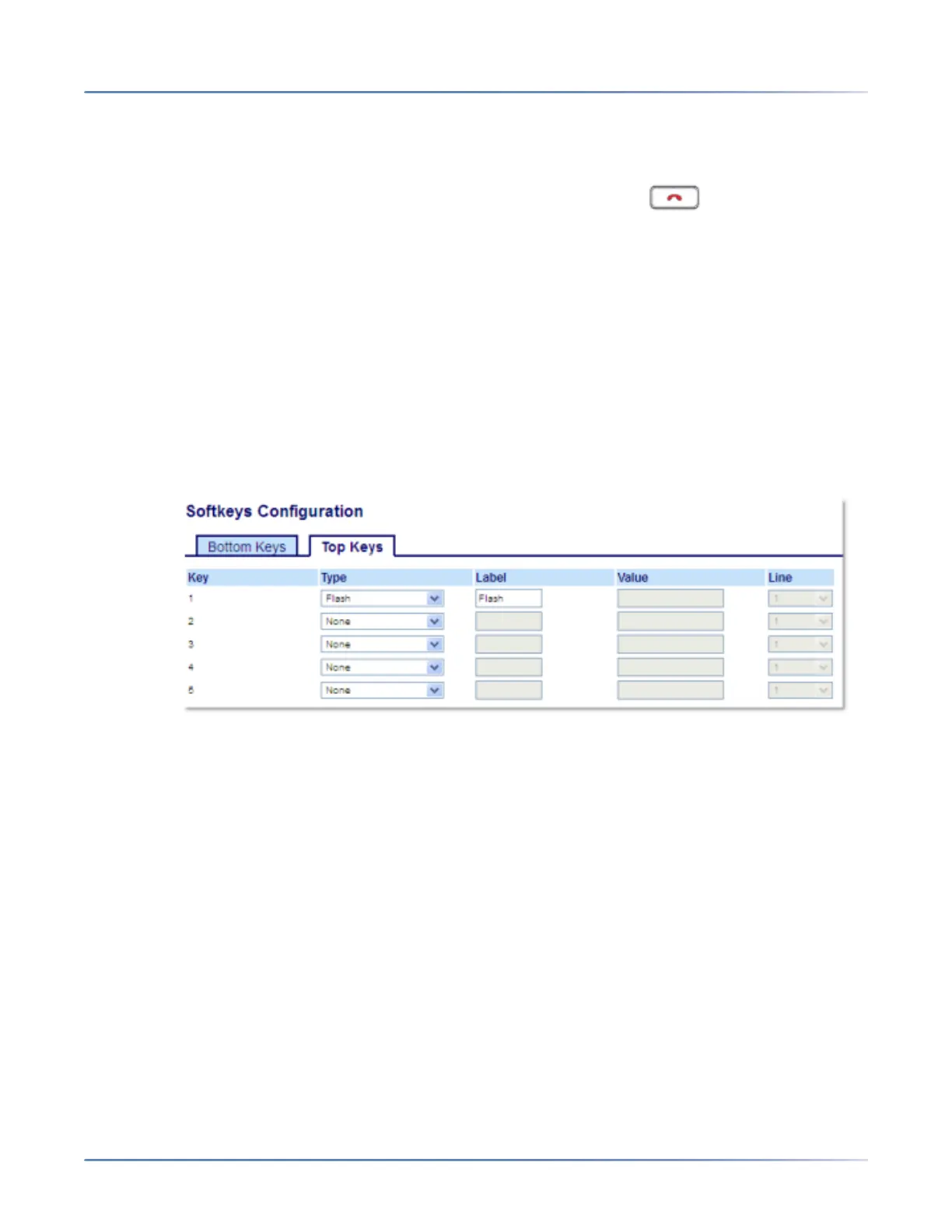
Configuring a Flash Key Using the Mitel Web UI
1. Click on Operation > Softkeys and XML.orClick on Operation > Expansion Module <N>.
Softkeys
2. Select from Key 1 through Key 48 on the Top keys.orSelect from Key 1 through Key 30 on the Bottom
keys.
3. In the Type field, select Flash.
4. In the Label field, enter a label to display on the phone for the key.
Expansion Module Keys
5. Select from Key 1 through Key 84(M695).
6. In the Type field, select Flash.
7. Click Save Settings.
Sprecode Key
You can set a key to automatically activate specific services offered by the server by setting a key to Spre-
code. For example, if the sprecode value of *82 is configured, then by pressing the key, *82 automatically



 To Next Page