184
M
ANAGING CALLS DIRECTORY
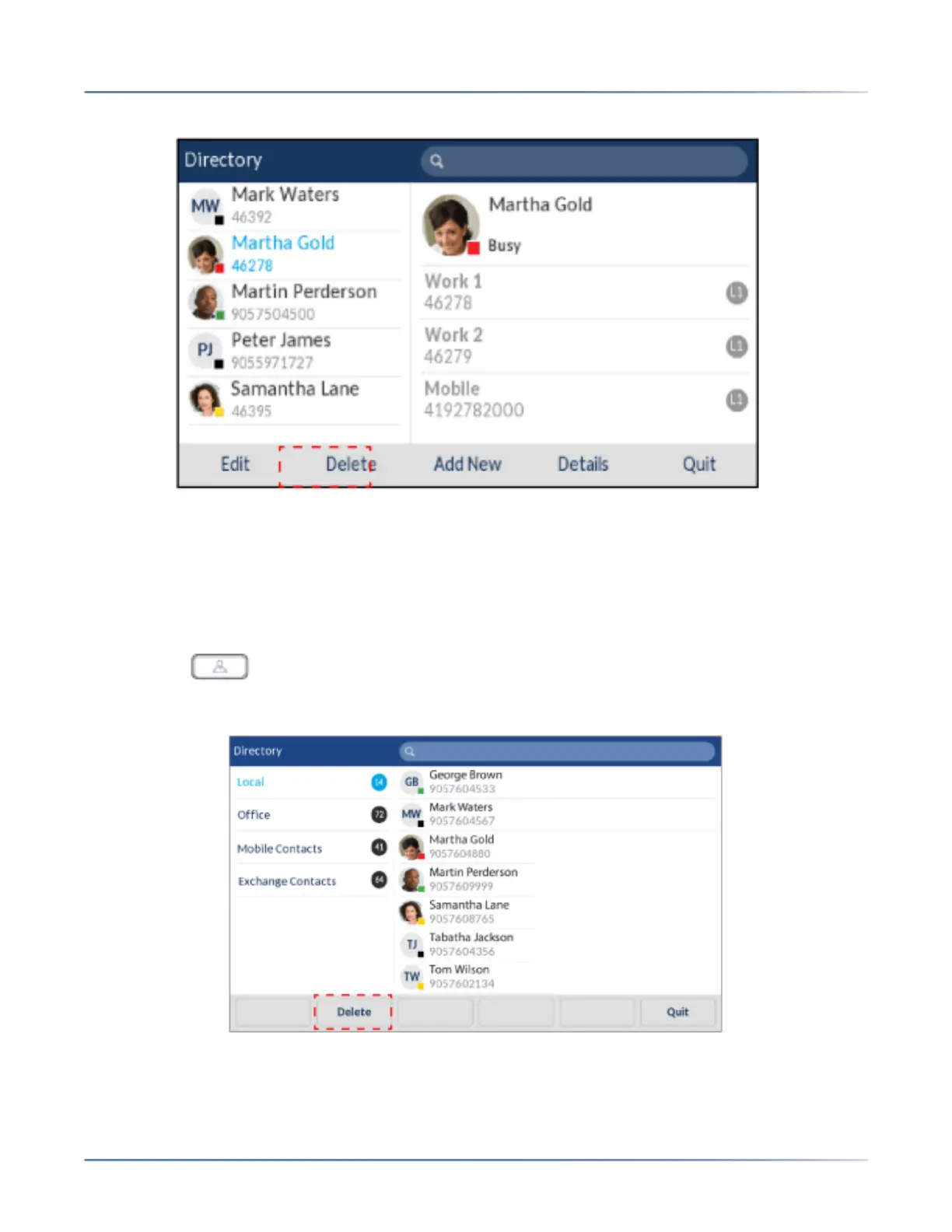
3. Highlight the desired entry (if applicable) and press the Delete
softkey.
A “Delete selected item or delete all items?” message will appear on screen.
4. Press the Delete Allsoftkey to delete all contacts from your Local Directory.orPress the Delete Item
softkey to delete the individual entry from your Local Directory.
NOTE: Press the Cancel softkey to cancel the delete process.
Deleting All Entries from the Local Directory (External Directory Sources Configured/Enabled)
1. Press the (Directory) key or a softkey configured with Directory functionality to enter the
Directory.
2. Press the Delete softkey.
A “Delete all entries in Local” message will appear on screen.
3. Press the Delete softkey again to delete all contacts from your Local Directory.



 To Next Page