262
C
ONNECTING TO WI-FI ON 6940W IP PHONE CONNECTING TO A HOME NETWORK
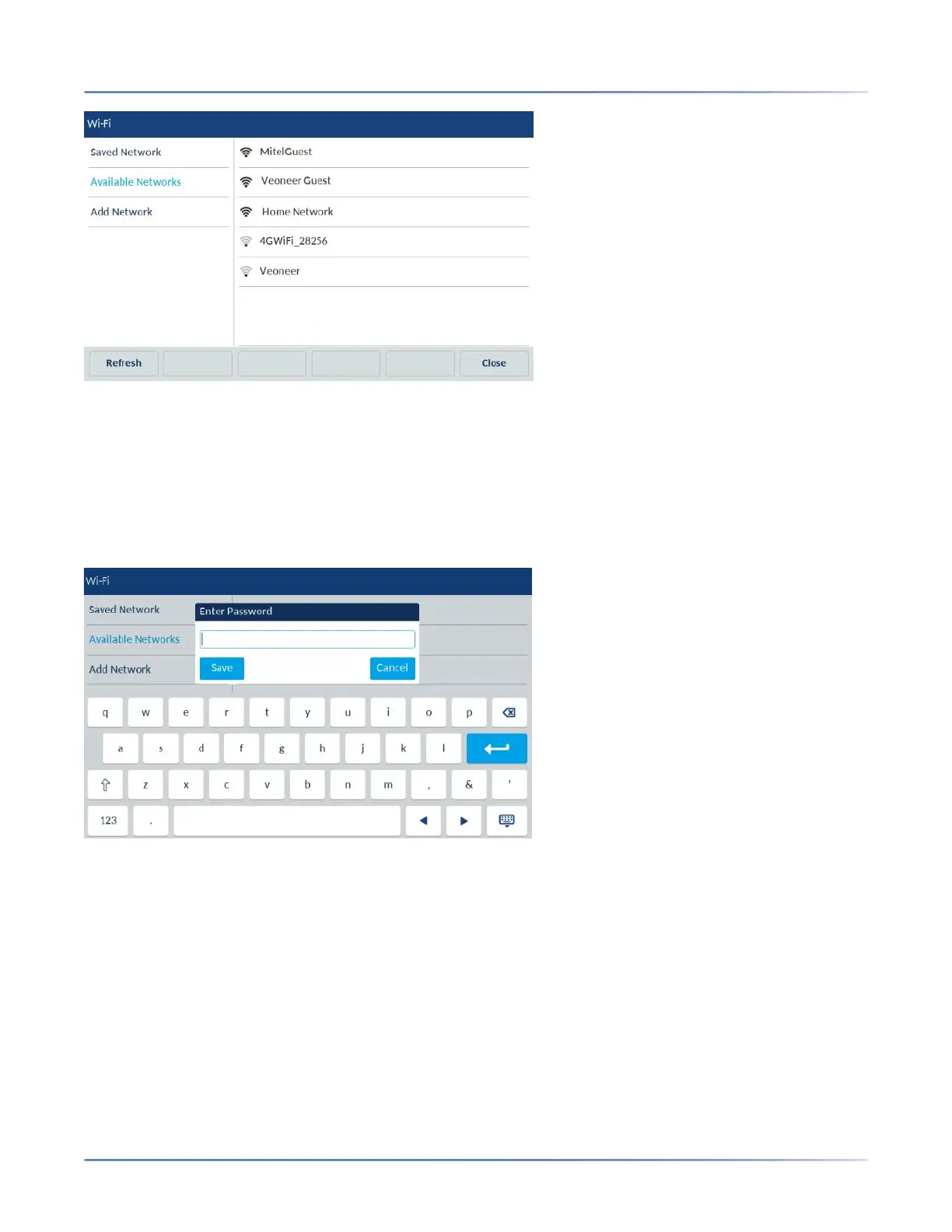
3. Tap on SSID (that is, the name of a Wi-Fi network; for example, Home Network) from Available
Networks and tap Connect softkey. If the SSID is secured, a password prompt appears.
NOTE: You can connect to only one SSID at a time. The SSID can be any alphanumeric, case-sensi-
tive entry from 2 to 32 characters. The characters allowed for the SSID depend on the router config-
uration.
4. Enter the password for the network and select the Save softkey.
NOTE: An underscore _ can be typed in by pressing the 1 digit key on the keypad.
NOTE: If you enter an incorrect password, the following dialog box appears. Ensure you enter the
correct password.



 To Next Page