Spitfire – Maintenance Manual
128
AP-74096, Rev. 1.0, 09/06/05
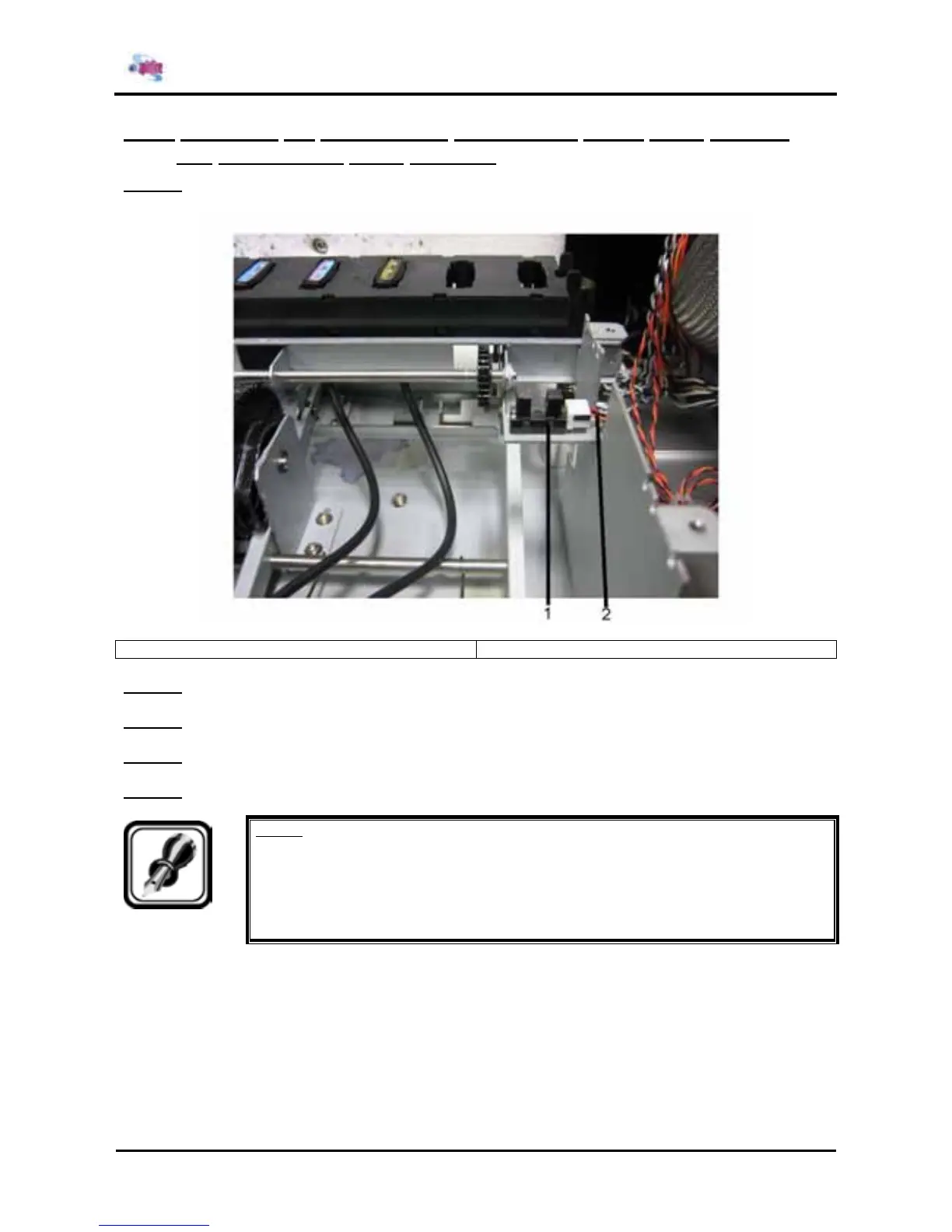
4.8.6. Replacing the transmission photosensor (wiper home position
and
maintenance home position)
Step 1 : Remove the transmission photosensor from the side plate R.
1 = Transmission photo sensor 2 = cable assembly
Step 2 : Remove each origin cable assembly from the transmission photosensor.
Step 3 : Remove the transmission photosensor.
Step 4 : Apply the screw lock to the tab portions of the transmission photosensors to be installed.
Step 5 : Reinstall all parts in the opposite order of the removal procedure.
Notes :
¾ When installing the origin cable assembly onto the transmission photosensor, be
careful to not confuse the connectors.
Wiper origin cable assembly (black): front
Maintenance origin cable assembly (white): rear















 To Next Page