Spitfire – Maintenance Manual
157
AP-74096, Rev. 1.0, 09/06/05
5.5.3 Head Nozzle Check Menu
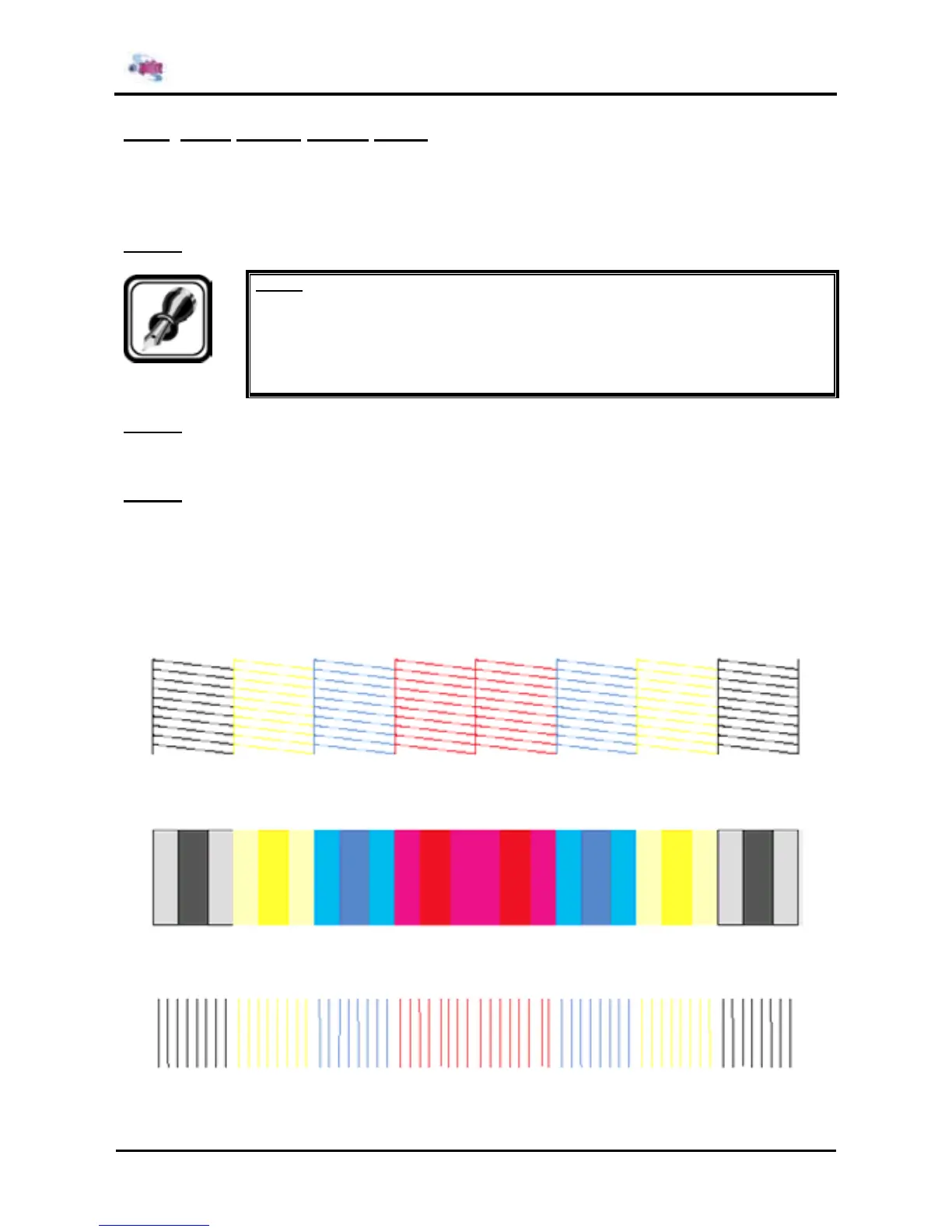
In this menu, you can check if the head nozzles, after refilling, can discharge ink correctly by printing a
sample print.
To print out head nozzle check patterns, follow the steps below. The following is the description of the
printing method.
Step 1 : Set media as necessary.
Notes :
¾ Refer to the User’s Guide.
¾ Pressing the [ENTER] key in the Diagnosis menu in self-diagnostic mode moves the
lever up and down.
Step 2 : After media has been set, the machine prints out head nozzle check patterns in the following
modes. The following is the description of the printing method.
¾ 1 pass Single way
Step 3 : Check the printed head nozzle check patterns for the following points. Check points are as
follows.
¾ Ink nozzle discharge amount (omission, discontinuity, meandering)
¾ Satellite
¾ T fence
¾ Nozzle alignment in vertical direction
¾ Nozzle alignment in horizontal direction
Nozzle check: Prints out patterns in the order of 1A, 1B, 2A, 2B, 3A, 3B, 4A, 4B.
Nozzle alignment in vertical direction: Prints out patterns in the order of 1A, 1B, 2A, 2B, 3A, 3B,
4A, 4B.
Nozzle alignment in horizontal direction (CW): Prints out patterns in the order of 1A, 1B, 2A, 2B,
3A, 3B, 4A, 4B.















 To Next Page