Spitfire – Maintenance Manual
86
AP-74096, Rev. 1.0, 09/06/05
4.5.9. Replacing the flushing box assembly
1) Installing the bracket
Step 1 : Unlock the head (In User mode > SetupMenu 6/7)
*WiperClean*
F1 →
No Yes
← F2
(1/1)
Notes:
Following display will appear.
*WiperClean*
Changed Wiper?
→ Press ENTER
After job is done, press the ENTER key, and the head will lock again.
Step 2 : The carriage moves to the waiting position for replacing the flushing sponge.
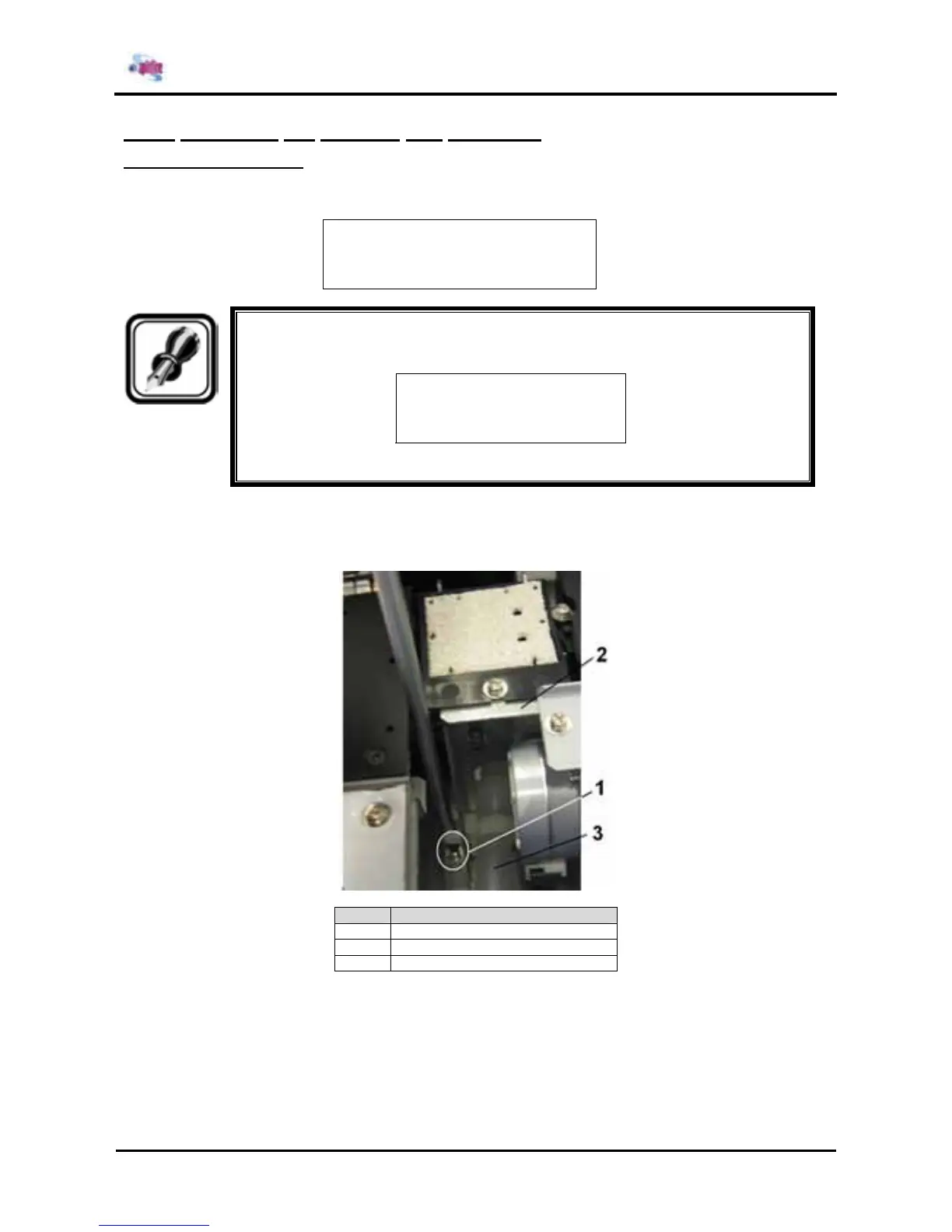
Step 3 : Remove the screw fixing the old flushing box assembly
Nr. Part Description
1 Screw fixing flushing box assembly
2 Flushing Box assembly
3 Tube
Step 4 : Remove the tube from the flushing box assembly
Step 5 : Connect the tube to the new flushing box assembly (KY-35080)
Step 6 : Install the new flushing box assembly and fix the screw.















 To Next Page