Spitfire – Maintenance Manual
229
AP-74096, Rev. 1.0, 09/06/05
7.9. CW ADJUSTMENTS (UNI-DIRECTIONAL)
To perform CW adjustments, please follow the steps mentioned below.
Step 1 : Start the self-diagnostic function.
Notes :
¾ Refer to “Self-Diagnosis Function".
Step 2 : Select "Adj:Uni-D".
Step 3 : Print a CW adjustment pattern.
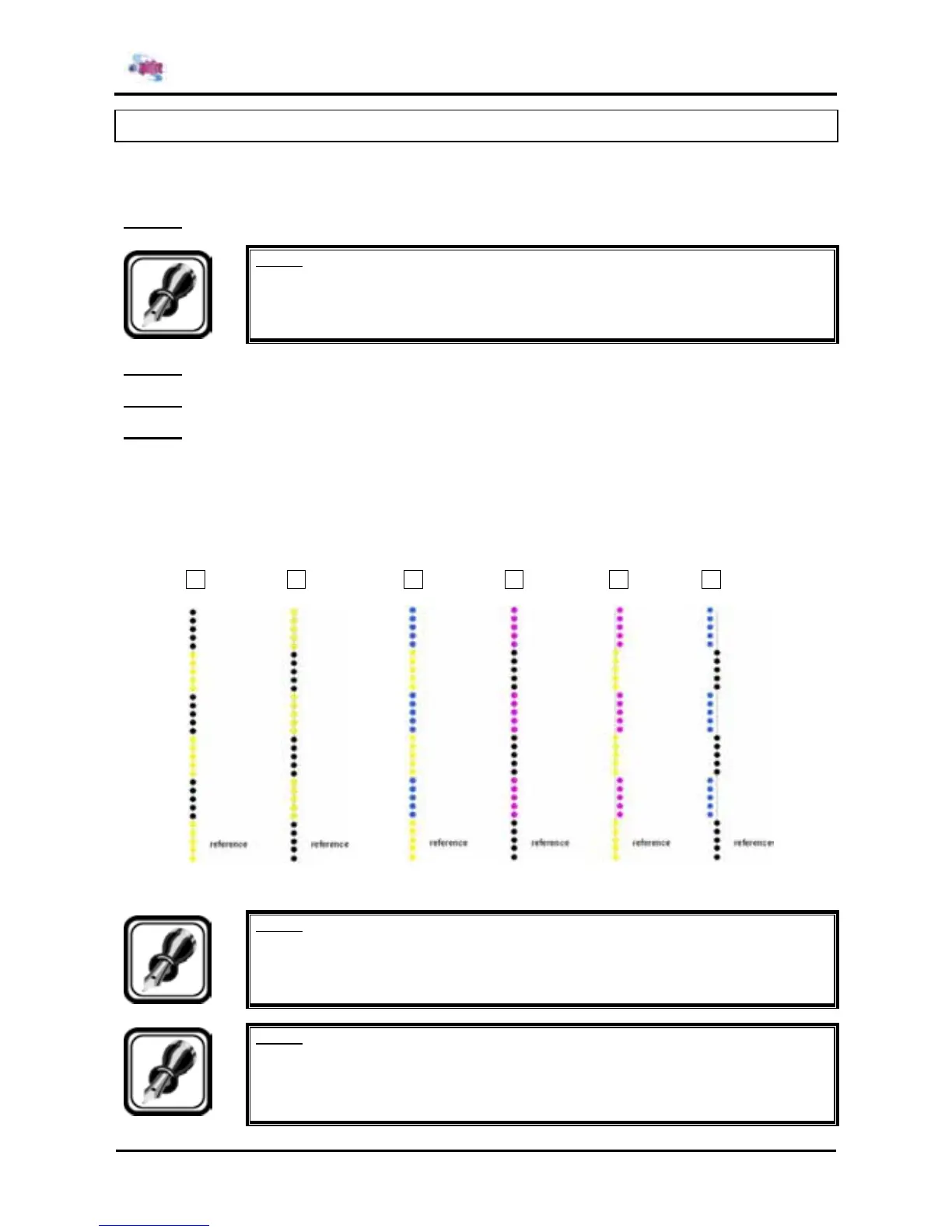
Step 4 : The odd rows (alternately 1A and 1B) are the references. So the even rows (2A, 2B, 3A, 3B, 4 A
and 4B) should be adjusted (use a magnifying with an enlargement of at least 10)
When you want to move the even rows (with dots) to the right, you have to increase (+) the value.
For example: The value is 20, adjust it to 30 for example
The value is -20, adjust it to -10 for example
When you want to move the even rows (with dots) to the left, you have to decrease (-) the value.
For example: The value is 20, adjust it to 10 for example
The value is -20, adjust it to -30 for example
1B 1A 1B 1A 1B 1A
4B 4A 3B 3A 2B 2A
Notes :
¾ For 90-inch specifications, the head 5-A, 5-B, 6-A, 6-B, 7-A, 7-B, 8-A, 8-B are
added.
Notes :
¾ In the event that all parts of unit do not line up due to part or assembly precision
error, make adjustments until everything in the area around center lines up in a
straight line.















 To Next Page