Spitfire – Maintenance Manual
247
AP-74096, Rev. 1.0, 09/06/05
7.17 FLUSHING BOX HEIGHT POSITION ADJUSTMENT
Incorrect position of the flushing box height will cause large ink drops on the printout.
Please follow the steps below to correctly adjust your flushing box height position.
Before adjustment of the flushing box height position, please make sure to have:
1. The “Flush Box Height Jig Tool” (JD-80001)
2. The “Spacer kit flush box” (KY-80002).
Step 1 : Remove the I/H cover.
Step 2 : Remove side cover R.
Step 3 : Remove side cover L.
Step 4 : Remove the front cover.
Step 5 : Start up in Diagnostic Mode and Unlock the Head
* Head lock *
F1 →
Lock Unlock
← F2
(1/1)
↓ Select (unlock)
* Unlock *
Wait Little time
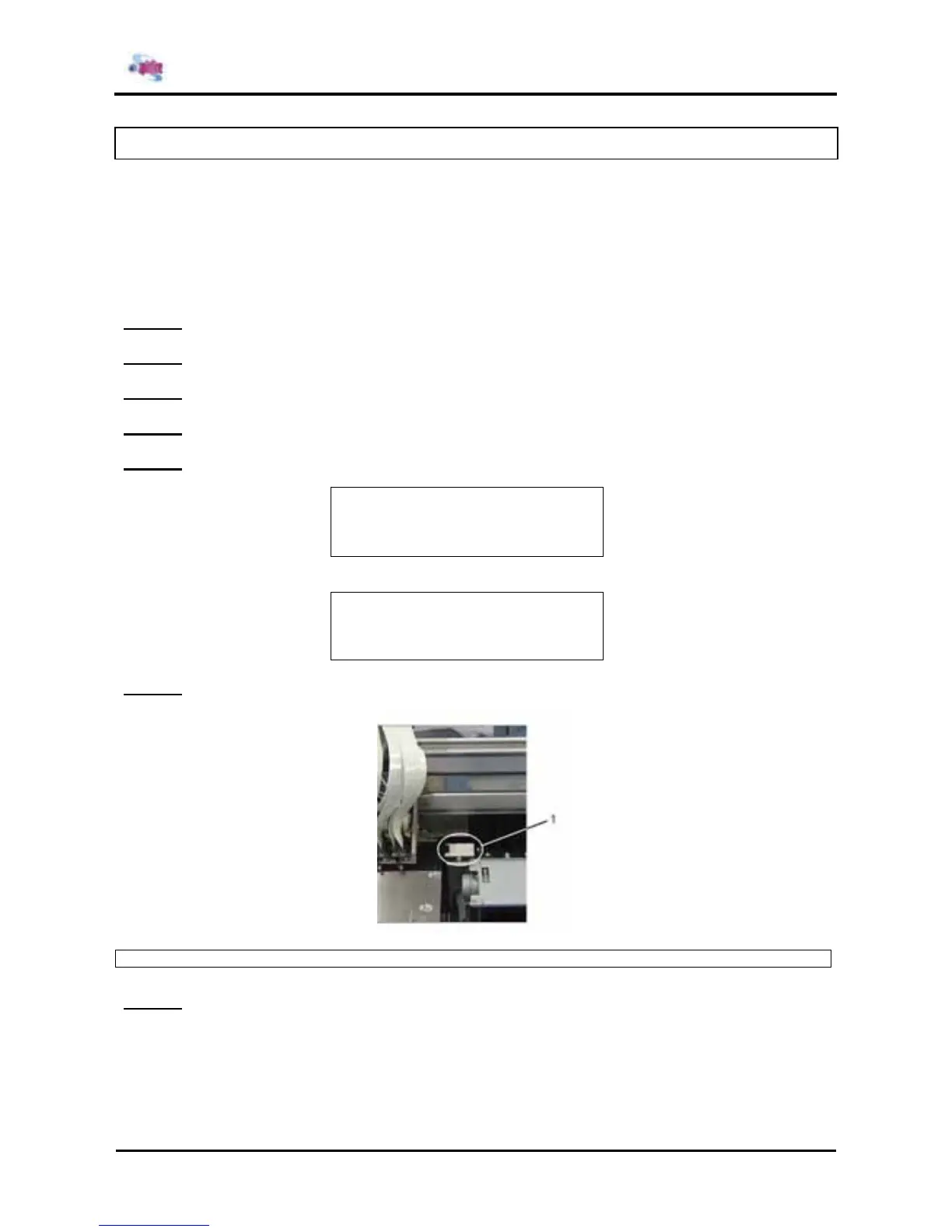
Step 6 : Move the carriage to the left and place the flushing box height jig tool on the flushing box.
1 = Flush box height jig tool
Step 7 : Turn the wheel of the carriage till the arrow is on the bottom so the carriage is in the lowest
position.















 To Next Page