Spitfire – Maintenance Manual
24
AP-74096, Rev. 1.0, 09/06/05
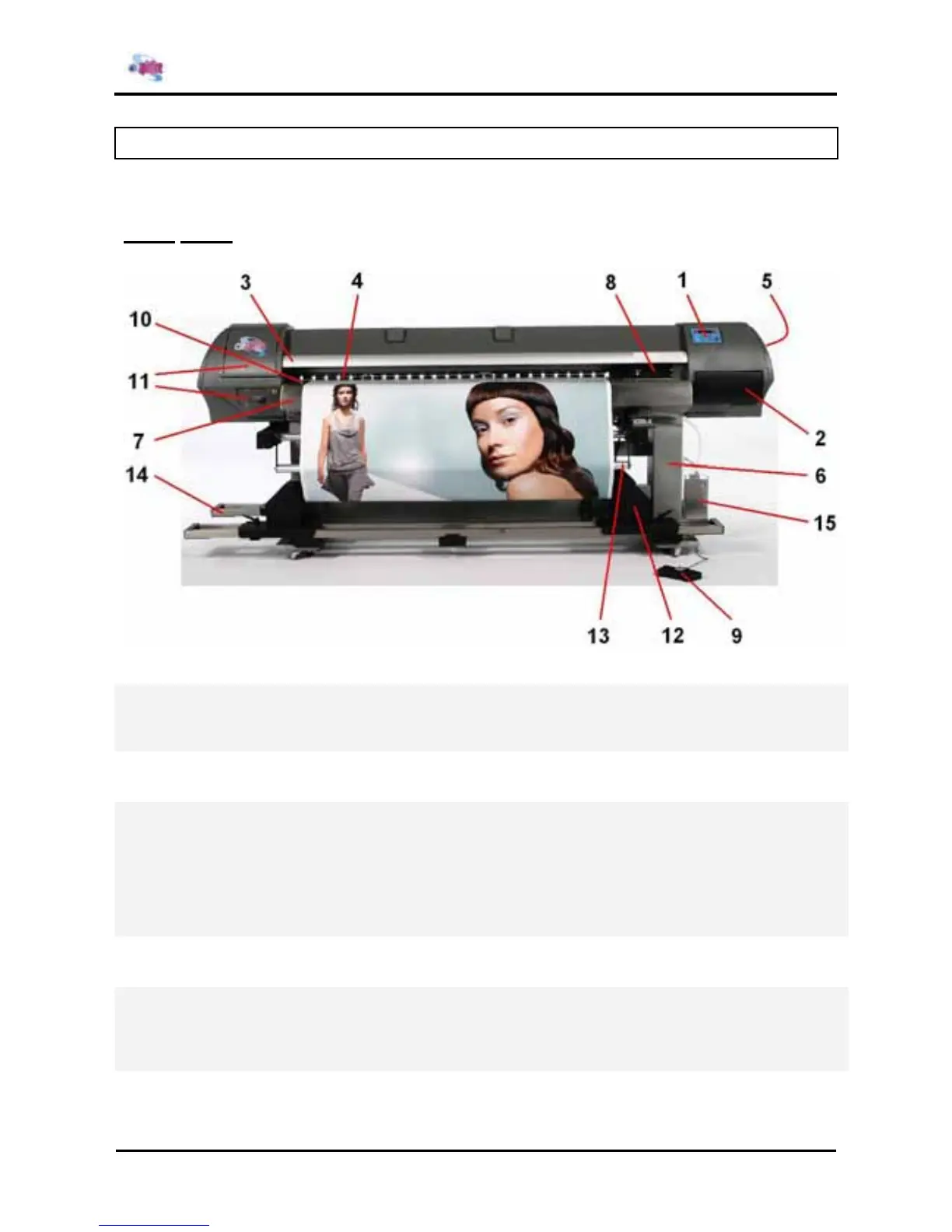
2.3. PART NAMES AND FUNCTIONS
Part names and functions are explained below.
2.3.1. Front
No. Name Function
1
Operation panel This panel is used to set operational conditions, the status of the printer and
other functions.
2
Ink compartment This is the place for installing ink cassettes.
3
Front cover This cover keeps the operator safe from the drive parts of the printer while it is
operating. Only open and/or close the cover to perform following operations:
¾ Media setting and replacement
¾ Cutter blade replacement
¾ Cleaning the cleaning wiper
¾ In case of media jam.
4
Pressure rollers This roller is used to press the media from above and keep it flat when printing.
5
Maintenance cover This protects users from electric shocks caused by touching the internal
electrical parts. The cover is opened when expansion memory (optional) has to
be installed, and is closed for normal use.
6
Stand This stand is used to install the printer on a surface flat floor.
The unit is delivered with a Unwinder / Winder 100 system















 To Next Page