Spitfire – Maintenance Manual
115
AP-74096, Rev. 1.0, 09/06/05
4.8. REPLACING THE MAINTENANCE STATION AREA
4.8.1. Replacing the Capping Station Assembly (Maintenance Assembly)
Notes :
¾ When replacing the parts inside the maintenance assembly, be sure to perform
following operation to clear the counter.
"High ink initialization" or " Cleaning initialization": refer to "Counter Display
Menu"
¾ Remove following covers before replacing the parts inside the maintenance
assembly.
Side cover R: refer to "Removing side cover R"
Side cover L: refer to "Removing side cover L"
Front cover: refer to "Removing the front cover"
Y rail cover: refer to "Removing the Y rail cover"
Step 1 : Follow step 1 in "Replacing the flushing box assembly" to move the CR cursor to the left.
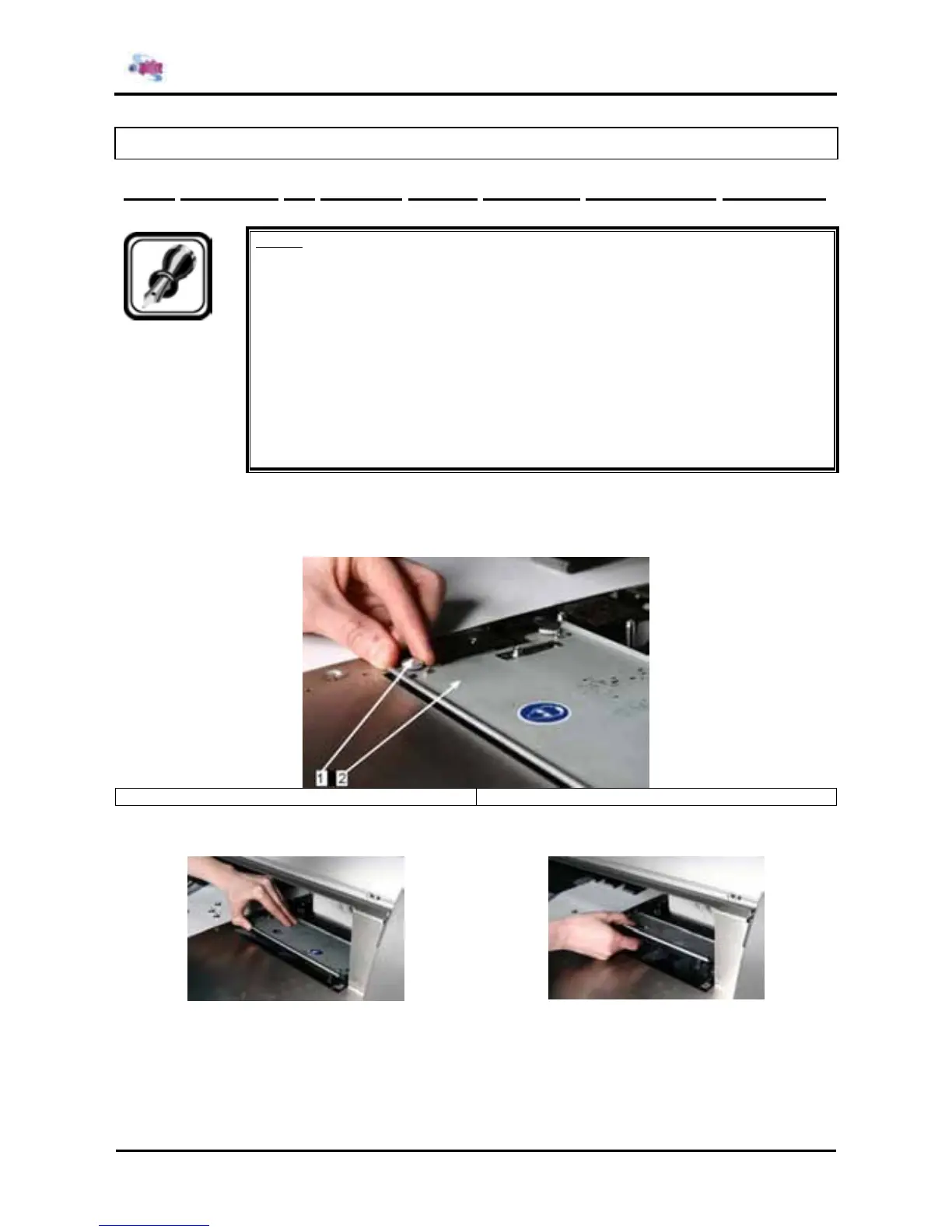
Step 2 : Remove the 4 screws fixing the Wiper Arm Assy.
1 = screws 2 = wiper arm assy
Step 3 : Remove the wiper arm assy.















 To Next Page