Spitfire – Maintenance Manual
116
AP-74096, Rev. 1.0, 09/06/05
Step 4 : Remove the cover from the pump assembly.
Step 5 : Remove the screw fixing the flushing box installation board.
Step 6 : Remove the flushing box installation board.
Step 7 : Remove the tubes from the pump station
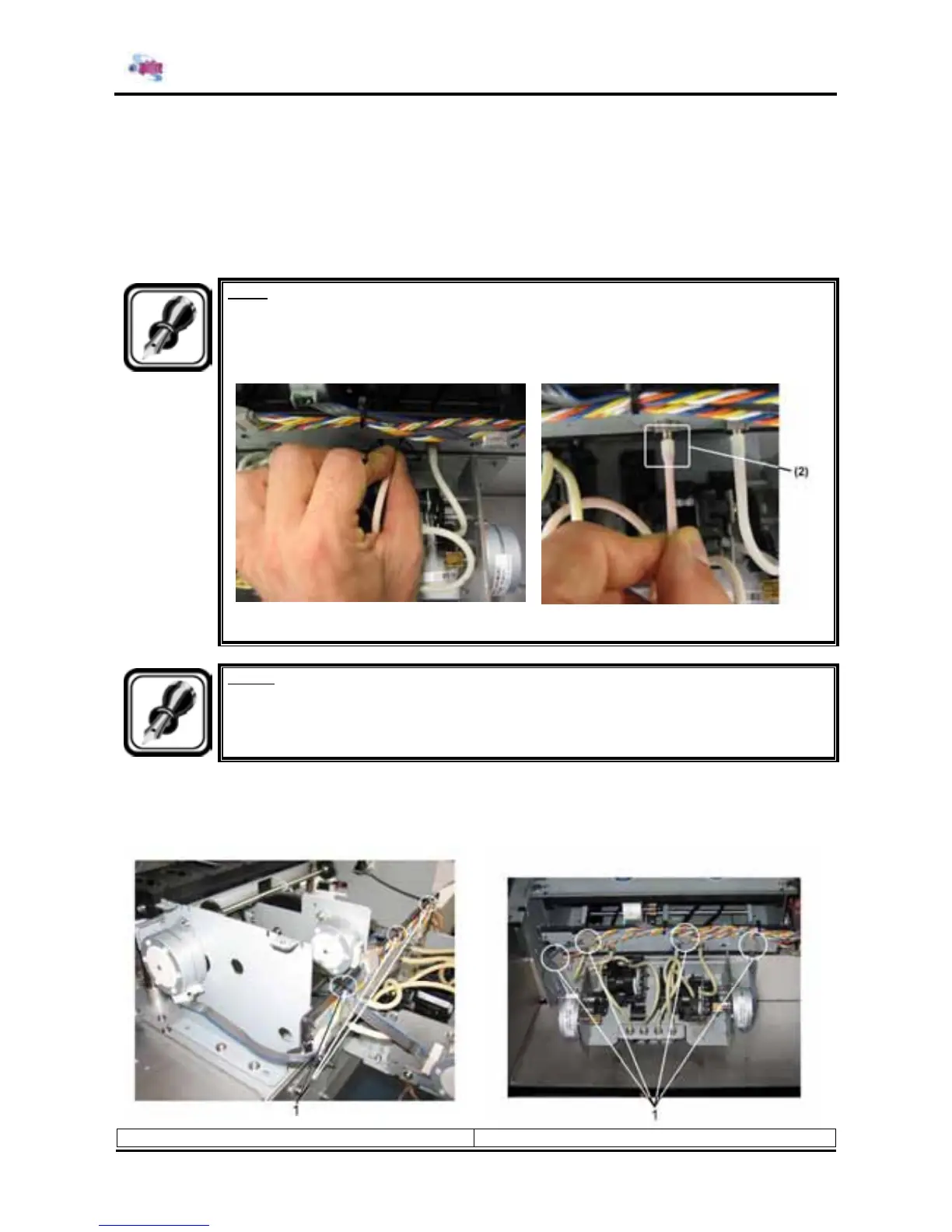
Note :
¾ Be careful when removing the tubing from the nipple. Hold the tubing as close to the
nipple as possible. Turn the tubing left and right until it is coming off. Otherwise the
tubing will stretch and the inner coating layer will be damaged.
(1) Turn the tubing left right and pull gently (2) Stretched and damaged tubing
Notes :
¾ There is some remaining ink in the tubes. Be careful that the ink is not spilled from the
tube onto the printer or items close to the printer.
Step 8 : Disconnect the electrical wires.
a. Cut the 3 rock-ties (DF-41410)
b. Unplug the wires (on the connectors)
1 = rock ties 2 = connectors















 To Next Page