Spitfire – Maintenance Manual
56
AP-74096, Rev. 1.0, 09/06/05
4.2.8. Removing rear paper guide
Step 1 : Remove side cover L.
Step 2 : Remove side cover R.
Step 3 : Remove the front cover.
Step 4 : Remove the Y rail cover.
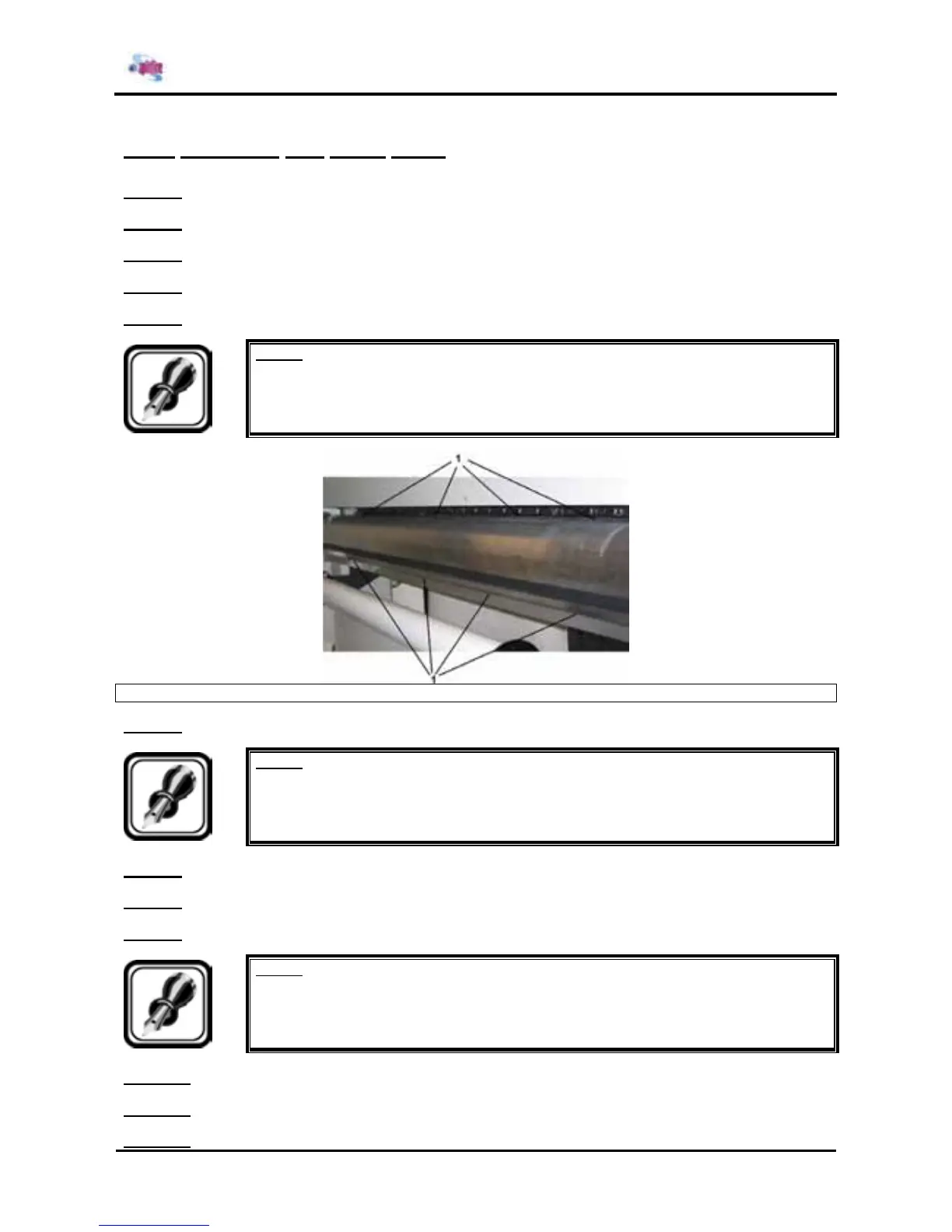
Step 5 : Remove the screws from the top of the rear media guide.
Notes :
¾ Please note that the amount of screws is size dependent.
1 = Screws on the rear paper guide
Step 6 : Remove the screws from the rear of rear paper guide.
Notes :
¾ Please note that the amount of screws is size dependent.
Step 7 : Standing at the rear of the unit move the rear paper guide towards you.
Step 8 : Loosen the cables from their cable clamps.
Step 9 : Carefully loosen the connectors
Notes :
¾ Be sure not to damage the cables or connectors.
Step 10 : Remove the rear paper guide.
Step 11 : Replace the parts inside the printer.
Step 12 : Reinstall all parts in the opposite order of the removal procedure.















 To Next Page