Spitfire – Maintenance Manual
203
AP-74096, Rev. 1.0, 09/06/05
5.13. MACHINE SIZE SELECT MENU
This section describes the select menu of the machine size.
Used when the Mainboard is exchanged, etc.
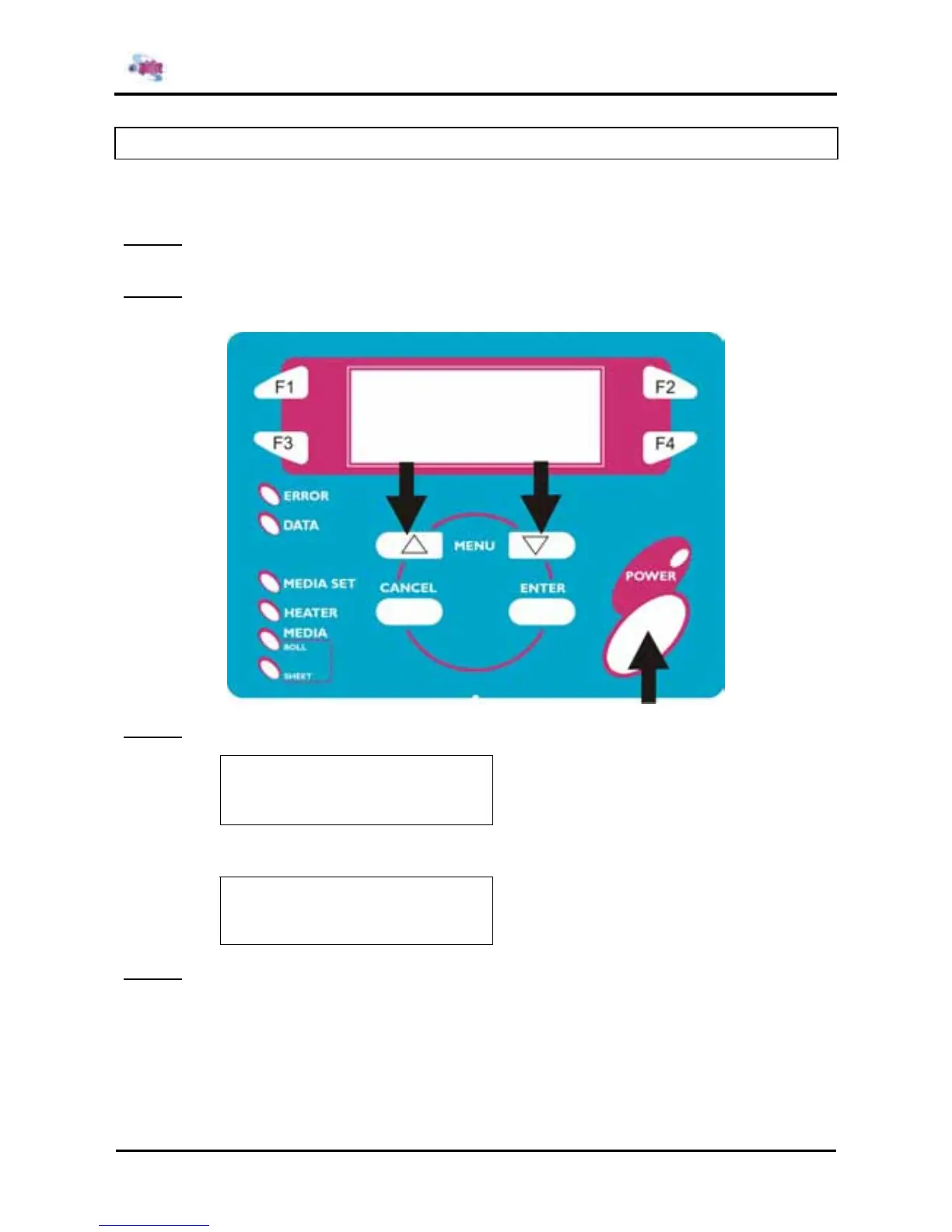
Step 1 : If the system is in the operation mode or the self-diagnosis menu mode, press the [POWER] key
to power off the unit.
Step 2 : Press the [POWER] key while simultaneously pressing and holding the [MENU ↑] key and the
[MENU ↓] key.
Step 3 : Select the machine size.
* MachineSize *
F1 →
65inch 90inch
← F2
- 65inch - (1/1)
↓ Select item
Select Finish !
Please re-starting
Step 4 : Power OFF the unit.















 To Next Page