Spitfire – Maintenance Manual
169
AP-74096, Rev. 1.0, 09/06/05
5.5.9. P_REAR sensor position adjustment menu
Adjust the P_REAR sensor position in order to accurately detect the length of the cut media.
During this adjustment, the P_REAR sensor position can be adjusted inside the firmware by referring to the
nozzle, in order to obtain a maximum printable area starting from the ends of the media.
Make adjustments following the steps below.
Step 1 : Set media as necessary.
Notes :
¾ Use cutting media for adjusting the P_REAR sensor. Set A3 cutting media in
portrait orientation.
¾ P_REAR sensor position adjustment is a process necessary during manufacturing.
This does not need to be done when band feed is compensated.
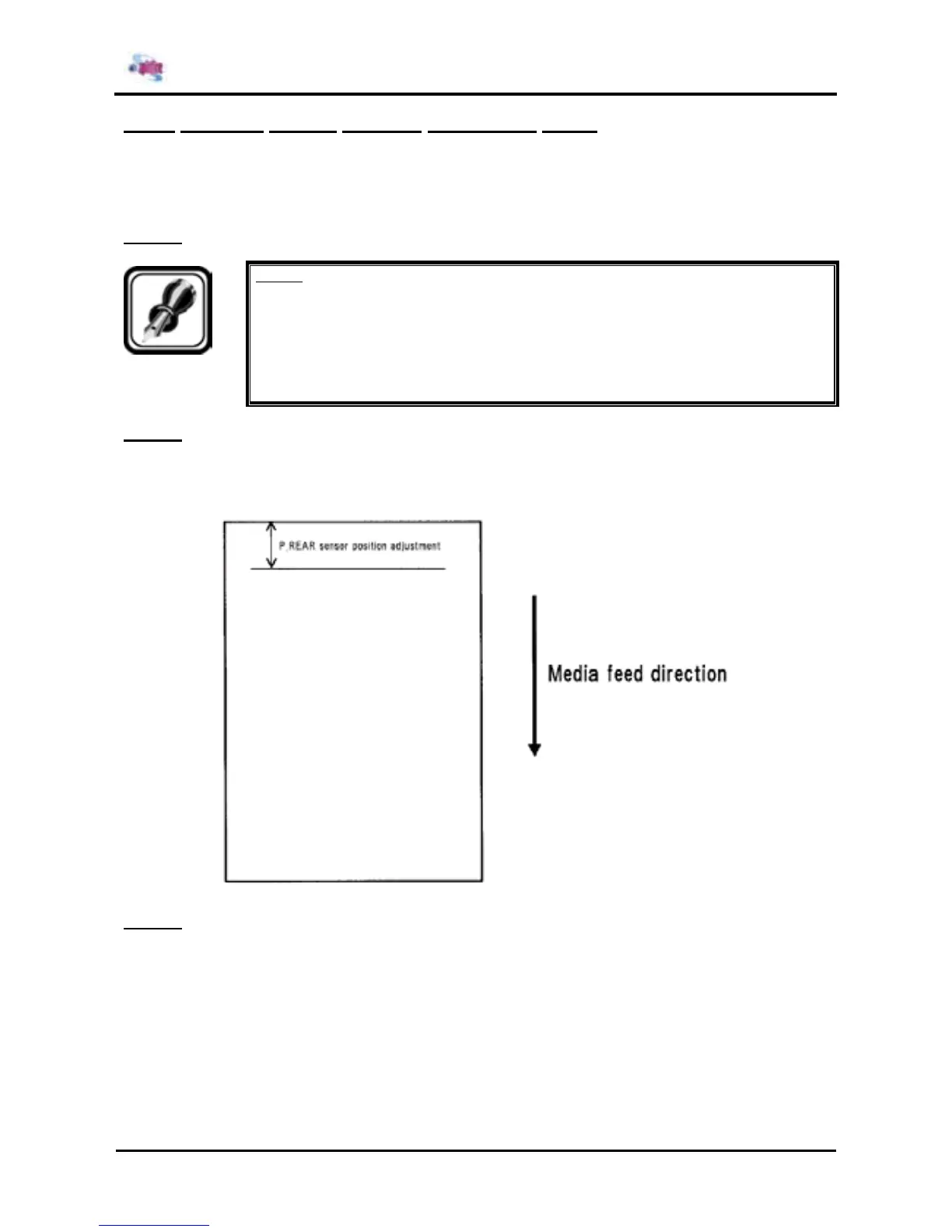
Step 2 : After the media has been set, a pattern printing with the P_REAR sensor position adjustment is
performed.
The following is the description of the printing method.
¾ Draws a horizontal line (black 1 dot line) 17 mm away from the media end.
Step 3 : Measure the distance from the media end to the line just drawn.















 To Next Page