Spitfire – Maintenance Manual
185
AP-74096, Rev. 1.0, 09/06/05
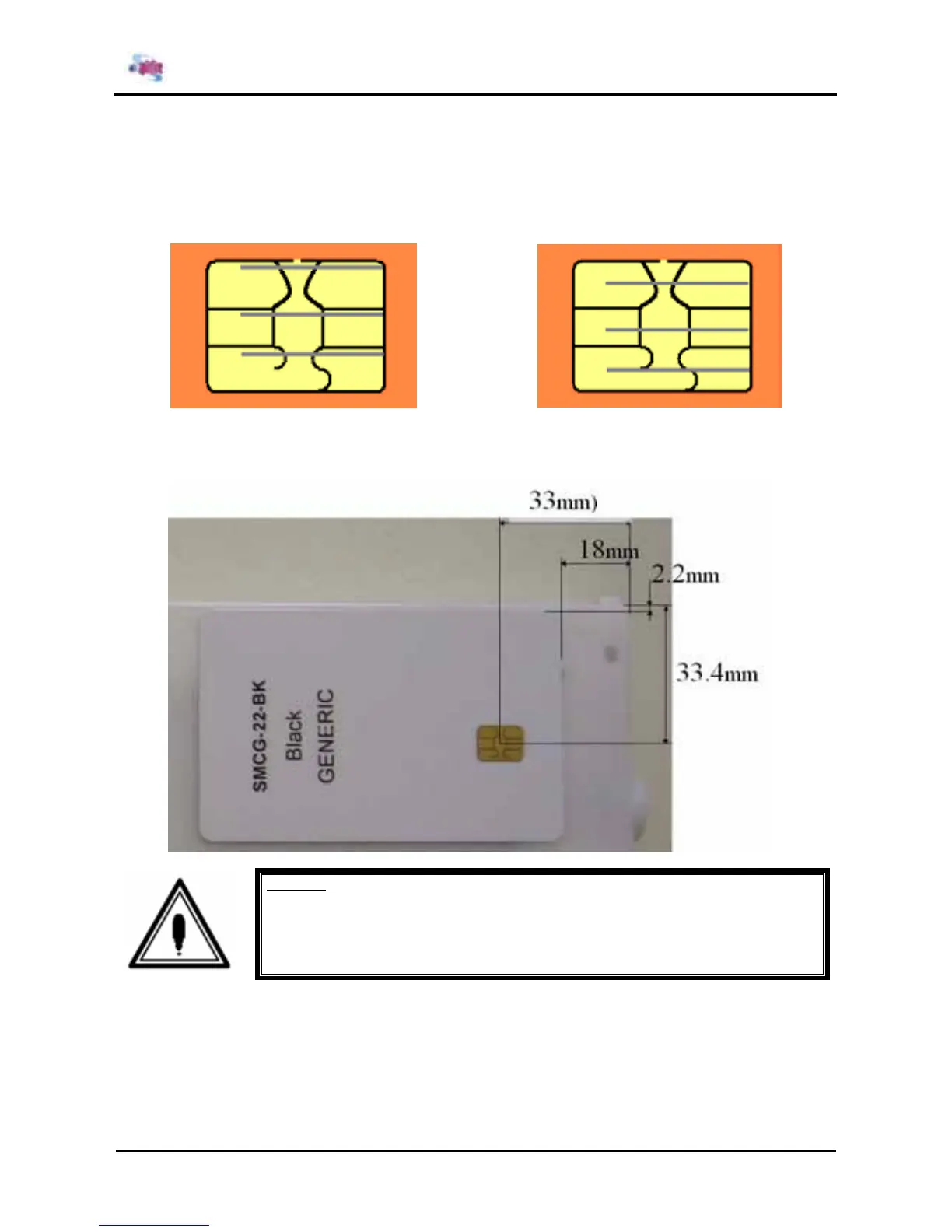
Situation 3: The lines are lying a just above the black line
The sensor will sometimes give contact with the smart-ship, but not always.
So it is possible that the printer, even during printing, displays the message “No original ink”.
Again, move the smart-chip a few millimetres above, so that the sensor lines lie in the middle of
the black lines as in situation 1.
►
Step 5 : Reposition the smart-chip in case of situation 2 or 3 in function of the cartridge box and its
tolerance. Be sure to obtain the first situation, where the lines lie in between the black lines.
Caution:
All dimensions should be respected. There is only a little tolerance on the
dimensions 2.2 mm and 33.4 mm because of the tolerance on the cartridge box.















 To Next Page