Newtec Proprietary
Confidentiality: Unrestricted
R3.2_v1.0
111/387
General Device Settings and Actions
MDM9000 Satellite Modem
14.3.5 Import a Configuration
Import a configuration file that can be used as a new configuration.
» Navigate to the Tasks Pane to check the available configurations.
» Click Device.
» Click Configurations.
» Click Import.
» Browse to the correct folder and select the correct config.xml file.
Please note that after an import of a configuration, the configuration is not loaded automatically.
This requires an additional load step, refer to LoadaConfigurationonpage111.
The configuration file must comply with the available configuration options and
activated licences on the device.
14.3.6 Load a Configuration
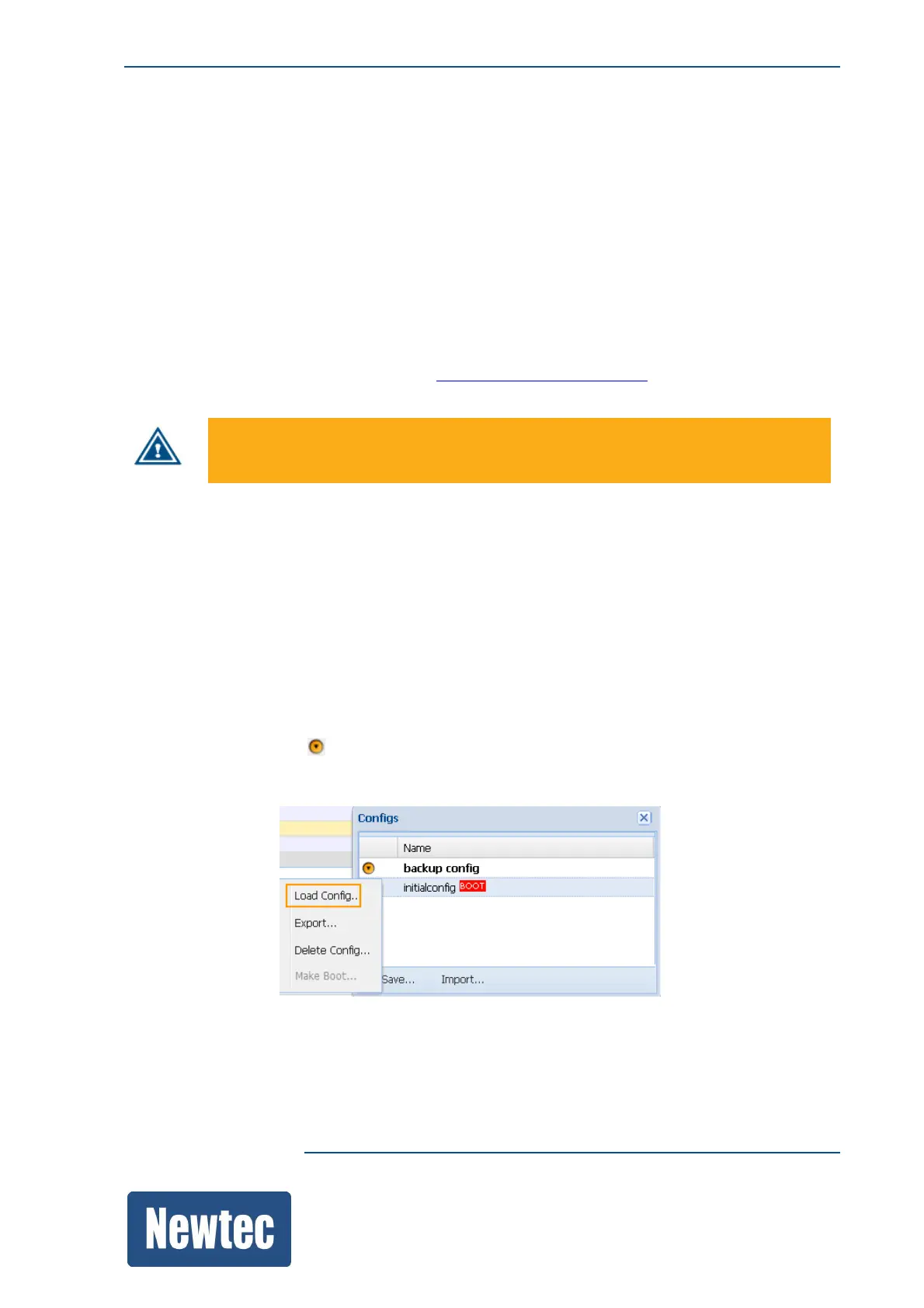
Use this procedure to load a configuration file that is available in the configuration list.
The loaded configuration becomes the active configuration.
» Navigate to the Tasks Pane to check the available configurations.
» Click Device.
» Click Configurations.
» Click the Config Name you want to load.
» Click the following icon .
» Click Load Config…



 To Next Page