Newtec Proprietary
Confidentiality: Unrestricted
R3.2_v1.0
45/387
Quick Configuration Templates
MDM9000 Satellite Modem
12.2 Layer 2 Point to Point ACM Enabled
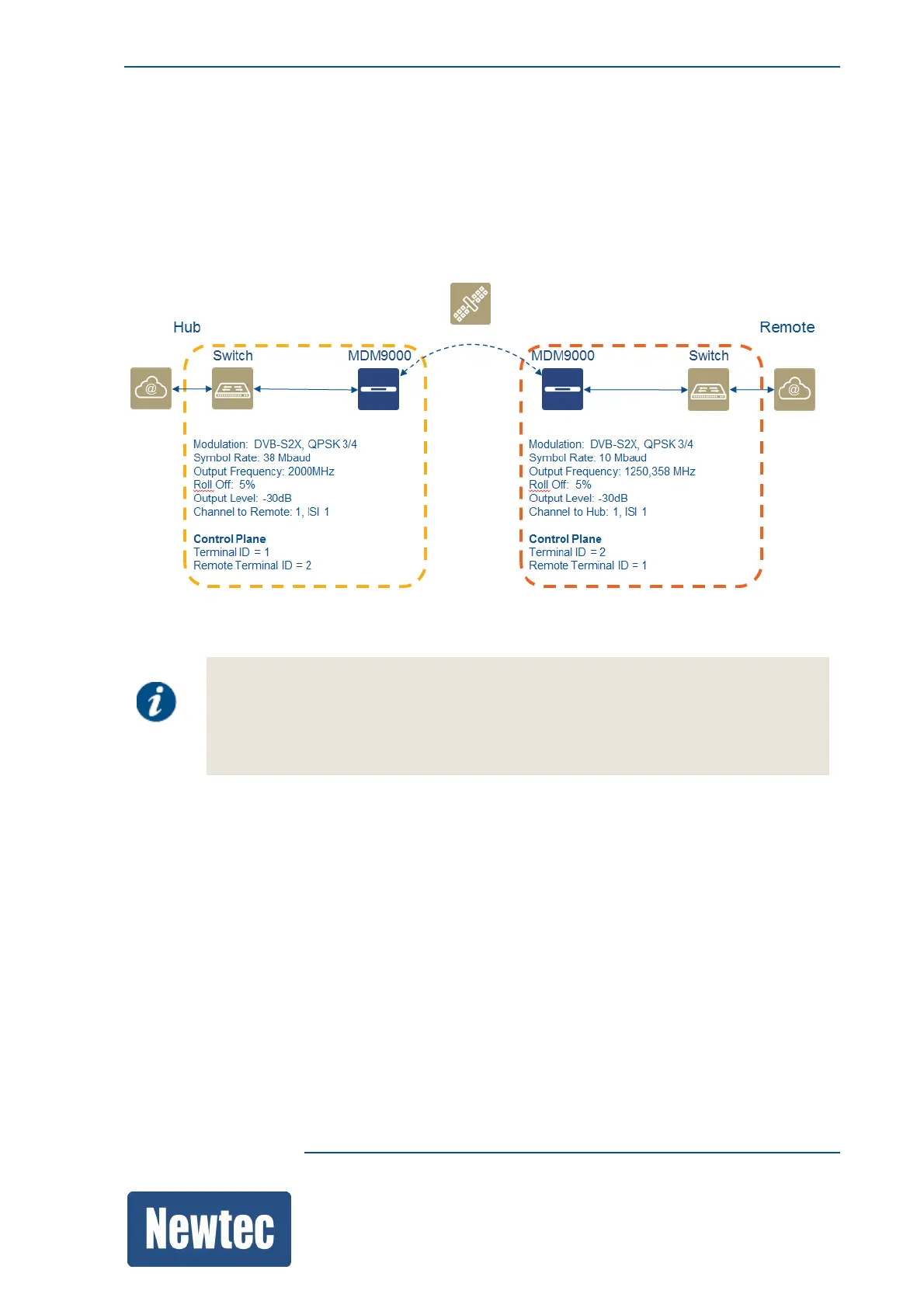
Load these templates (Hub and Remote to make a back to back connection between two MDM9000
devices with FlexACM enabled.
The templates are configured so that the ACM messaging is performed via the control plane
between the two MDM9000 devices. This means that both devices have their terminal ID defined
and enabled.
• On the hub site load the template "P2P L2 Hub ACM".
• On the remote site load the template "P2P L2 Remote ACM".
Make sure to select the correct Transponder Operation Mode.
(The list of available MODCODs depends on this setting.)
Navigate to:
Modulator >> Link Optimization >> Transponder Operation Mode
• Change the mentioned settings according to the system setup to get your point to point setup up
and running.
• Enable transmit on both modems.



 To Next Page