Newtec Proprietary
Confidentiality: Unrestricted
R3.2_v1.0
286/387
Feature Descriptions
MDM9000 Satellite Modem
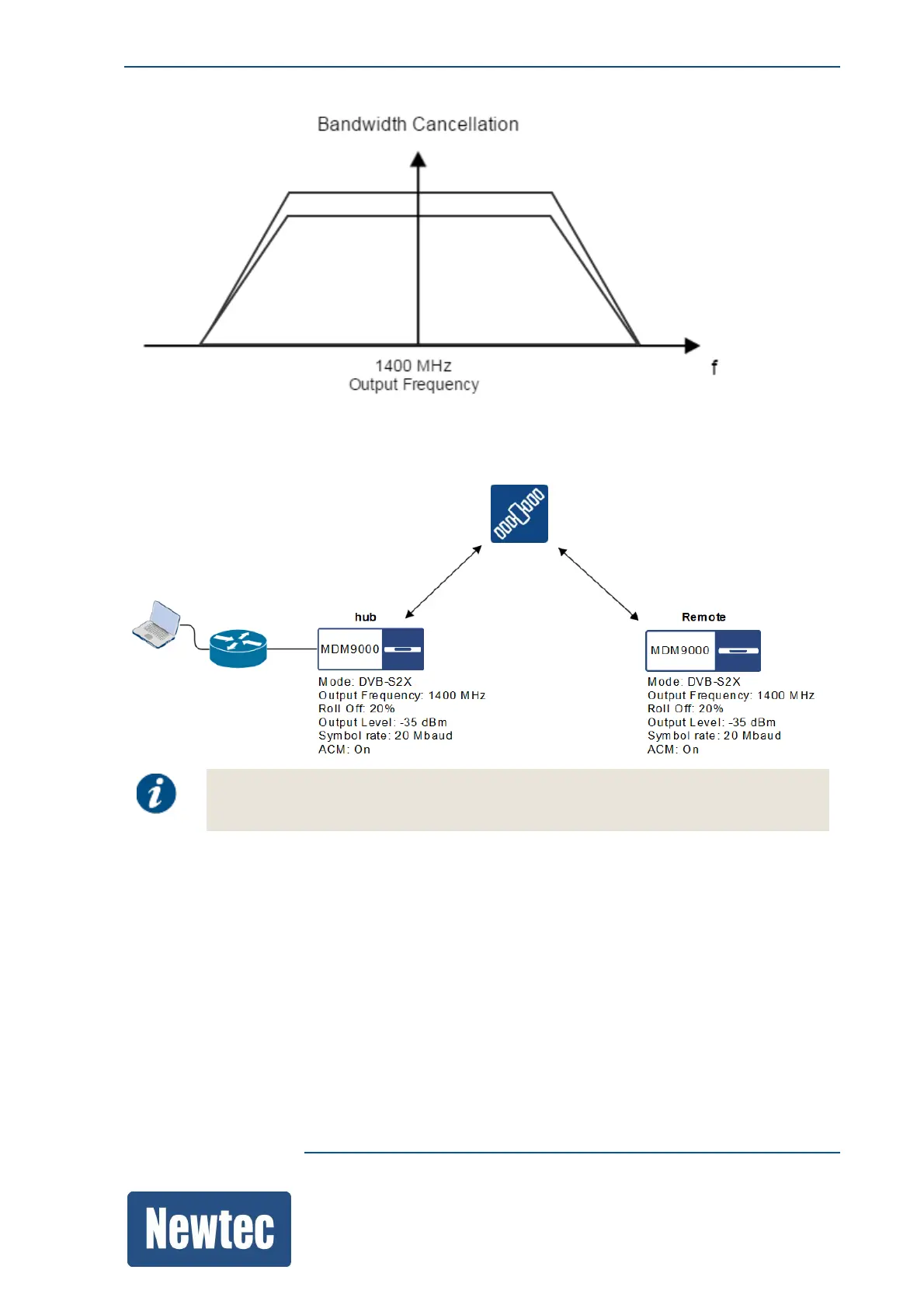
As indicated in the following figure both output frequencies (on the hub site and the remote site) are
set to 1400 MHz.
In this example we make use of two MDM9000 devices who are connected back to
back with each other. This results in a time delay that is set to 0.
16.16.3.1 Configure the Hub Site
Proceed as follows to configure the bandwidth cancellation parameters.
» Log in as expert.
(Default credentials: User name: expert Password: expertexpert)
» Open the detailed view of the demodulator.
» Change the Input Frequency from 1428 MHz to 1400 MHz.
» Scroll down to Bandwidth Cancellation.



 To Next Page