Newtec Proprietary
Confidentiality: Unrestricted
R3.2_v1.0
47/387
Quick Configuration Templates
MDM9000 Satellite Modem
12.4 Layer 3 Point to Point
Load these templates (Hub and Remote) to make a back to back connection between two MDM9000
devices.
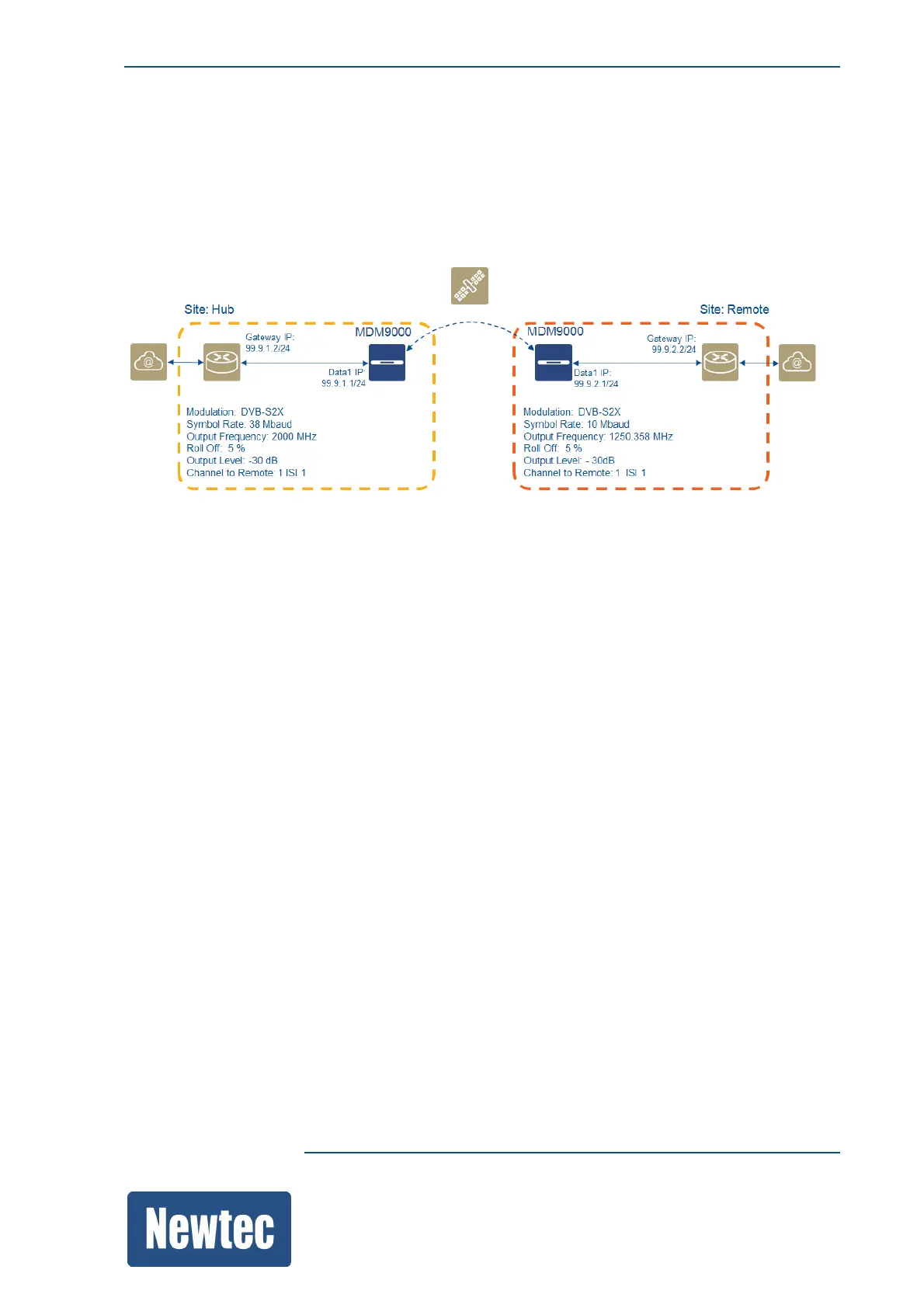
The following figure provides an overview of the system setup and the basic settings of the two
devices.
Load these templates (Hub and Remote to make a back to back connection between two MDM9000
devices.
• On the hub site load the template "P2P L3 Hub".
• On the remote site load the template "P2P L3 Remote".
• Change the gateway IP and Data IP address according to your system setup.
• Change the RF settings according to the system setup to get your point to point link up and
running.
• Change, in Encapsulation for Traffic Shaping, the PIR settings.
• Enable transmit on both modems.



 To Next Page