Newtec Proprietary
Confidentiality: Unrestricted
R3.2_v1.0
62/387
How to Manage the Device
MDM9000 Satellite Modem
13.5.6 Overview Tab
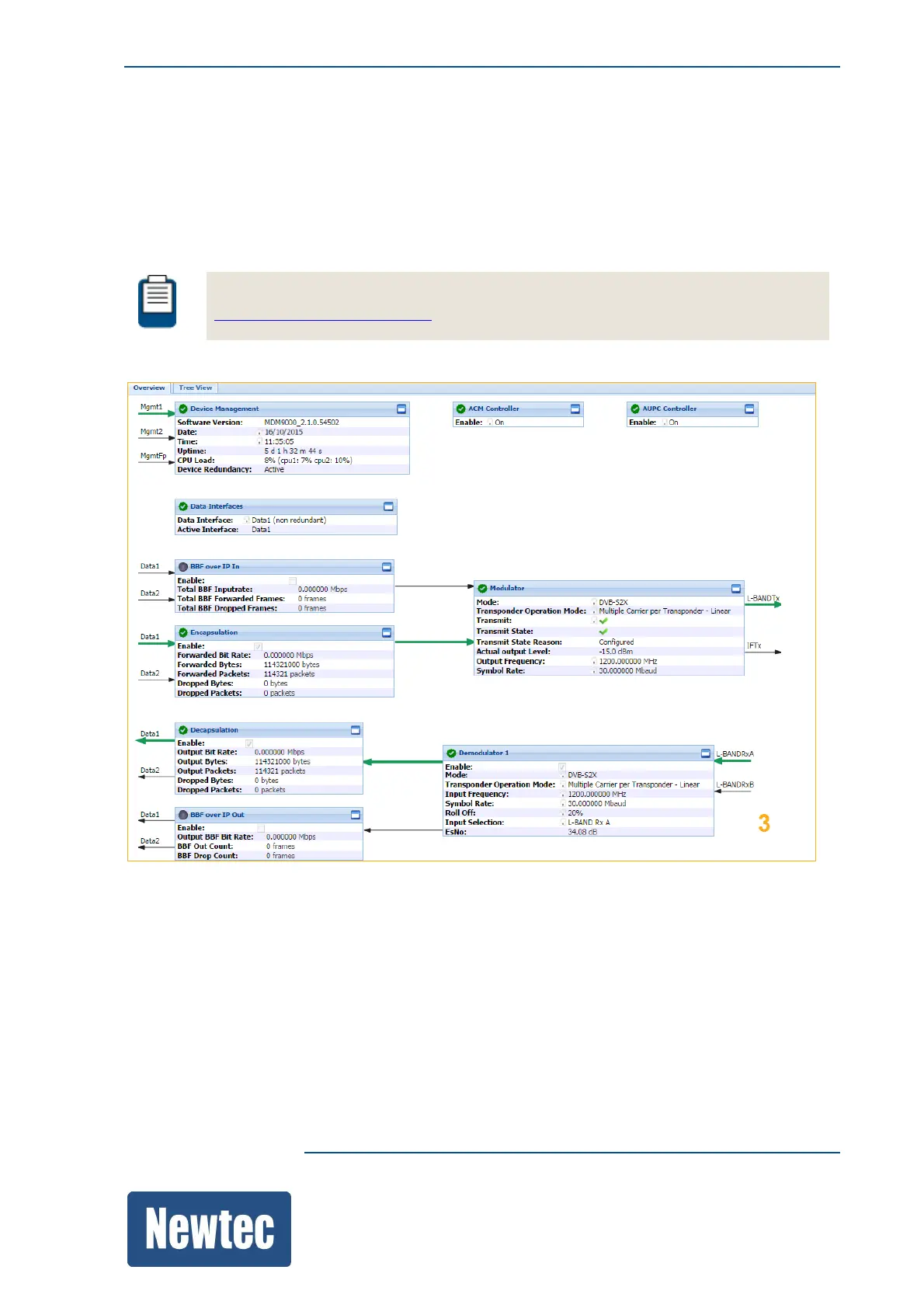
The Overview tab contains a schematic representation of the data flow in the device.
The signal passes different functional blocks and each block contains a function name, basic
settings and counters.
The blocks are connected with arrows that illustrate the data flow.
For more information on the colors used in the GUI please refer to section:
ColorsUsedintheGUIonpage69.



 To Next Page