Newtec Proprietary
Confidentiality: Unrestricted
R3.2_v1.0
112/387
General Device Settings and Actions
MDM9000 Satellite Modem
14.3.7 Export a Configuration
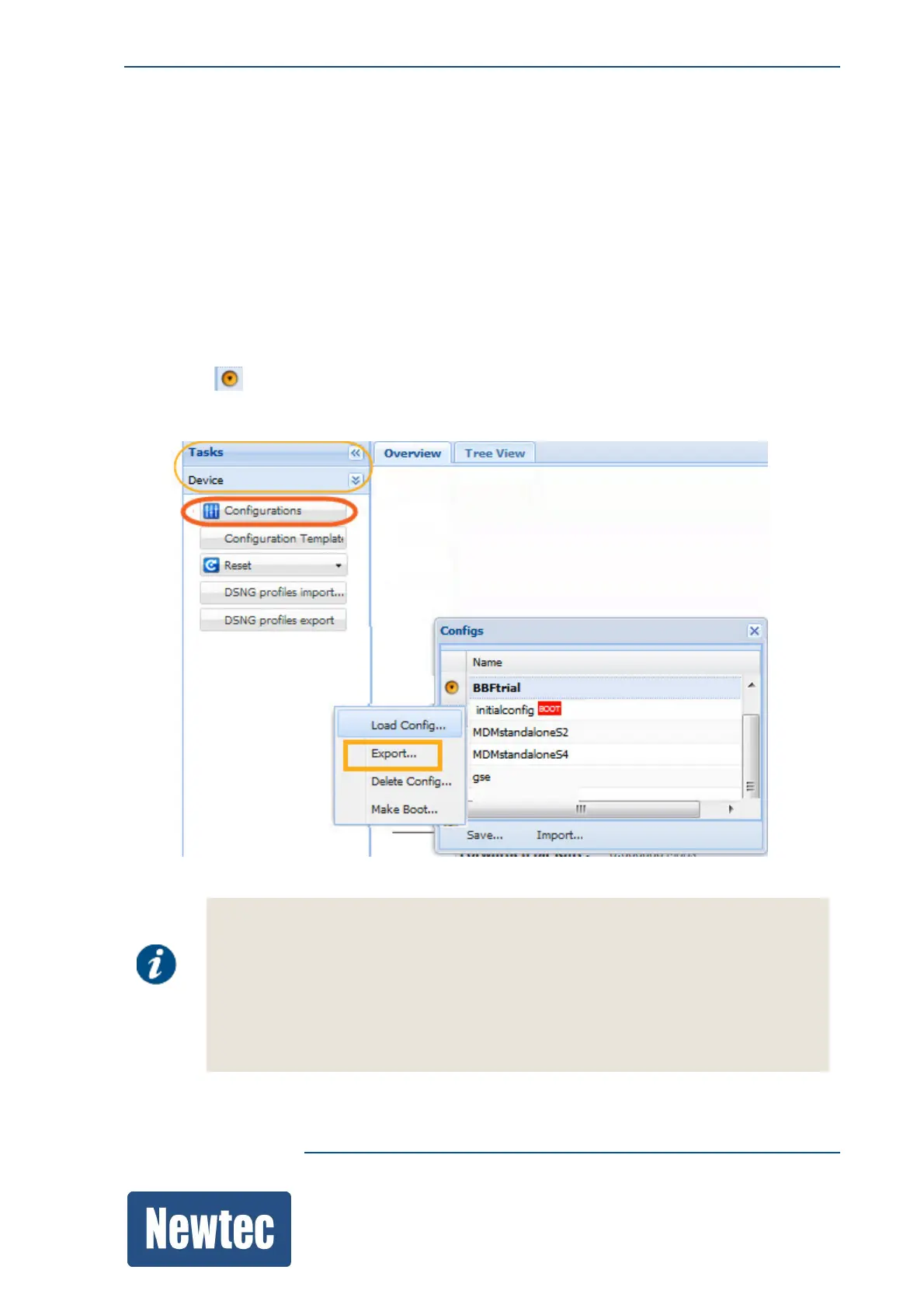
Use this to export a configuration file.
Depending on the management interface GUI or CLI the following is done:
– GUI: The file is downloaded by the browser.
– CLI: The file is available on the FTP server.
» Navigate to the Tasks Pane.
» Click Device.
» Click Configurations.
» Click the in front of the Config Name you want Export.
» Click Export to export the XML file to a default folder (GUI) or to the FTP server (CLI).
The exported file can be:
• Used as a backup file.
• Edited offline and reused on another device.
– In this case, make sure that the configured options and activated licences are
the same on both devices.
• Forwarded upon request to the support engineer for debugging technical problems.



 To Next Page