Newtec Proprietary
Confidentiality: Unrestricted
R3.2_v1.0
143/387
General Device Settings and Actions
MDM9000 Satellite Modem
14.16.2 Monitor the Antenna Control Interface
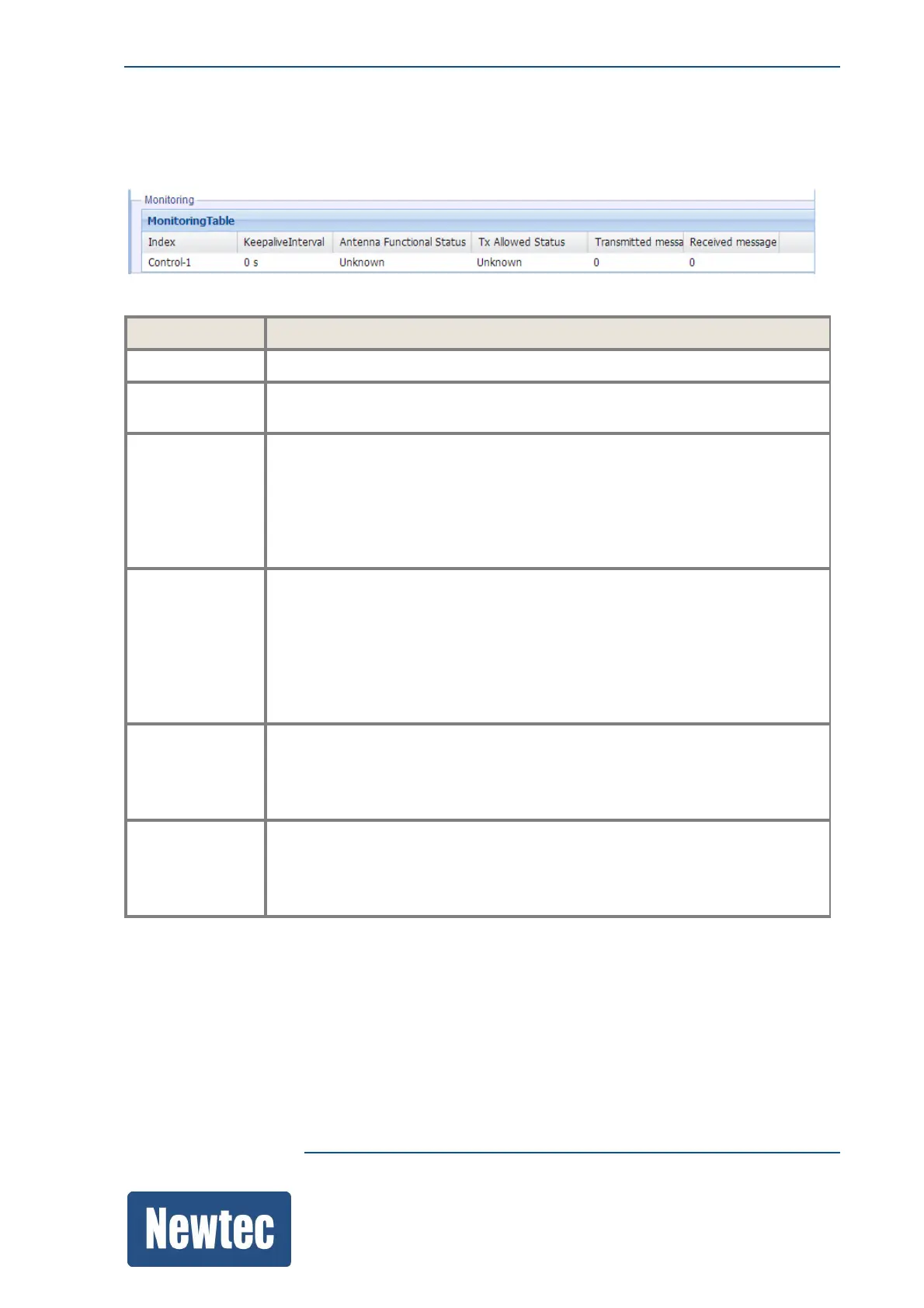
Use the monitoring table to check the current status of the antenna control interface.
Parameter Description
Index
Indicates the Control ID of the antenna connection that is being monitored.
Keep Alive
Interval
Indicates the current keep alive interval that is requested by the listener.
Antenna
Functional
Status
This indicates the current functional status of the antenna, the following states
are possible:
• Unknown
• OK: The antenna is active
• Failed: The antenna is inactive
TX Allowed
Status
This monitoring parameter indicates if the antenna is allowed to transmit.
The following states are possible:
• Unknown
• On: Transmission is allowed
• Off: Transmission is not allowed, check if the interface controller is
activated
Transmitted
Message
Counter
Indicates how much control messages that are sent towards the antenna
control unit.
This should be incrementing, indicating that the connection between the
antenna control interface and 'the antenna control unit are active.
Received
Messages
Indicates how much messages coming from the antenna control unit are
received by the antenna control interface.
This should be incrementing, indicating that the connection between the
antenna control interface and antenna control unit are active.



 To Next Page